6.2.18 Removing the Panel Screen
1. Remove the Hinge as described in the preceding section 6.2.12.
2. Remove the Name Plate as described in the preceding section 6.2.16.
3. Remove the Panel Main Board as described in the preceding section 6.2.17.
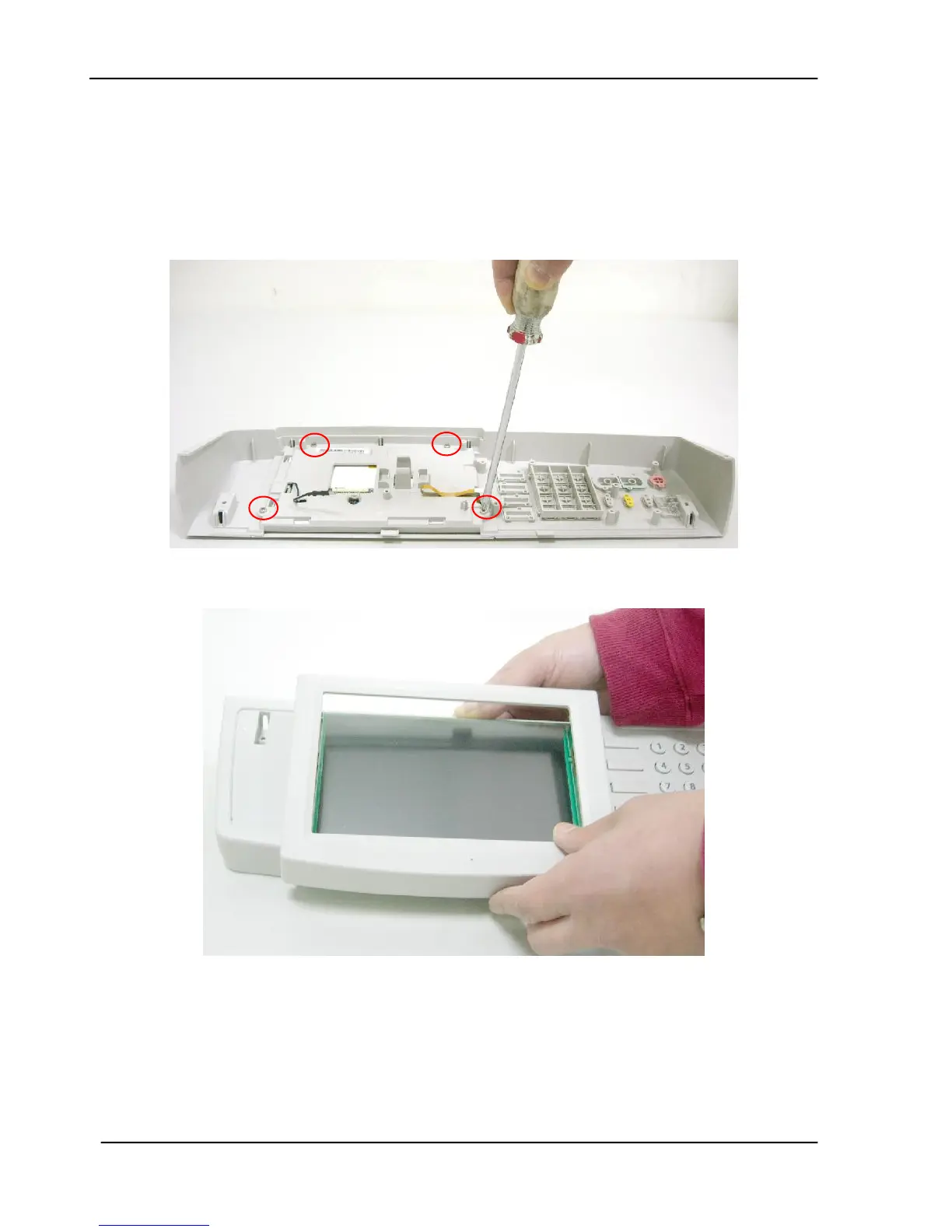
4. Remove the 4 fixing screws on the panel main board.
5. Remove the frame of the panel screen first.









 To Next Page