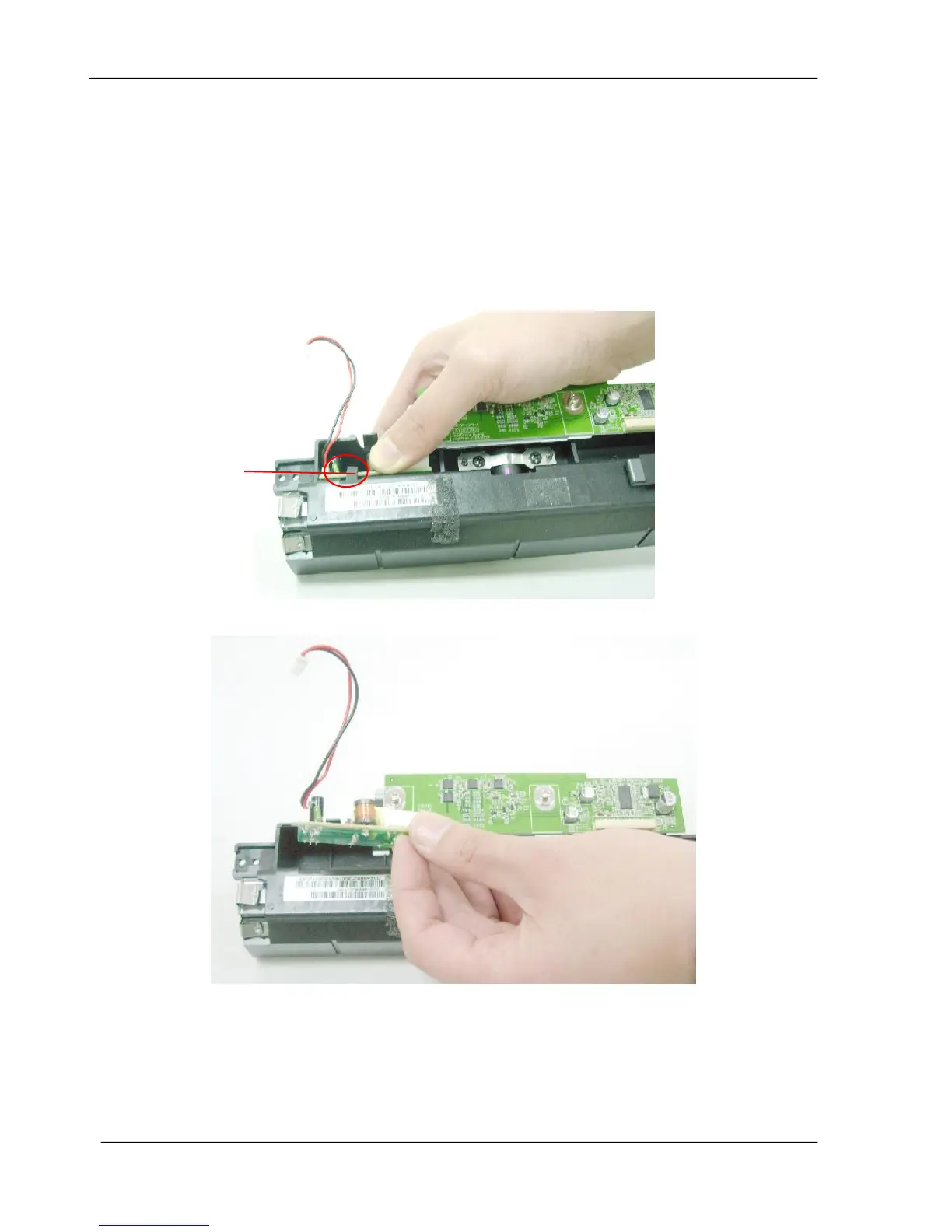
6.2.10 Removing ADF Inverter
1. Remove the ADF Front Cover as described in the preceding section 6.2.5.
2. Remove the 2 Sensor Units on the front case as described in the preceding section
6.2.6.
3. Remove the Sensor Board as described in the preceding section 6.2.7.
4. Remove the ADF Board as described in the preceding section 6.2.8.
5. Remove the ADF Chassis as described in the preceding section 6.2.9.
6. Open the inverter hook by pulling it outward.
7. Remove the inverter from the hole on the ADF chassis.









 To Next Page