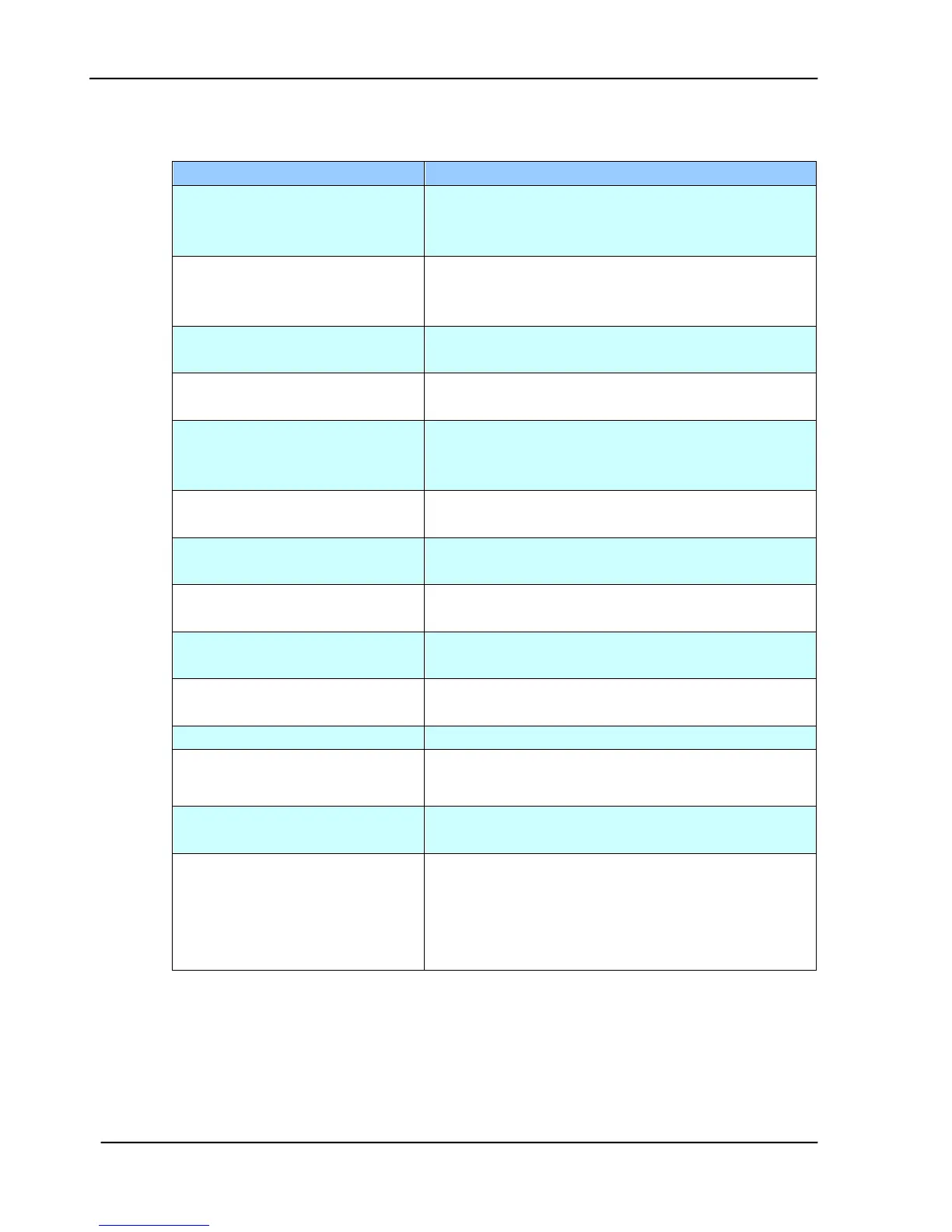
5.2.9 INFORMATION MESSAGES DURING E-MAILING
Reboot the machine, and try later. If the error is
still there, contact your network administrator
for further help.
Reboot the machine, and try again. If the error
is still there, contact your network administrator
for further help.
Failed to connect e-mail server
Contact your network administrator for further
help.
Fail to get Mail server
response.
Contact your network administrator for further
help.
SMTP server is empty.
Please specify SMTP server in
User tool.
Please specify IP address of the SMTP server by
pressing the Menu button on the panel.
SMTP server address is wrong.
Please check SMTP server.
Check the IP address of the SMTP server.
Contact your network administrator for further
help.
Insufficient System Storage
Contact your network administrator for further
help.
No support SMTP service
extension
Contact your network administrator for further
help.
No support SMTP LOGIN
authentication.
Contact your network administrator to turn on
SMTP login option.
Check your login user name.
Contact your network administrator for further
help.
Temporary authentication
failure
Contact your network administrator for further
help on mail server’s authentication mechanism.
Choose SMTP authentication for E-mail security
or turn off the mail server’s authentication and
try again.









 To Next Page