STARTING
AND OPERATION
Prior to starng the boat for the rst me, read this enre Owner’s Manual, as well as the Engine
Owner’s Manual. Before trailering to the body of water the rst me, read the enre Trailer Owner’s
Manual as there is important safety informaon contained within it also. If the boat came with addional
hand-out materials or other owner’s manuals specic to various boat components, also read that material
in its enrety.
All of these publicaons have been developed to protect boaters, their passengers, other people on
the highways to the body of water and others who are also boang. Informaon is provided to enhance
the enjoyment of the Axis experience, as well as how to care for and maintain the boat, engine, drive train,
components and trailer so that this will be a long-term, on-going source of enjoyment.
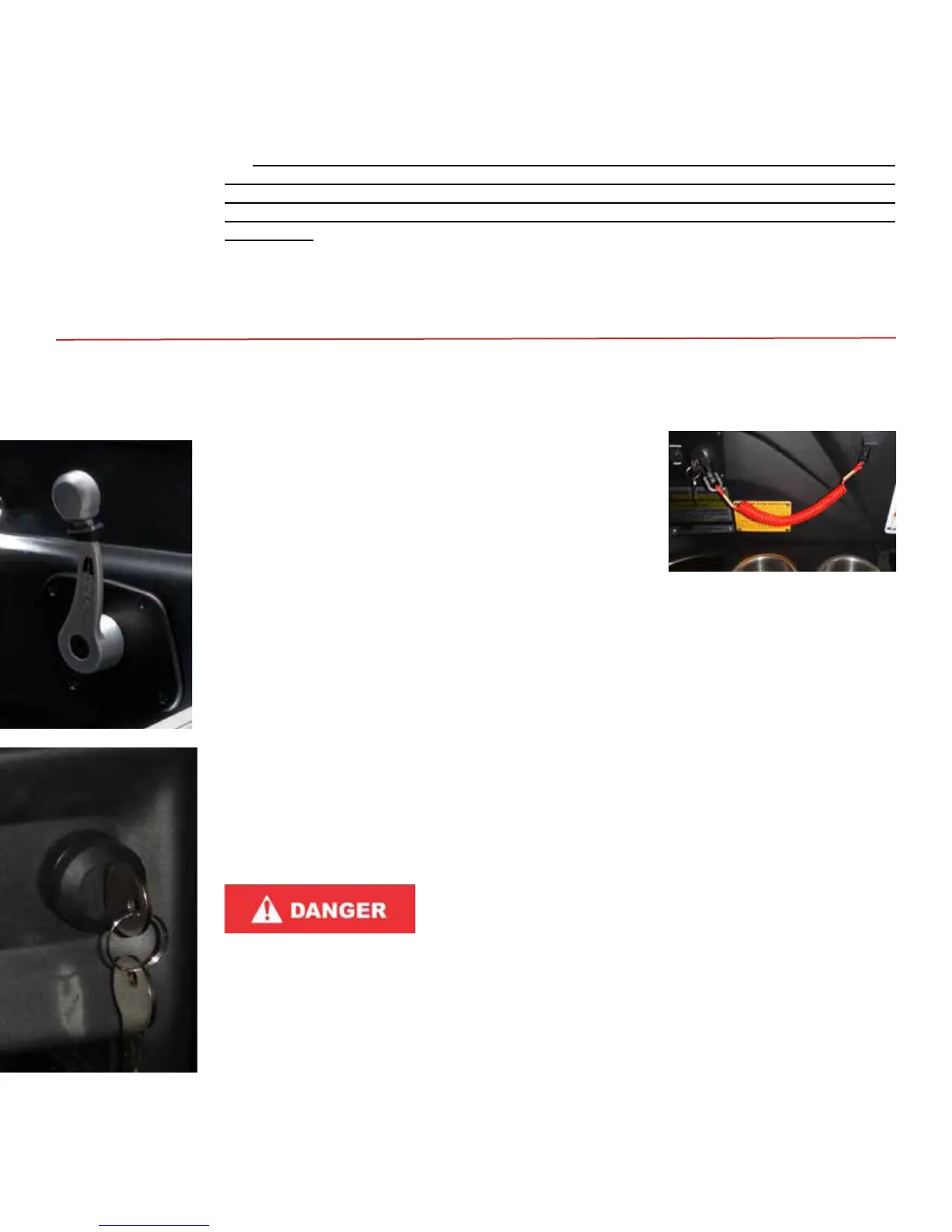
Step 1: Be certain the boat’s shier/throle is fully upright in the neutral posion. Addional informaon
follows regarding shiing and throle response.
Step 2: Perform the pre-start roune, including the bilge inspecon
and engine compartment inspecon. (Details are provided in
the Care and Maintenance secon of this Owner’s Manual.)
Leave the engine compartment open for the starng process.
Step 3: Aach the emergency safety switch tether/lanyard to the
switch on the shier/throle, and also to a piece of the
operator’s clothing.
Step 4: Operate the blower switch for several minutes with the
engine compartment open and the boat in the water.
Step 5: Insert the ignion key into the ignion slot.
Step 6: Turn the key rst to ON. Check that power to the electrical system appears by way of the gauge
sweep and beginning a check of the system.
Step 7: If the electrical system has responded, turn the key to Start. Hold the key in the Start posion for
approximately one (1) second and then release the hold on the key. It will automacally return
to the ON posion. The engine starter should engage and begin the process that will allow the
engine to run. If for some reason, the engine does not start, repeat Steps 6 and 7. Never hold the
key in the Start posion for a longer period. If the engine does not start as it should, refer to the
Troubleshoong secon at the conclusion of this Owner’s Manual for assistance in determining
the cause. If any alarms sound or warning lights appear, turn OFF the engine and troubleshoot.
Step 8: Allow the engine to run for several minutes with the engine compartment open! It is extremely
important for any accumulated fumes to be vented in this way. It also assures that any new issues
arising involving the engine, fuel system and venlaon system are noted. Accumulaon of fumes
within the engine compartment can also lead to an explosion.
To prevent a possible explosion, always operate the blower for
several minutes prior to starting the engine, and continue to
operate with the engine compartment open for several minutes
after starting the engine. Always operate the blower when the
engine is idling or at a low running speed. Improper ventilation can lead to accumulate of
gasoline or exhaust fumes in the compartment. This can lead to a fire or explosion, either
of which can result in serious injury or death!
To turn OFF:
Turn the key to OFF. Note that, unlike a dry-land vehicle, turning OFF the boat does not immediately
stop its momentum. The boat will connue to move. Shiing to neutral will slow progress, but allowance
must be made for connued movement. See informaon following for suggesons regarding docking.
The ignion key is a safety measure. It allows the operator an opportunity to briey and visually check
the electrical system operaon prior to starng. The key also reduces the likelihood of the of the boat or
unauthorized use. Always remove and take the key with you when the oung is done.
STARTING
2016 Axis Wake Research Owner’s Manual . . . Page 3-4



 To Next Page