20
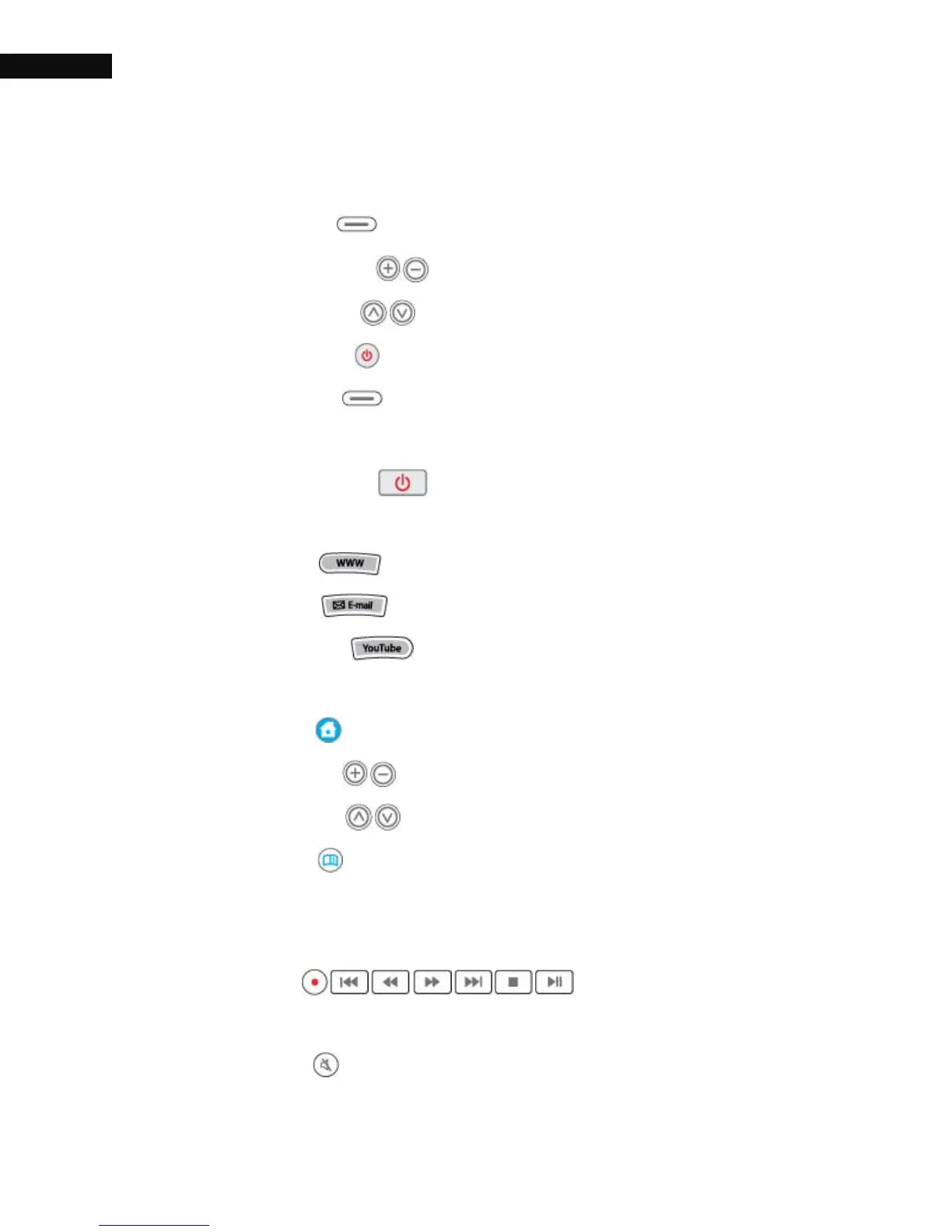
Numbers from 1 to 5 are for TV control buttons.
1) TV/AUX ( ): Switch to antenna/cable bypass input signal.
2) TV VOL +/- ( ): Increase or decrease TV volume.
3) TV CH ∧/∨ ( ): Change the channels up and down.
4) TV Power ( ): Turn TV on and off.
5) TV MUTE( ): Mute the TV sound. Press again to switch it
back.
6) STB Power ( ): Put the STB into standby or operation
mode. To reboot the receiver, press this button for 3 seconds.
7) WWW ( ): Pop up input window to accept URL.
8) E-mail ( ): Link to web-based e-mail.
9) YouTube ( ): Jump to the YouTube service. See § 4.2
for more details.
10) Home ( ): Display Main Menu.
11) VOL +/- ( ): Increase or decrease volume.
12) CH ∧ /∨ ( ): Change the channels up and down.
13) INFO ( ): Show a description of the selected program.
Press twice to display more information about a program.
14) PREV / REW / F.FWD / NEXT / STOP / PLAY&PAUSE /
REC ( ): Support basic operation
for On-Screen Display
15) MUTE ( ): Mute the sound. Press again to switch it back.



 To Next Page