36
2.5. Firmware Update
The digital receiver has a stable and convenient firmware to use.
However, once in a while a new firmware may be released to improve
the digital receiver.
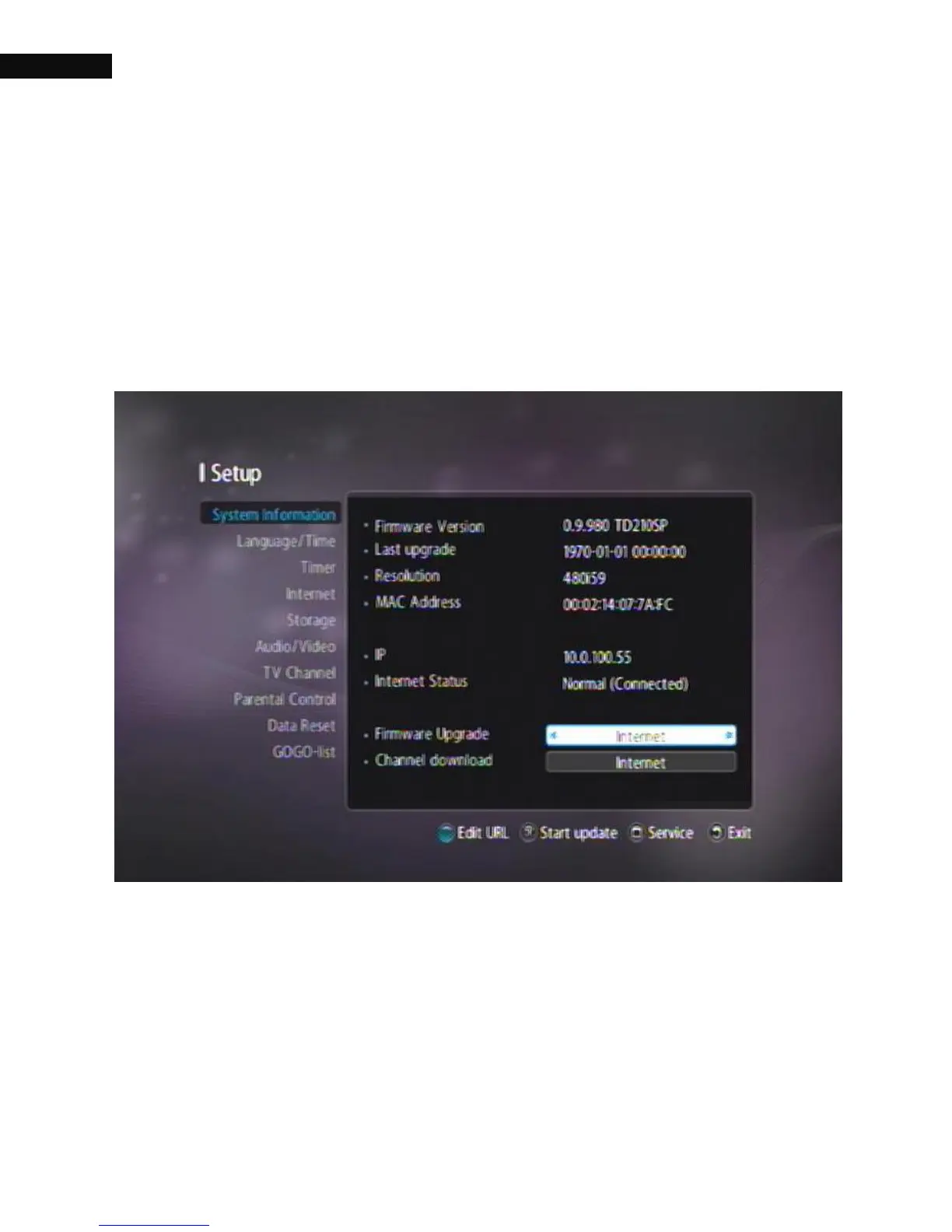
2.5.1. Checking the firmware information
You have to check up the firmware information of your digital receiver
before downloading a new firmware. Select the Settings > System
Information menu. Check the Firmware Version and Last upgrade option,
and you can upgrade your firmware through the Internet, USB or
Ethernet.



 To Next Page