OmniCare EVC System
Installation & Commissioning Manual
OmniCare issue 1
33
C
O
M
M
U
N
I
C
A
T
I
O
N
S
2. Open the door and remove the two screws securing the top
of the front panel.
3. Remove the four screws securing the lower panel to the back
box.
Detach both Front Panels and the Handset from the back
box. This allows access to the upper and lower mounting
holes in the back of the enclosure.
4. Fit the enclosure to the wall using suitable fixings.
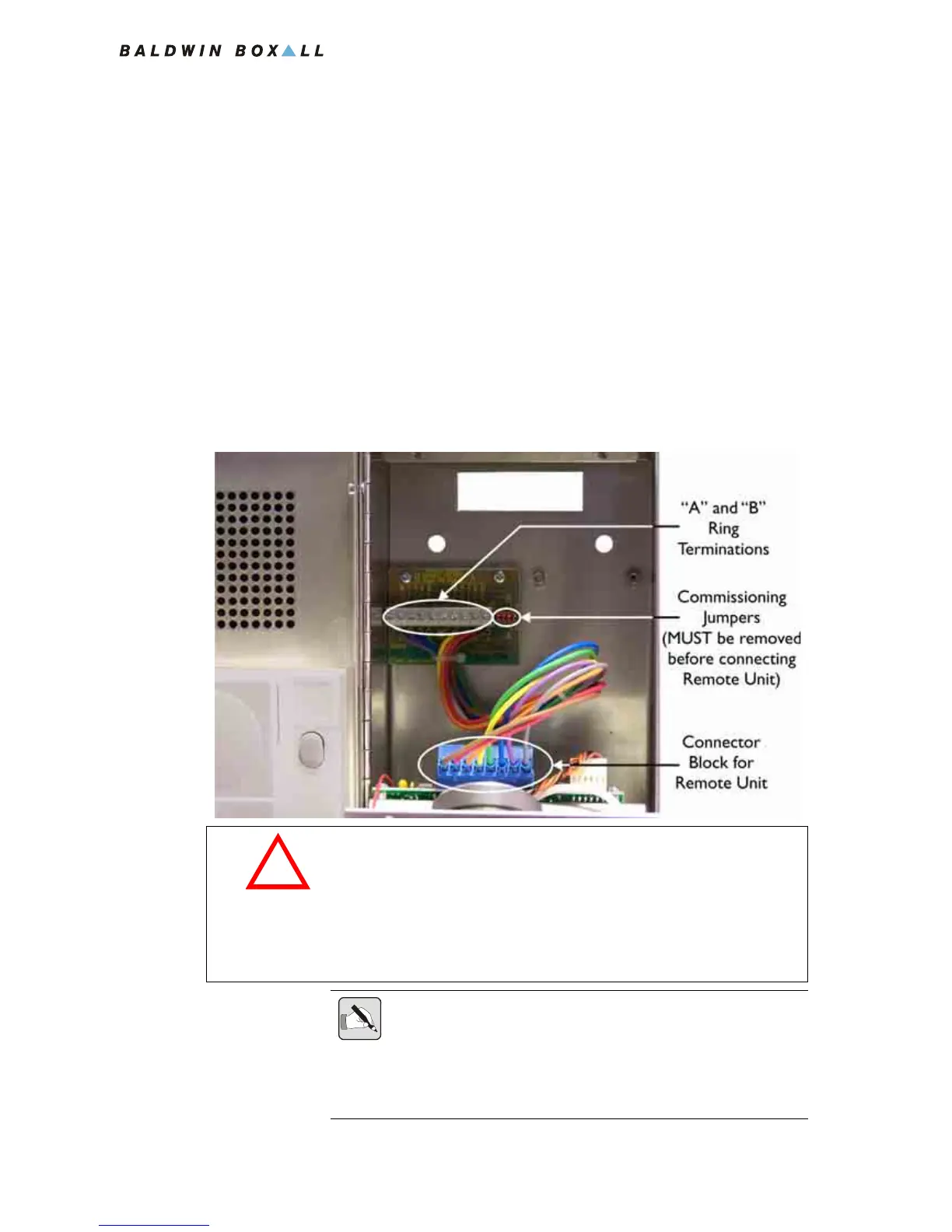
5. Terminate all cables at the termination board according to
the system designer's specifications. It is important that each
conductor is correctly identified before being terminated.
Figure 3.11 — Combined Remote Unit Termination Board
CA U T I O N
The OmniCare EVC System Remote Units can be damaged if
either of the following situations occur:
• If Power is connected across the Data pair,
• If Power is reversed i.e. 0V and +V swapped.
NOTE: It is important to ensure each connection to the termination board
is made correctly and the screw terminals are tightened sufficiently.
The majority of problems encountered during commissioning are due to
loose, poor, or incorrect terminations on Remote Units that impair the
integrity of the ring.



 To Next Page