4. CS-100 Installation
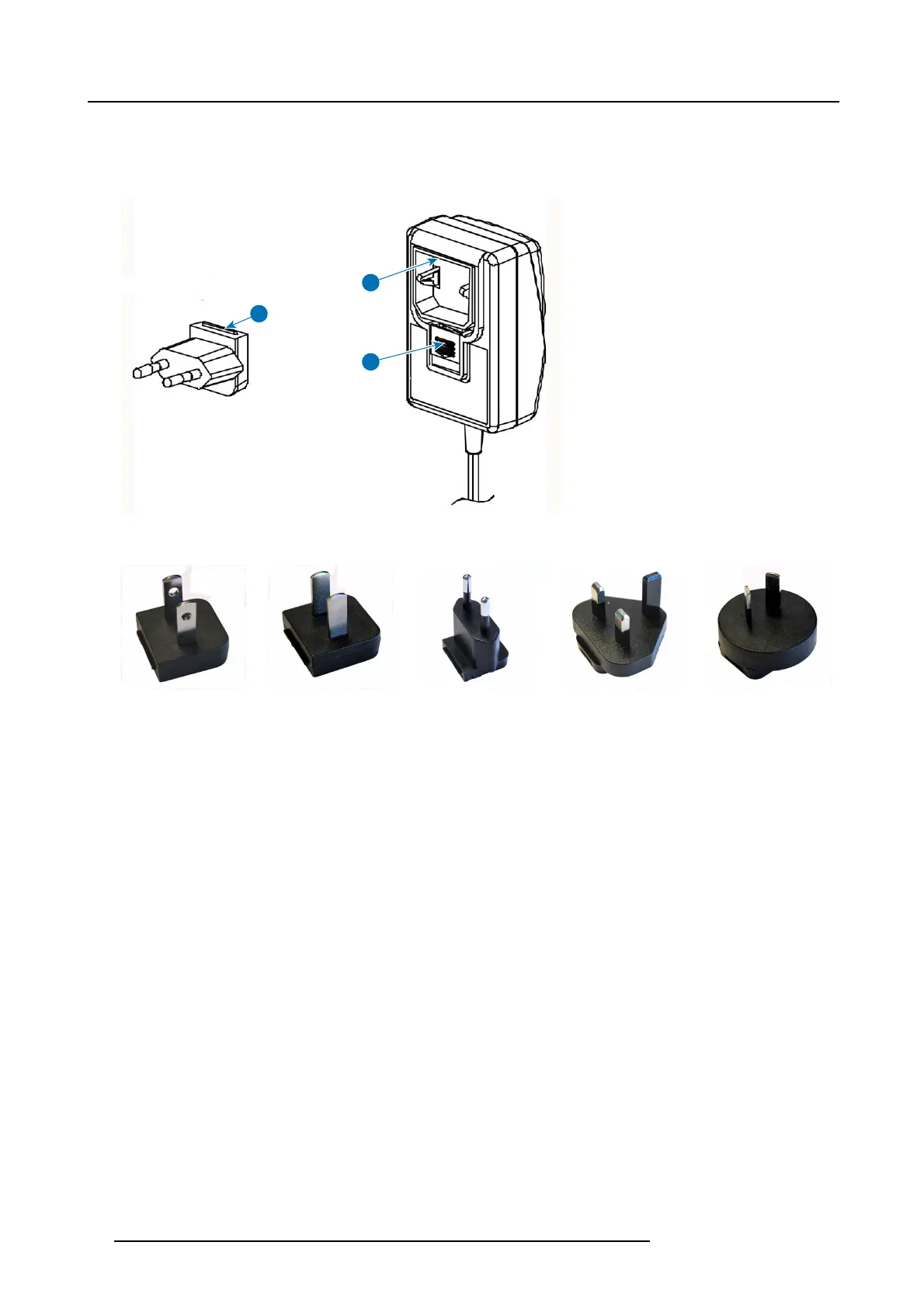
2. Slide a power input adaptor piece (US, CN, EU or UK) on th e power adapter of the ClickShare . Use the one which is applicable
in your country.
a) Slide down the button on the ada pter (1).
b) Insert the latch (2) of the adapter piece into notch (3)
1
2
3
Image 4-3
Mounting adapter piece
Image 4- 4
Type A
Image 4-5
Type A
Image 4-6
Type C
Image 4-7
Type G
Image 4- 8
Type I
3. Connect t he power cable to the wall outlet.
16
R5900022 CS-100 16/02/2016















 To Next Page