6. CS-100 Configurator
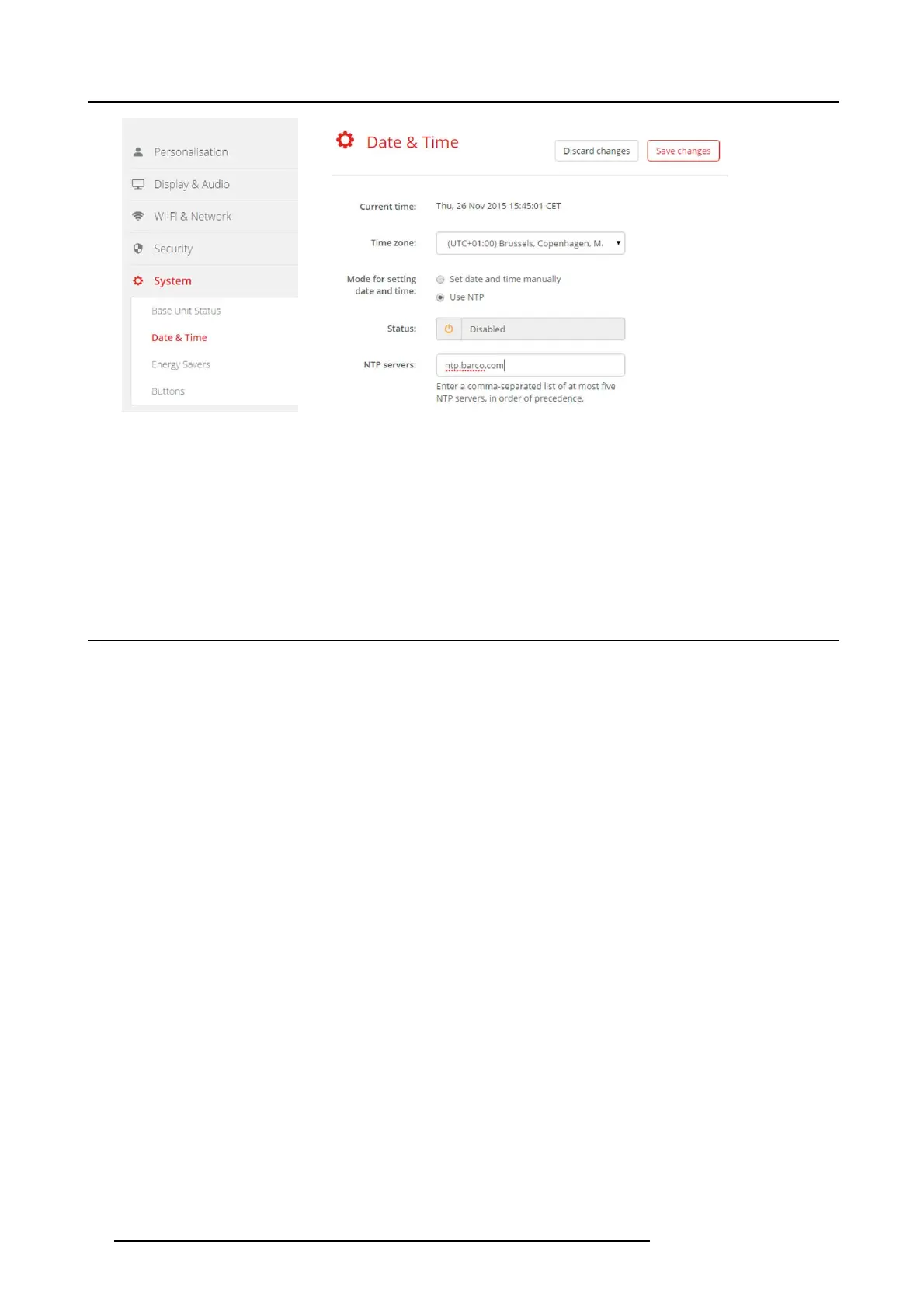
Image 6-24
Time server se tup
The current time is indicated next to Current time.
3. Check the radio button next Use NTP.
4. Enter a NTP server address next to NTP servers. E nter the IP address or server name.
Note: Multiple servers (maximum 5) can be added, separated by a comma.
5. Click Save changes to apply.
A synchronization with the NTP server takes place. The status field indicates the progress.
6.17 Energy savers
About standby
Standby after (minutes): If there is no client connection dete cted during the s tandby timeout period, the Base Unit will enter the
selected s tandby mode.
Default setting: Time to standby: 10 min, the Base Unit will enter t he E co standby mode.
Eco standby
When the Base Unit enters ECO s tandby mode, it will disable the HDMI output signal and go in low power m ode. The Base Unit’s
LEDs will be breathing white to indicate the ECO standby mode.
Power c onsum ption in Eco standby: 2.6W
The Base Unit will w ake up with one of the following actions:
• Button or app connecting with the Base Unit
• Press the standby button on the B ase Unit
• "Wake up" signal over the network
• Pairing a Button on the Base Unit’s USB port
• Detection of display hot plug
Deep standby
When the Base Unit goes in Deep standby mode, it will s hut down all processes, including the Wi-Fi access point and LAN connec-
tion. Th e B ase Unit’s LE Ds will be dark t o indicate this standby mode.
Power c onsum ption in Deep standby: 0.4W
The Base Unit will wake up only w hen the s tandby butto
n on the Base Unit is pres sed.
40
R5900022 CS-100 16/02/2016















 To Next Page