6. CS-100 Configurator
Image 6-25
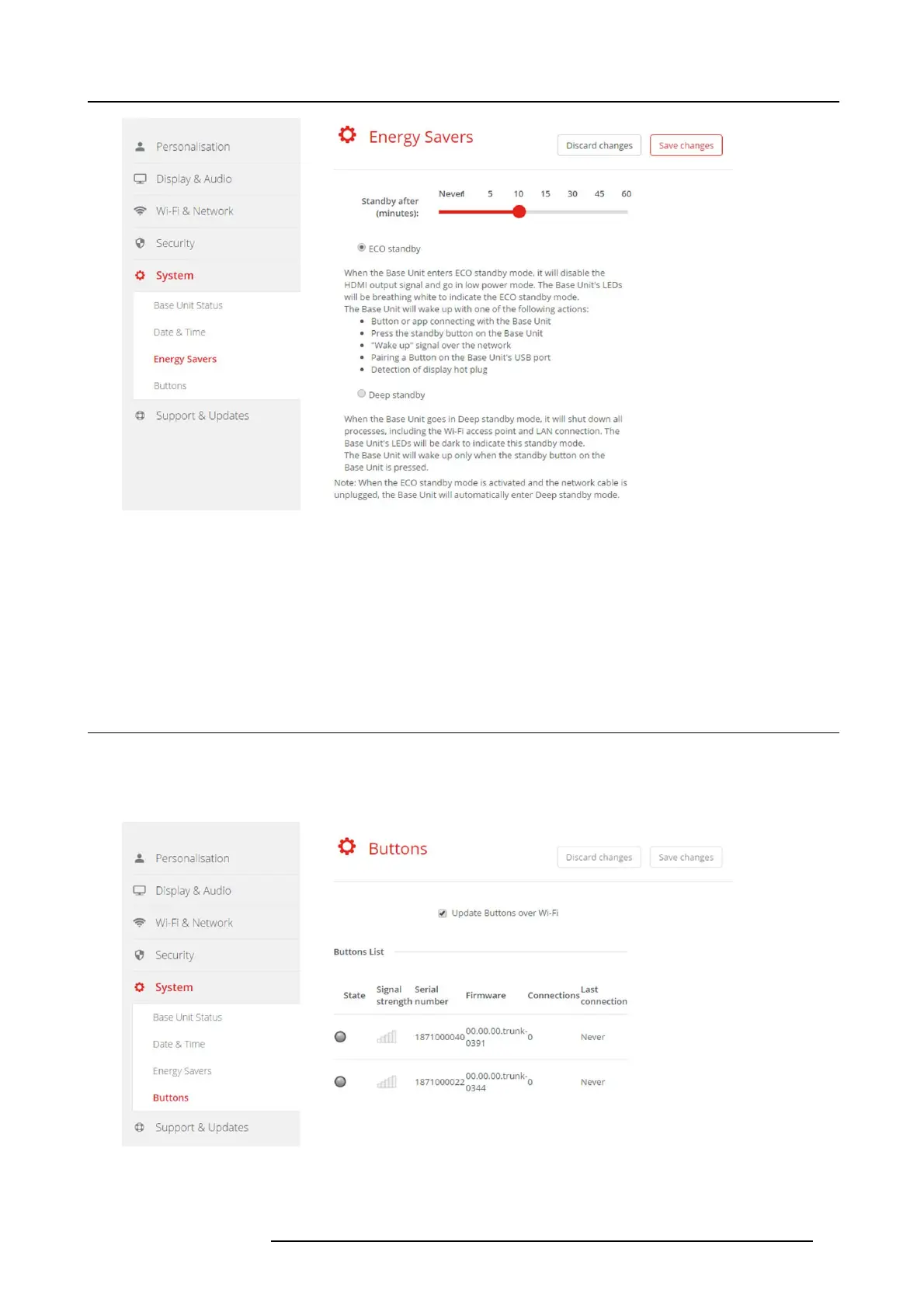
Energy savers
How to change the display timeout and standby mode
1. LogintotheConfigurator.
2. Click System → Energy Sav ers.
3. To set a display time out, move the slider to the left or to the r
ight until th e desired stand by timeout is reached.
4. To select a standby mode, selec t the radio button before E co standby or Deep standby.
6.18 Buttons
About B uttons
It is poss ible to update the software of the Butt
ons over Wi-Fi. All Buttons used with the Base Unit are indicated in the Buttons
List. The list contains the state, the signal strength, the serial number, the fi rm ware v ersion, the number of connec tions and last
connection.
Image 6-26
Buttons
R5900022 CS-100 16/02/2016 41















 To Next Page