6. CS-100 Configurator
The following message appears on the sys tray:
Image 6-29
Client logging
6.21 Factory defaults
About default settings
The ClickShare B ase Unit can return to the factory default settings.
The following settings are the defaults:
• Meeting room identification info is cleared.
• Language is set to English.
• Custom wallpapers ar e rem oved and the default wallpaper is restored.
• Standby timer is reset to 10 min.
• Hostname and SSID is set to clickshare-serialnumber.
• The SSID is broadcasted
• WiFi password is reset to c lickshare.
• The default WiF i chann el is set bac k to frequency 5 G Hz, channel 36.
• The update history is cleared.
• The table with the associated Buttons is cleared.
• The a dmin password is reset to admin.
• Debug logging and remote logging are disabled.
How to restore factory defaults
1. LogintotheConfigurator.
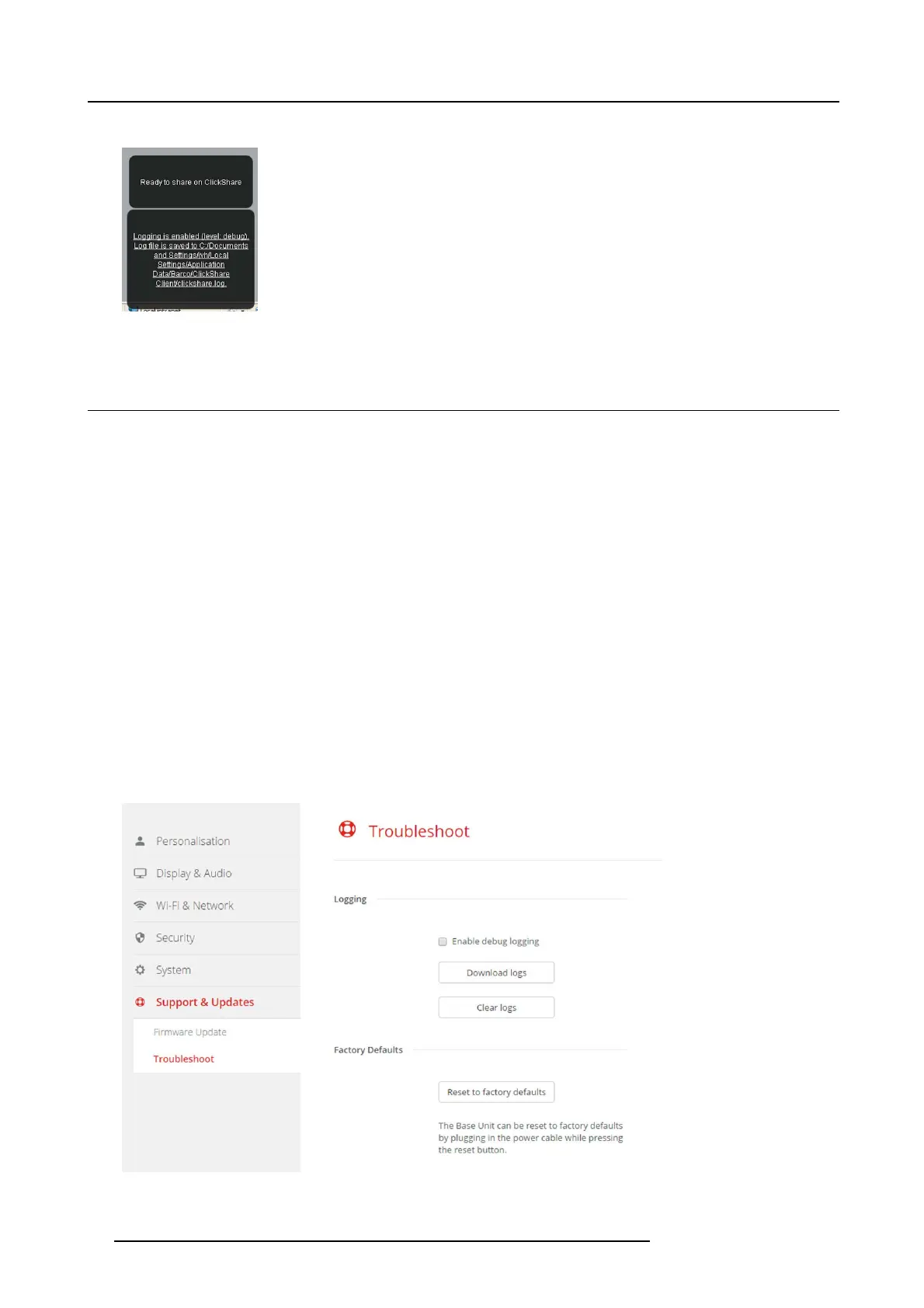
2. Click Support & Updates → Troubleshoot.
Image 6-30
Troubleshoot, factory defaults
44 R5900022 CS-100 16/02/2016















 To Next Page