6. CS-100 Configurator
6.2 On-Screen Language and Text Size
About the on-screen language.
The on-screen language can be set independent of the configurator language. The on- screen text size can be changed between
small, medium or large.
Language selection
1. LogintotheConfigurator
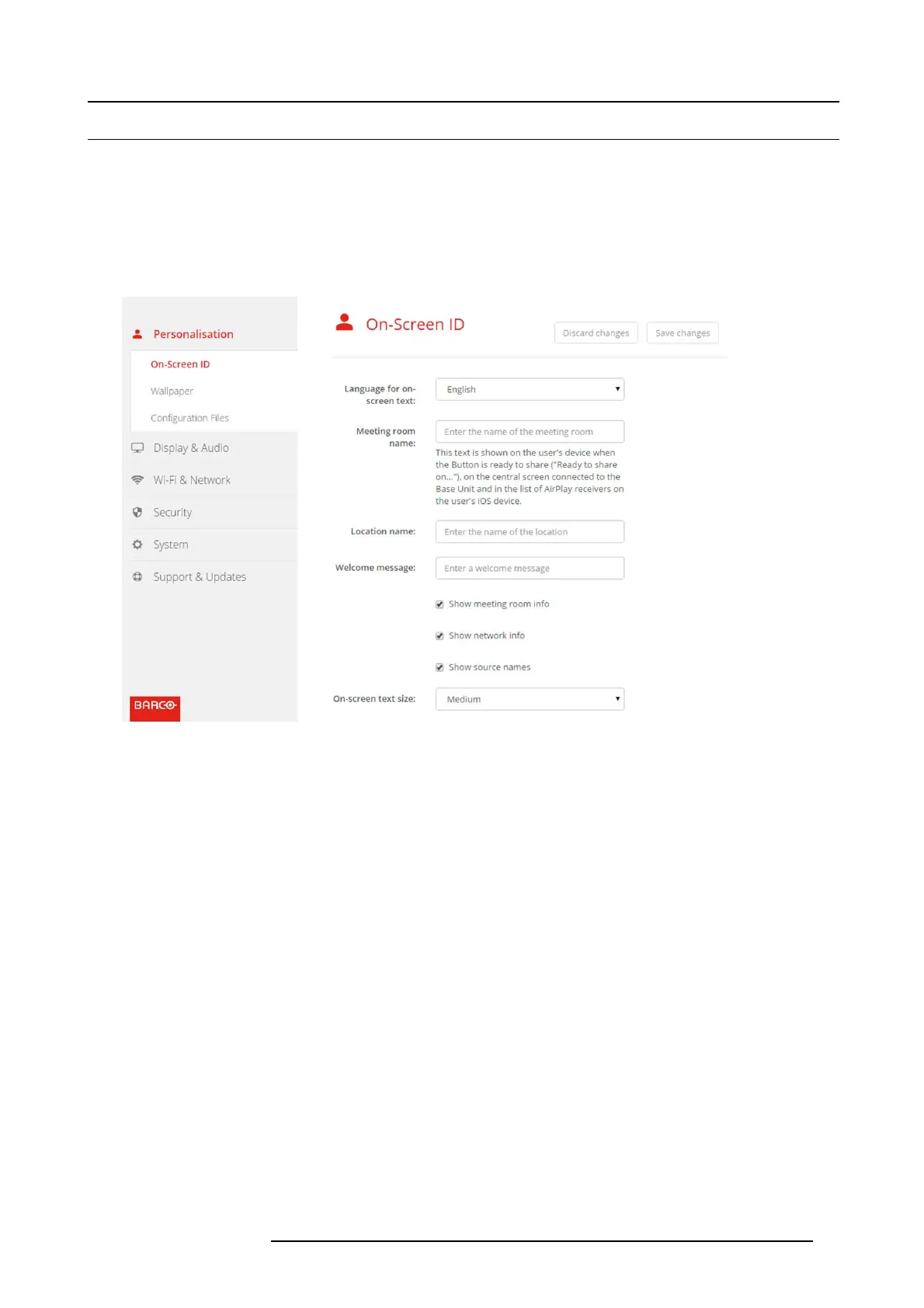
2. Click Personalisation → On-Screen ID.
Image 6-4
Personalisation, On-Screen ID
3. Select the language of the on-screen text. C
lick on the drop down box next to Language for on- screen text and select the desired
language.
The following languages are possible:
- Arabic
- Simplified Chinese
- Traditional Chinese
-Danish
-Dutch
- English
- Finnish
- French
-German
- Italian
- Japanese
- Korean
- Norwegian
- Portuguese
- Ru ssian
- Spanish
- Swedish
Text size
1. LogintotheConfigurator
2. Click Personalisation → On-Screen ID.
R5900022 CS-100 16/02/2016
25















 To Next Page