6. CS-100 Configurator
How to enable update over Wi-Fi
1. LogintotheConfigurator.
2. Click Syste m → Buttons.
3. Check the check box in front of Update Buttons over Wi-Fi.
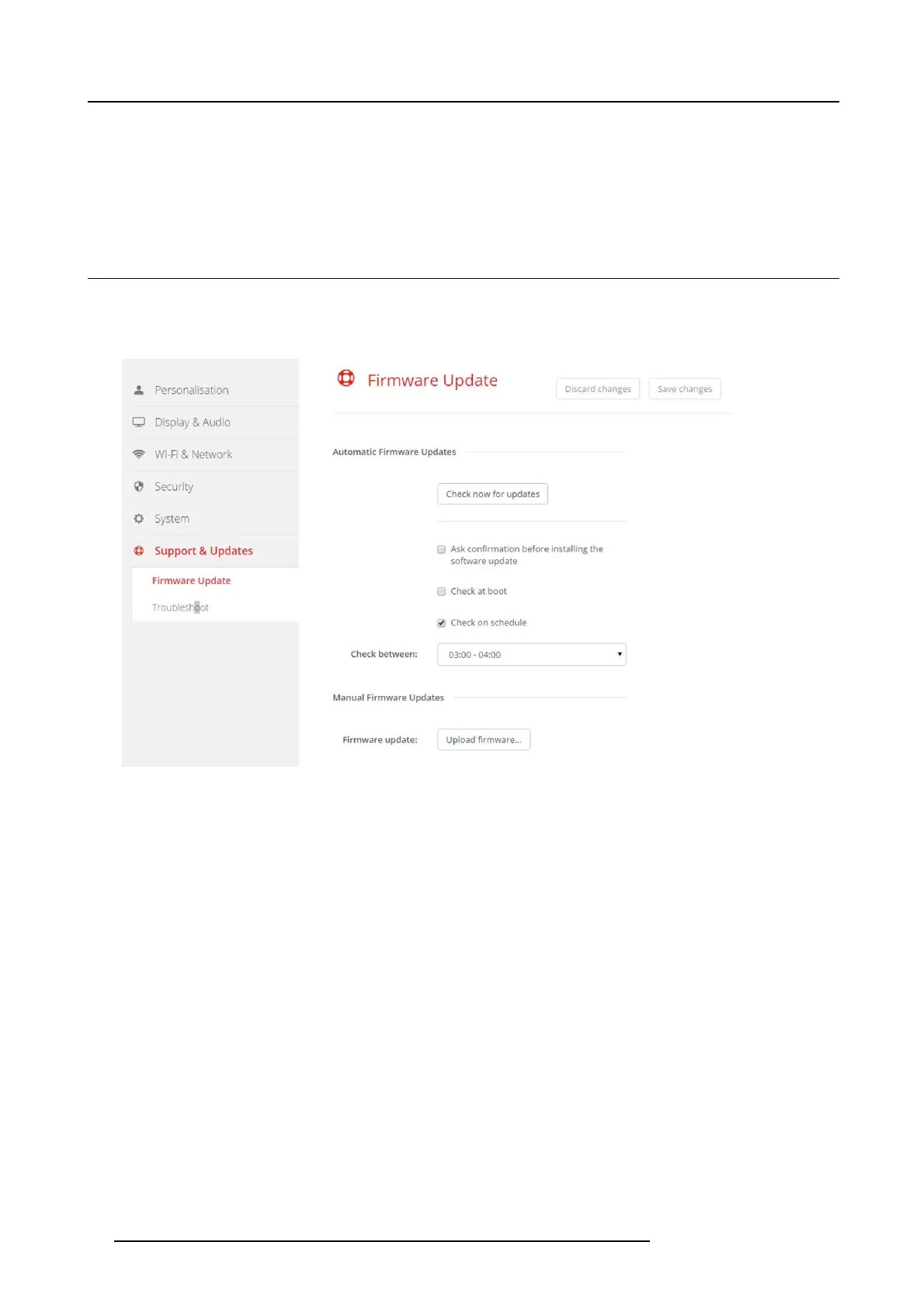
6.19 Firmware Update
About Software update
The software of the Bas e Unit can be updated via the web interface. The latest version of the software is available on Barco’s
website.
Image 6-27
Firmware update
About automatic firmware updates
Automatic firmware updates can be triggered in 3 ways:
• triggered via a scheduled time
• triggered at boot
• manual trigger
How to start an Automatic firmware update
1. LogintotheConfigurator.
2. Click Support & Updates → Firmware .
3. To check immediately if new software v ersions are available, click on Check now for updates.
The system checks if new firm ware is available and uploads this automatically to the Base Unit.
4. To ask a confi rm ation before installing the software update, c heck the check box in front of Ask confirmation... .
5. To check f or new software at boot, check the c heck box Check at boot.
During booting up, when new firm ware is found, this firm ware will be loaded and the Base Unit will reboot.
6. To use a schedule, check the check box in front of Check on schedule.
Click on the drop down box and select the desired time slot.
Note: SelectatimeslotwhereyouaresuretheBaseUnitwillnotbeinuse.
When new firmware is available, this firmware will be loaded and the Bas e U nit will reb oot.
42
R5900022 CS-100 16/02/2016















 To Next Page