6. CS-100 Configurator
3. Click on the drop down box next to O n-screen text size and select the desired font size.
The following sizes are possible:
- Small
- Medium
- Large
6.3 Meeting room informatio n
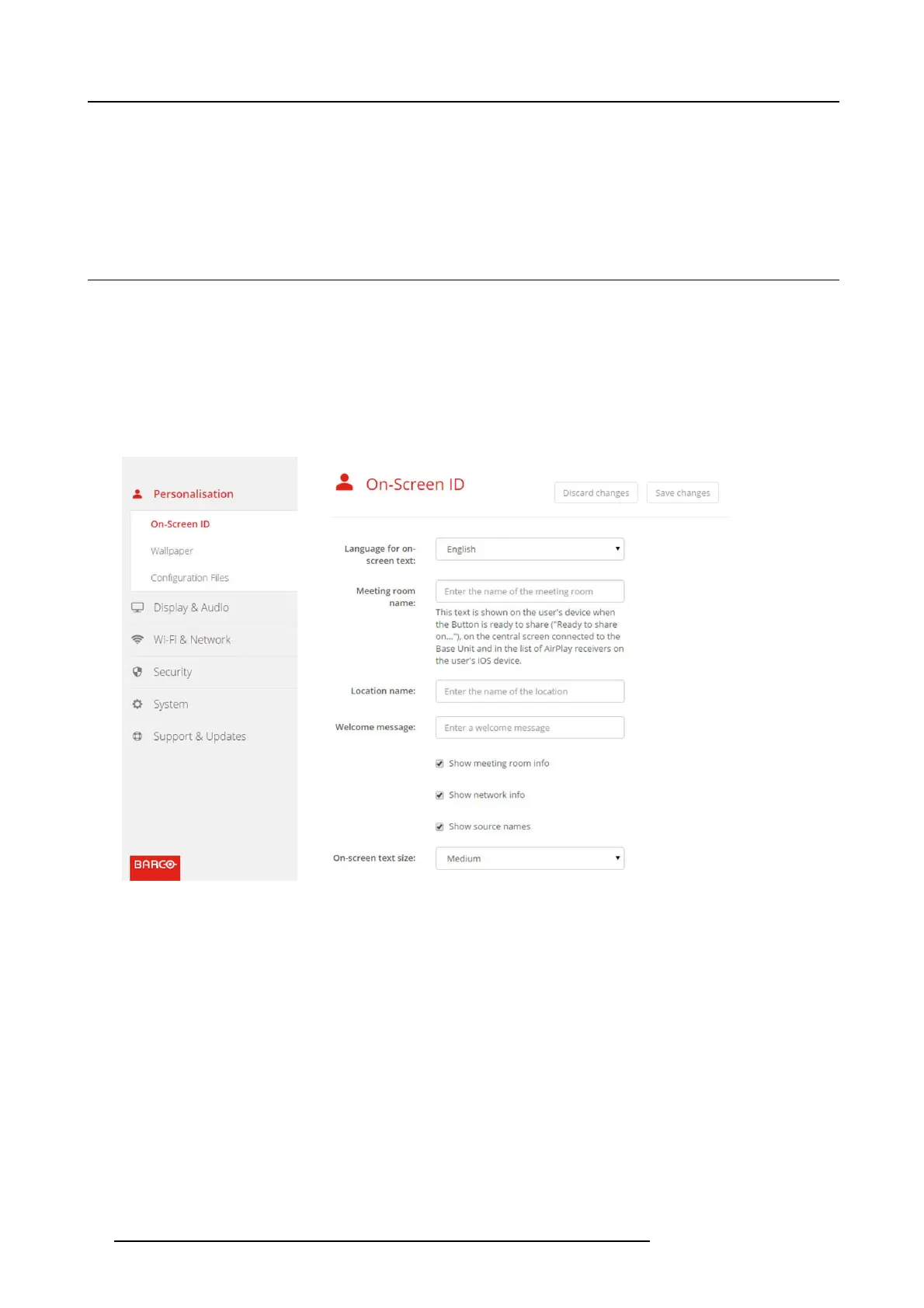
About meeting room settings
The following settings are possible:
• Meeting r oom name
• Meeting r oom location
• Welcome message on the ClickShare screen
• Show meeting room info
• Show network info
• Show source names
Image 6-5
Personalisation, On-Screen ID
Meeting r oom name, location a nd welcome message
1. LogintotheConfigurator.
2. Click Personalisation → On- screen ID.
3. Click in t he input field next to Meeting room name and enter a nam e for the meeting room.
This text is shown on the user’s device when the Button is ready to share ("Ready to share on..."), on the central screen connected
to the Base Unit and in the list of A irPlay receivers on the user’s iOS device.
4. Click in the input field next to Location name and enter the location.
5. Click in the input field next t o Welcom e m essage and enter the desired message.
Show on-screen information
1. LogintotheConfigurator.
2. Click Personalisation → On- screen ID.
3. Check the check b ox in front of Show meeting room info.
26
R5900022 CS-100 16/02/2016















 To Next Page