6. CS-100 Configurator
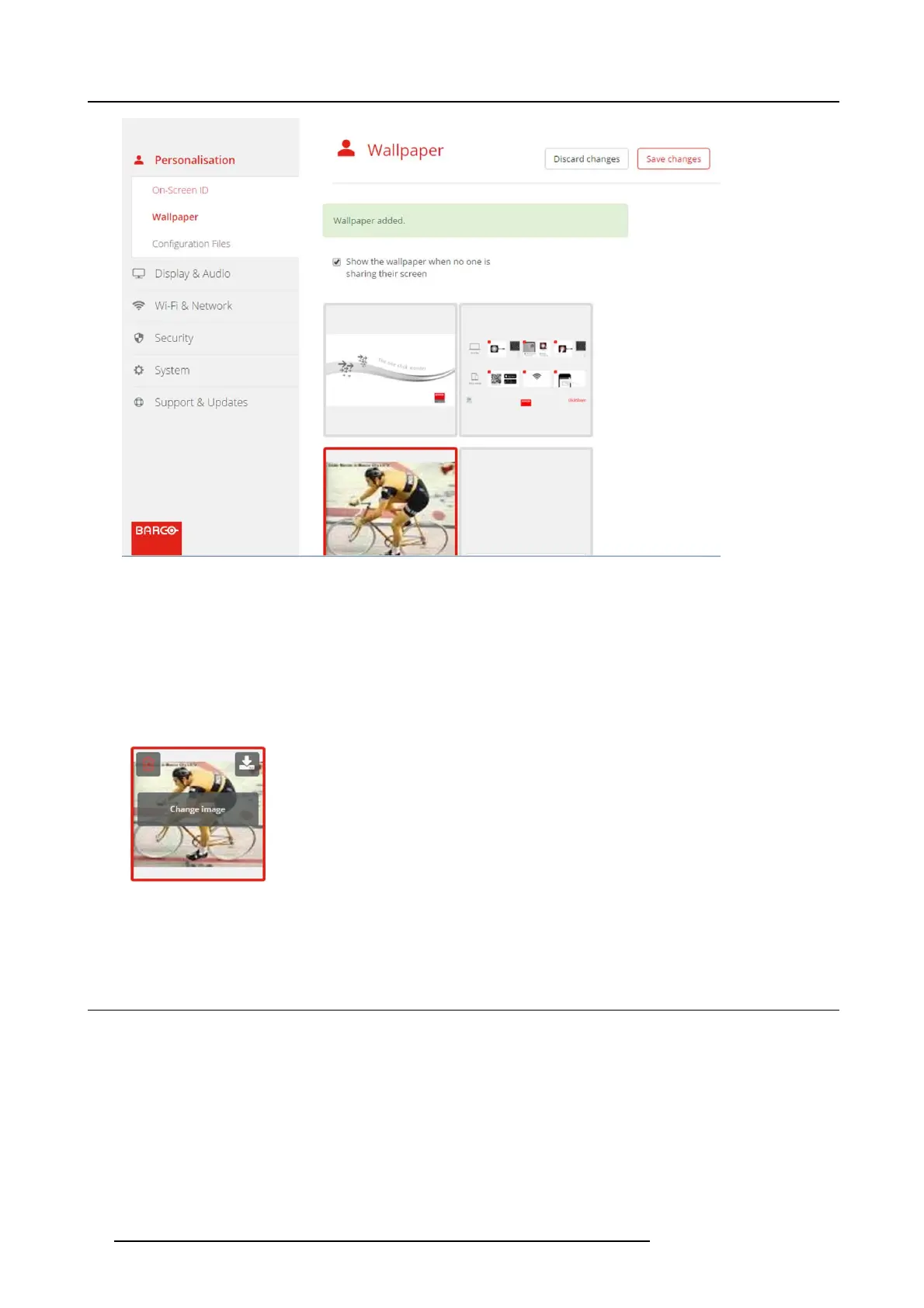
Image 6-9
Change image
3. Browse for the desired image, click Open to load the image.
The content of the file is checked and when valid (format and size ), the file is uploaded. The new wallpaper gets a red border.
4. Click on Save ch ang es to apply the personalized wallpaper and replace the previous file.
The mes sage Su ccessfully applied changes is displayed on top of the page.
Remove personalized wallpaper
1. Hoover your mouse over the current image and click on the trash bin to remove the image.
Image 6-10
Remove wallpaper
The persona lized wallpaper is rem oved a nd th e default wall paper is activated.
6.6 Manage configuration files
About Manage configuration files
A full backup can be downloaded but cannot be us ed to duplicate configuration settings to other Base units. Therefore, it is pos sible
to download a Portable version. This portable version c an be uploaded via the upload configuration button on o ther Base units
(same type). Via the sam e but
ton, the full backup can be uploaded on the original Base Unit.
30 R5900022 CS-100 16/02/2016















 To Next Page