6. CS-100 Configurator
Checked: meeting room name, location and welcome message are dis played on-screen w hen nothing is shared.
Not checked: n othing is shown on-screen.
4. Check the check box in front of Show network info.
Checked: LAN information such as wired IP address, hostname are displayed. A lso the Wi-Fi IP address and SSID are displayed.
Not c hecked: no LA N nor W i-Fi information is displayed.
5. Check the check box in front of Show source nam es.
Checked: the source name of the shared content is displayed on the screen.
Not c hecked: no source info d isplayed on the s creen.
6.4 Personalisation, wallpaper
About wallpaper
When CS-100 starts up, a background (wallpaper) is displayed. The display of this background wallpaper can be disa bled.
By default a general ClickShare and a q uick start wallpaper ar e available. The possibility exists to upload perso
nal bac kgrounds
(wallpapers). The default wallpapers cannot be re move d from the sy stem.
Wallpaper selection
1. LogintotheConfigurator
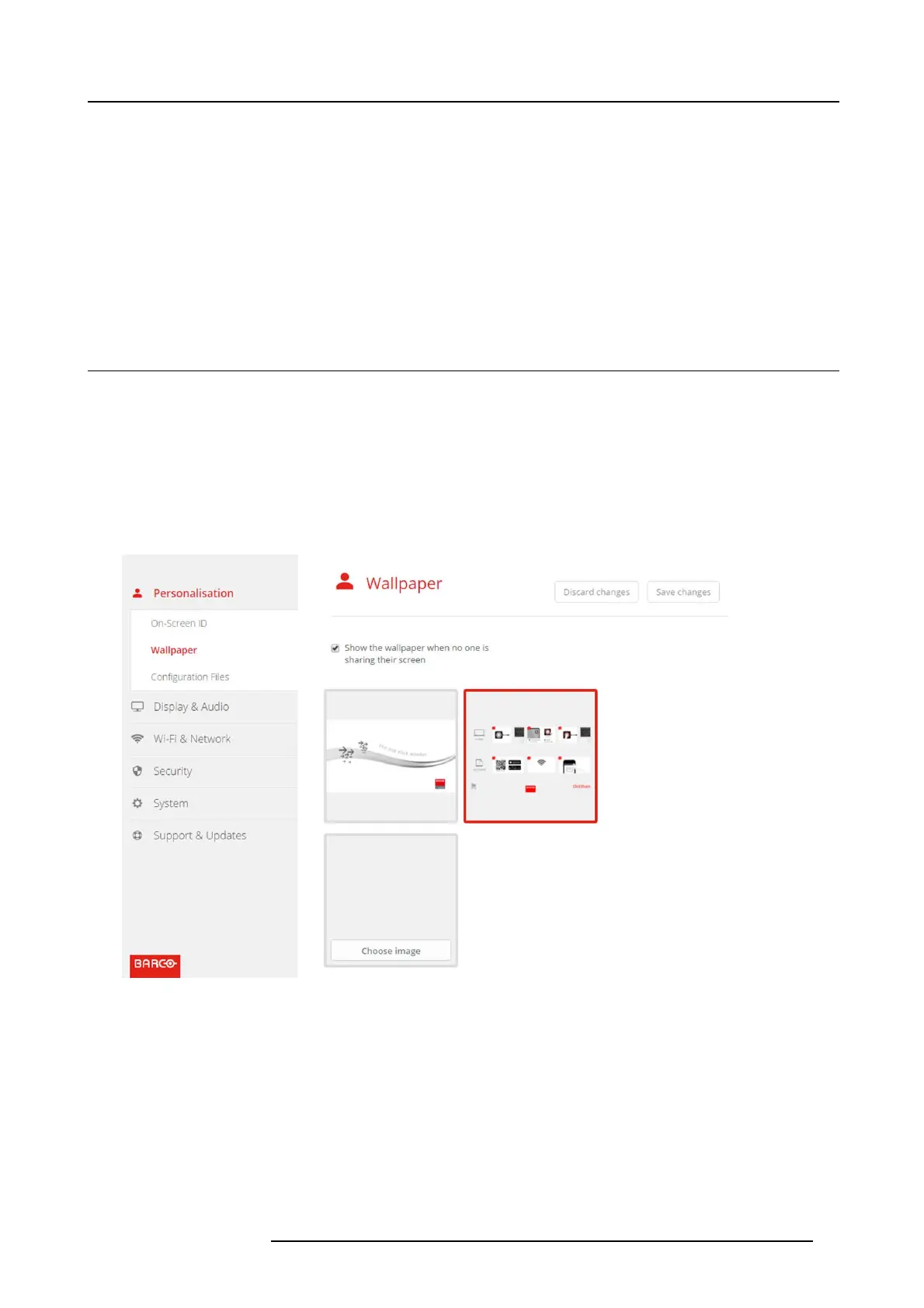
2. Click Personalisation → Wallpaper.
Image 6-6
Wallpaper selection
The Wallpaper selection pane is s hown. The current selected w allpaper is show n with a red border.
3. Select on e of the available w allpapers and click on Save C hang es.
Note: By default a general B arco CS-100 wallpaper and a CS-100 Quick Start Guide wallpapers are av ailable.
They are autom atically res ized to fit the as pect ratio of the screen.
The selected wallpaper is indicated with a red bor der.
The message Succes sfully ap plied changes appears on top of the wa llpaper selection window.
R5900022 CS-100 16/02/2016 27















 To Next Page