6. CS-100 Configurator
Signal strength
1. Select the Signal Strength. Click on the slider and reduce the broadcasted power (signal strength) un til the desired strength is
obtained.
Note: Too low power and interference by others m ight lead to connection issues. If so, increase again the signal strength until
the issues are solved.
By default the strength is set to 100%.
WebUI access via Wi-Fi
1. To allow access to the configurator via Wi-Fi, ch eck the check box in front of WebUI available via Wi-Fi.
Che cked: Configurator accessible via Wi-Fi.
Not checked : a cce s s to th e configurator via Wi-Fi is blocked.
6.10 LAN settings
About LAN network settings
A network connec tion can be configured through DHC P or by manually entering a fixed IP address.
DHCP
Dynamic host con figuration protocol. DHCP is a com mu nications protocol that lets network adm inistrators manage
centrally and automate the assignment of IP a ddresses in an organization’s network. Using the Internet Protocol, each
machine that can connect to the Internet needs a unique IP address. W hen an orga
nization sets up its c omputer users
with a co nnection to the Internet, an IP address m ust be assigned to each machine. Without DHCP, the IP address
must be entered manually at ea ch computer and, if computers m ove to another location in another par t of the network,
a new IP address must be entered. DHCP lets a network administrator superv
ise and distribute IP addresses from
a central point and automatically sends a new IP address when a computer is plugged into a different place in the
network.
Hostname & method
1. LogintotheConfigurator.
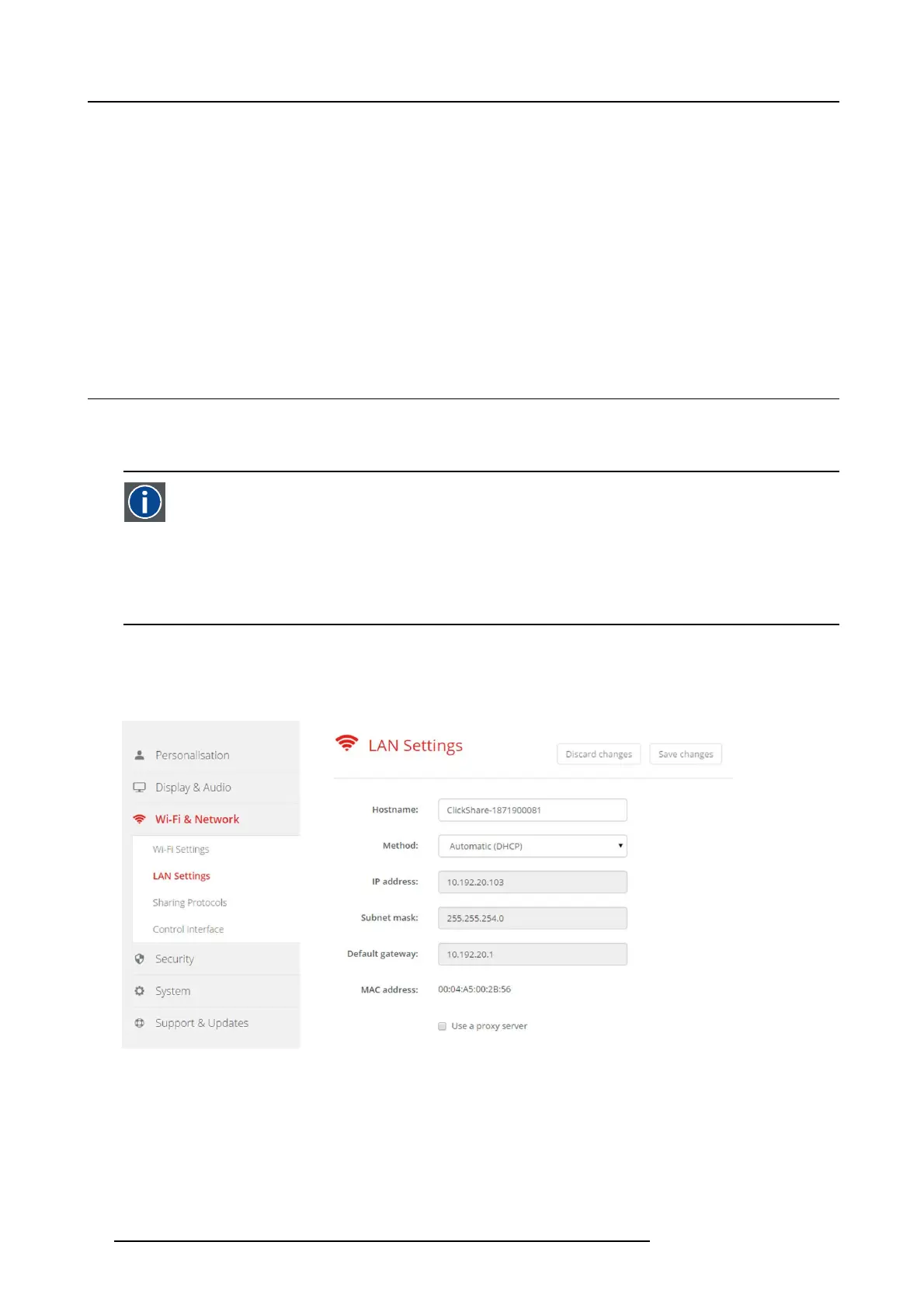
2. Click Wi-Fi & Network → LAN Settings.
Image 6-15
LAN settings
3. Click in the input field next t o Hostnam e and e nter a host nam e for the Base Unit.
The default hos t name is ClickShare-<serial number Base Unit>.
4. To select the method, c lick on the drop down box next to Method and select the Automatic (DHCP) or Manual.
When Automatic (DHCP ) is selected, th e IP address, subnet mas k and default g ateway fie lds are grayed out but the currently
used settings are filled out.
5. Click Save changes to apply the s ettings.
34
R5900022 CS-100 16/02/2016















 To Next Page