6. CS-100 Configurator
6.9 WiFi settings
WARNING: It is not allowed to operate the Base Unit outside its intended geographical region.
About WiFi
A connection with the Base Unit can be m ade via a wireless connection. A fixed wireless IP address is u sed to establish the con-
nection.
The transmission power of the wireless signal can be reduced.
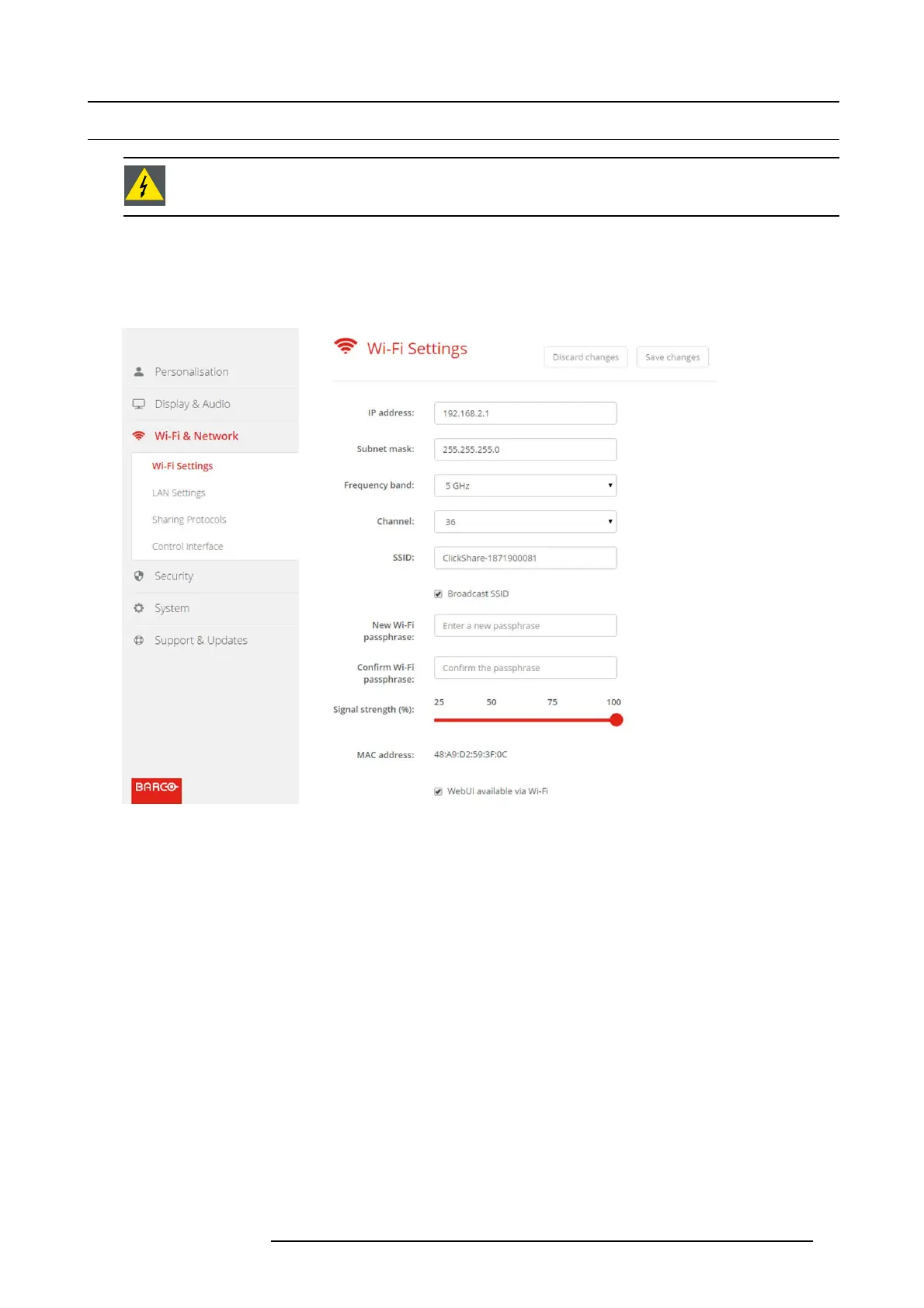
Image 6-14
WiFi settings
IP address & subnet mask
1. LogintotheConfigurator.
2. Click Wi-Fi & Network → WiFi Settings.
3. To change the IP address or subnet ma sk, c lick in the input field and enter the 4 octets of the new IP address o r s ubnet mask.
Note: This must NOT be 0.0.0.0 for static IP-Address assignment.
Frequency band & channel
1. Select the wireless connection channel by clicking on the drop down box and selecting the d esired channel.
The channels available in the list vary acco rding to the regional v ersion of your Base Unit. Re-pairing the Buttons is not required
when changing the frequency band or wireless connection channel.
2. Select the wireless connection f
requency band: 2.4 GHz or 5 G Hz by clicking on the drop down box and selecting the correct
band.
Note: Make sure your PC’s w ireless interface s upports the 5 GHz band before selecting it on the Base Unit.
SSID&passphrase
1. Enter a public name (SSID) for the wireless netw ork.
The default S SID is ClickShare-<serial number Base Unit>.
2. If you want to br oadcast this SSID, check the checkbox before Enable SSID broadcast.
3. Enter a new WiF i passphrase and confirm that passphrase.
R5900022 CS-100 16/02/2016
33















 To Next Page