6. CS-100 Configurator
The following languages are possible:
- Arabic
- Simplified Chinese
- Traditional Chinese
-Danish
-Dutch
- English
- Finnish
- French
-German
- Italian
- Japanese
- Korean
- Norwegian
- Portuguese
- Ru ssian
- Spanish
- Swedish
The Configurator language changes to the selected language.
4. Enter the us er nam e ’admin’ and the password , read and accept the EULA and click OK.
By default, the password is set to ’admin’.
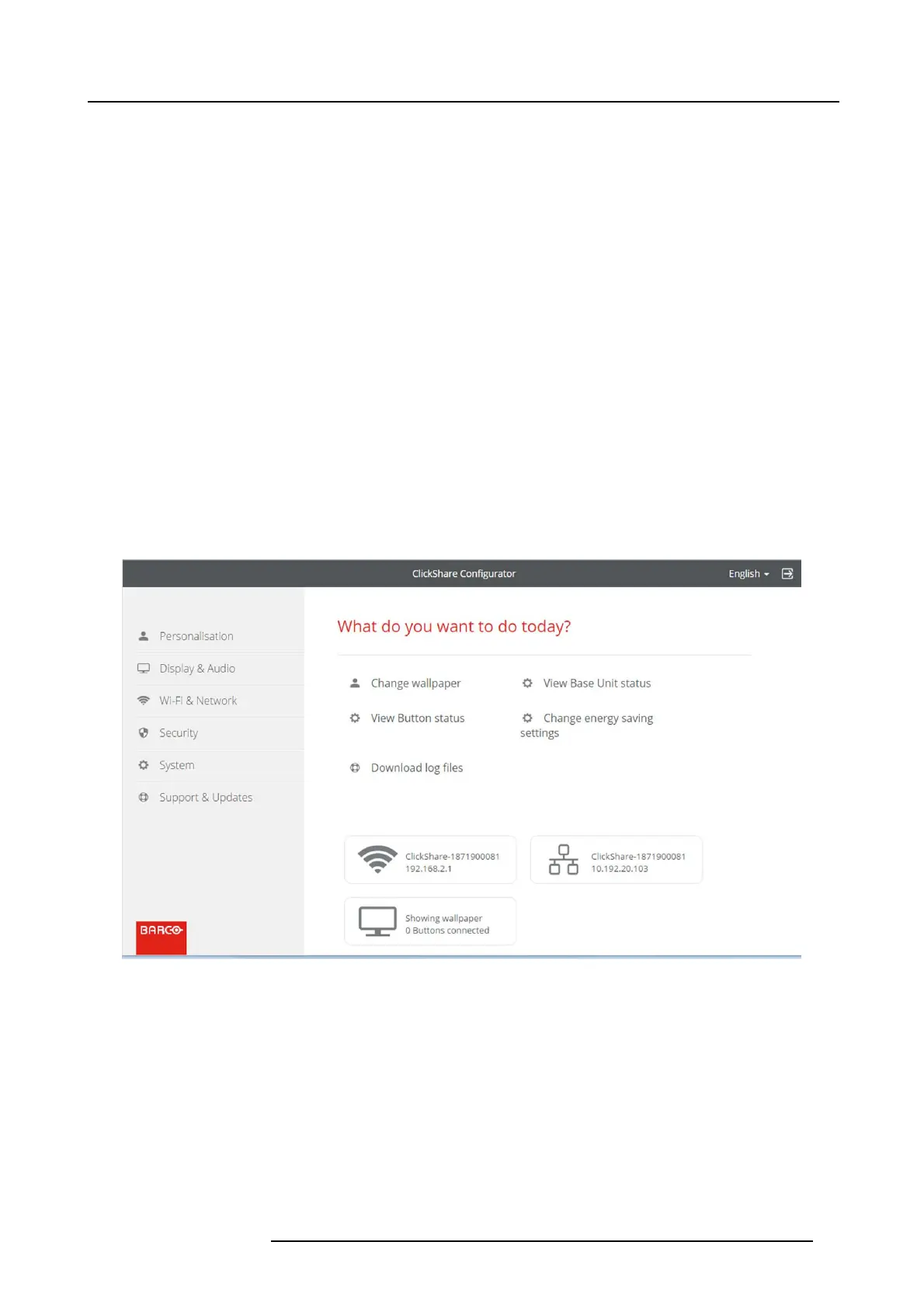
The configurator opens.
Image 6-3
Start screen
The language of the configurator can be c hanged on any page in the interface.
The sc reen is split up in 2 panes. Left pane with the selection buttons and a right pane to con figur e the selected function.
The startup sc reen itself s hows:
-thewiredIPaddress
- the wireless IP address
-thewirelessSSID
- the number of Buttons connected
- the system state
R5900022 CS-100 16/02/2016
23















 To Next Page