6
Overview
User Manual PoolManager
®
10
6.3.3 Safety functions
Extensive monitoring and alarm functions
• Upper and lower measured value alarms
• Flow monitoring
• Level warnings and level alarms (canister level)
• Dosage monitoring
(Monitoring for when setpoint is approached)
• Battery alarm (buffer battery for the real-time clock)
• Start delay after turning on PoolManager
®
or after turning
circulation back on
• Automatic blocking of dosage in critical alarm states and during
start delay
• Alarm signalisation via
• Screen display
• Acoustic alarm (deactivatable)
• Alarm relay
• Continuous monitoring of correct program operation and
automatic reset in the event of an error.
6.3.4 Add-on functions
Extensive supplemental functions
• 4 universal switch outputs
Flexible control of water attractions and other applications:
• Free name selection
• Freely programmable timers
• Potential link with other inputs and outputs
• Potential link with external switches or push buttons
• Filter pump
Flexible control of the filter pump:
• 3 potential operating modes for variable filter pumps (energy-
saving mode, normal filter mode, increased output)
• Freely programmable timers
• Freely configurable dosage block
• Potential link with external switches
• Triggering via relay switching outputs or
• Power output 0/4-20mA (optional)
• Flockmatic pump
Flockmatic pump control:
• Freely programmable timers
• Configurable dosage
• Heating
Flexible control of pool heating:
• Potential link with external switch
• Potential combination with solar heating (solar priority)
• Potential block via one input
• Solar heating
Flexible control of solar heating:
• Potential link with external switch
• Potential combination with pool heating (solar priority)
• Potential block via an input
• Salt electrolysis
Flexible control of a suitable salt electrolysis system:
• Actual dosage for chlorine implemented into a
• control pulse for a salt electrolysis system
• Trigger via a relay switching output (pulse width) or power
outlet 0/4-20mA (option)
• Eco mode
Flexible control of switching between normal mode and eco mode
(e.g. circulation via overflow channel in normal mode, and/or via
floor drain in eco mode):
• Freely programmable timers
• Triggering via relay switching outputs
• Potential link with external switches or push buttons
6.3.5 Remote access from the local network or the
Internet
PoolManager's
®
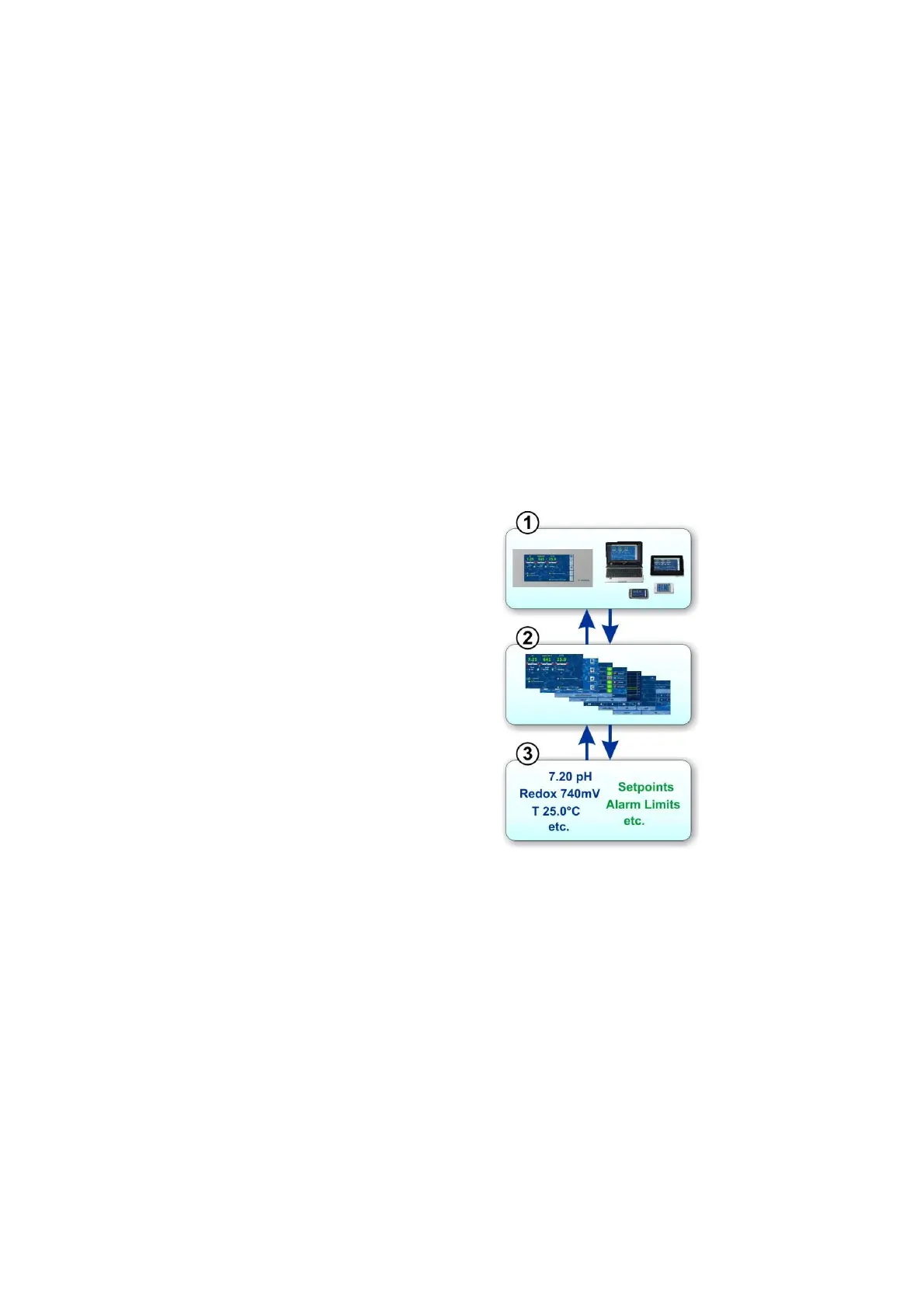
graphical user interface is based entirely on the most
recent standard Internet (Web) technologies.
For that reason, it is also called a WebGUI:
• Web stands for Internet technologies
• GUI stands for graphical user interface
1 Web browser
The user interface is dis
a Web browser. There is a
browser running locally on the
PoolManager
®
simultaneously there are
additional browsers running on
the widest
the local network or on the
PoolManager
®
.
2 Web server
requested menu pages to all
connected Web browsers.
3 Data server
The data server manages and
stores all PoolManager
®
(measured values, system status
configuration para
makes it available to the Web
server.
PoolManager's
®
WebGUi facilitates complete and entirely transparent
remote access from a local network (TCP/IP, Ethernet) or from the
Internet. Transparent remote access means that the user interface
looks exactly like it does on the PoolManager
®
and is operated
identically.
Certain restrictions in remote access are required only for security
reasons.
Remote access can be realised with any mobile device or PC that is
connected to PoolManager
®
via a network or the Internet and that runs
a standard browser. This prerequisite is fulfilled from the start by an
ever-growing number of modern systems.



 To Next Page