8
Display and operation -
Operating mode and/or operating status
Auto
Measurement, control, and dosage run
in automatic mode
Manual Manual dosage is running
Off Control is turned off
Alarm Dosage is blocked by an alarm
Flow
Dosage is blocked because there is no flow signal present
Level
Dosage is blocked by a level alarm
Delay
Dosage is blocked because start delay is running
Dosage PoolManager
®
Automatic dosage is running
The
corresponding field for temperature measurement shows the
operating state for heating and/or solar heating if these supplemental
functions are being used
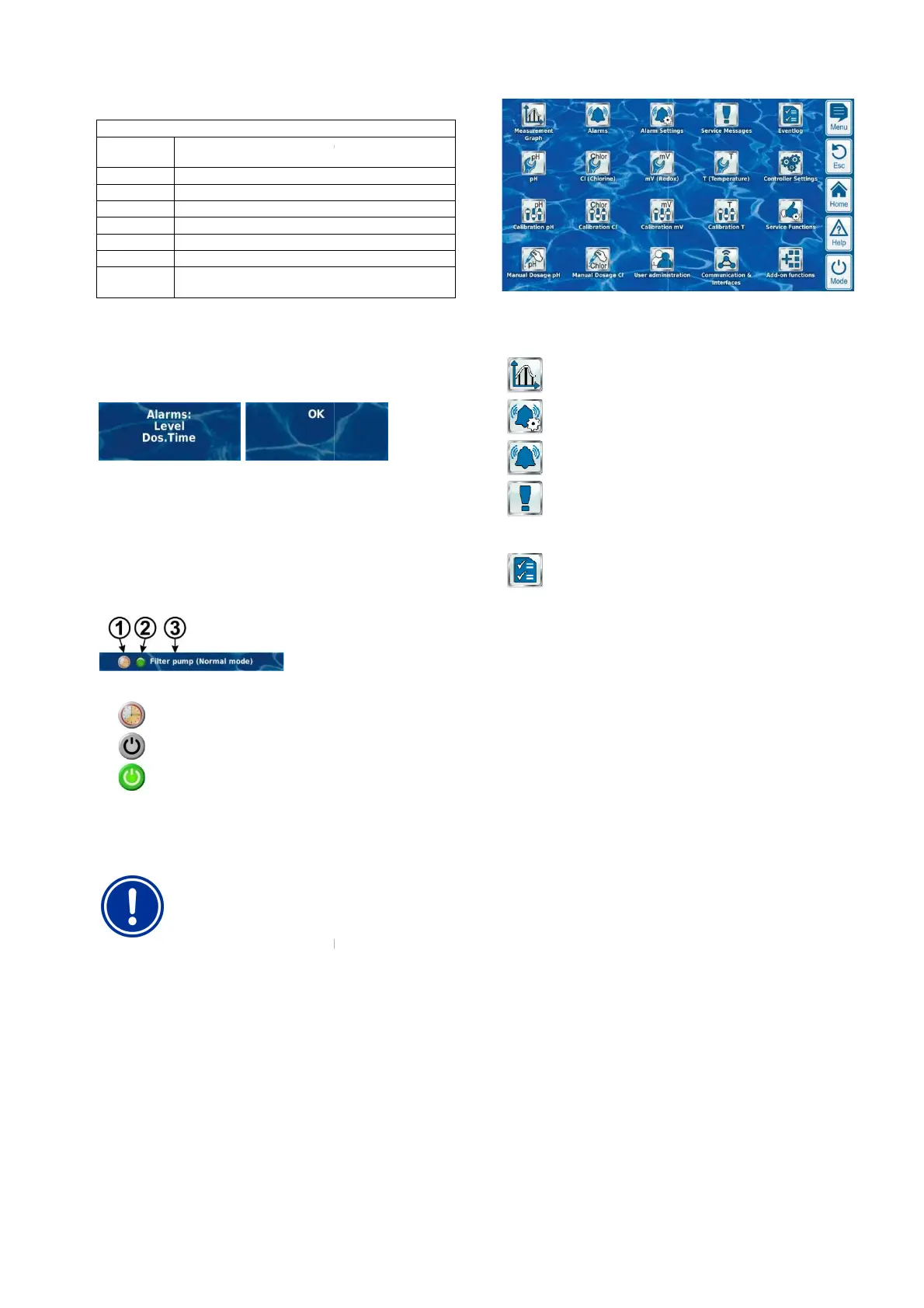
3 Alarms
Active alarm for the corresponding module displayed and/or 'OK'
displayed if there are no alarms.
4 Add-on functions
In the supplemental functions area in the home view, the most
important information for all current active supplemental functions is
shown. The content of this area is adjusted automatically such that all
active supplemental f
unctions can be seen (max. of 8).
1 Symbol for current operating mode
Timer operation
Function turned off
Function turned on
2
LED displays whether the supplemental function is currently
turned on
3
Name of the supplemental function and, if
information on current operating status
NOTE
No touch operation in home view
In order to avoid accidental erroneous commands,
home view does not react to taps on the touchscreen.
To configure settings or to move to other menus, first
use the hotkey to call up the main menu.
8.1.2 Main menu (icon menu)
The main menu can be called up at any time using the menu hotkey. It
facilitates direct access to all important system functions.
User Manual PoolManager
®
Measurement, control, and dosage run
Dosage is blocked because there is no flow signal present
Dosage is blocked by a level alarm
Dosage is blocked because start delay is running
corresponding field for temperature measurement shows the
operating state for heating and/or solar heating if these supplemental
Active alarm for the corresponding module displayed and/or 'OK'
In the supplemental functions area in the home view, the most
important information for all current active supplemental functions is
shown. The content of this area is adjusted automatically such that all
unctions can be seen (max. of 8).
LED displays whether the supplemental function is currently
Name of the supplemental function and, if
applicable, further
No touch operation in home view
In order to avoid accidental erroneous commands,
home view does not react to taps on the touchscreen.
To configure settings or to move to other menus, first
use the hotkey to call up the main menu.
The main menu can be called up at any time using the menu hotkey. It
facilitates direct access to all important system functions.
Every function is represented by an icon with
(The icons shown depend on the corresponding device type).
Display of graphic measurement progression
Alarm O
Display and acknowledgement of alarms
Alarm Settings
Settings for alarms and their
Service M
Display and acknowledgement of service information
(e.g. notification when electrode replacement
needed)
Eventlog
Display of important events and incidents
14
Every function is represented by an icon with
supplemental text
(The icons shown depend on the corresponding device type).
Display of graphic measurement progression
Display and acknowledgement of alarms
Settings for alarms and their
signalisation
Display and acknowledgement of service information
(e.g. notification when electrode replacement
Display of important events and incidents



 To Next Page