8
Display and operation - Graphical user interface
User Manual PoolManager
®
19
8.2.5 Time parameters
Time parameters are used to enter and display a time. For example:
specific time for a waterfall feature to run.
1 2
1 Parameter name (button)
Calls up the parameter's help text
2 Time (button)
Calls up the entry screen for time.
8.2.5.1 Entry screen
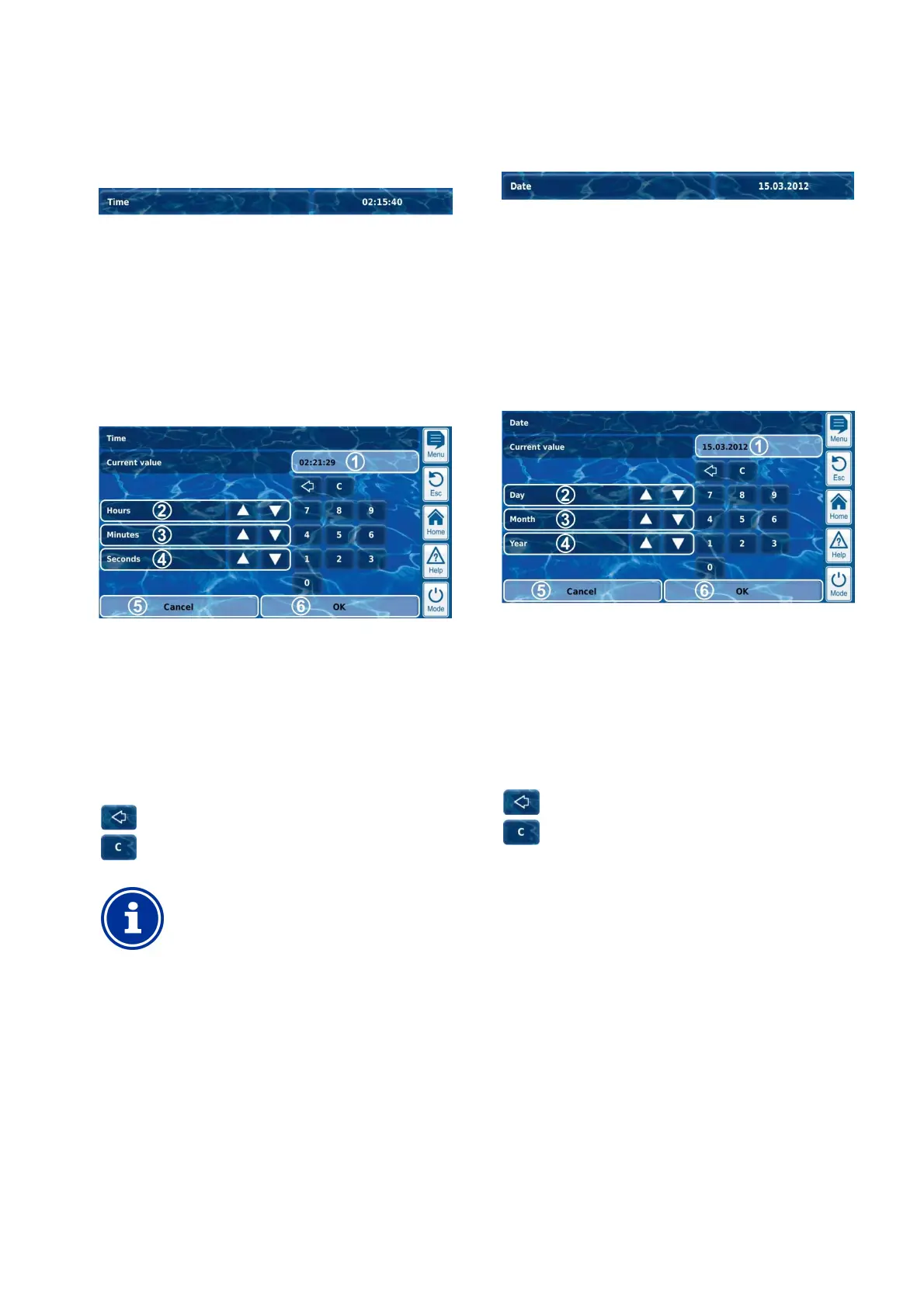
There is one uniform entry screen for all time parameters in which time
can be configured.
1 Display of current (entry) value
2 Incremental increase or decrease in hours
3 Incremental increase or decrease in minutes
4 Incremental increase or decrease in seconds
5 Cancel will close the entry screen.
The value will remain unchanged.
6
OK will apply the configured value and save it
permanently.
Delete the last number
Delete the entire time
INFO
Configure system time
When setting the system time, the internal real-
clock is set to the configured time by pressing the OK
button.
8.2.6 Date parameter
Date parameters are used to enter and display a date.
1 2
1 Parameter name (button)
Calls up the parameter's help text
2 Date (button)
Calls up the entry screen for date.
8.2.6.1 Entry screen
There is one uniform entry screen for all date parameters, in which the
date can be configured.
1 Display of current (entry) value
2 Incremental increase or decrease by day
3 Incremental increase or decrease by month
4 Incremental increase or decrease by year
5 Cancel will close the entry screen.
The value will remain unchanged.
6
OK will apply the configured value and save it
permanently.
Delete the last number
Delete the entire date



 To Next Page