36 BD FACSCanto Flow Cytometer Reference Manual
Using the Loader
The Loader operates by software commands only. Commands can be issued with
either BD FACSCanto clinical software or BD FACSDiva software. For
instructions on running samples with the Loader, refer to the BD FACSCanto
Instructions for Use.
This section explains how to set up the cytometer for acquisition with the Loader.
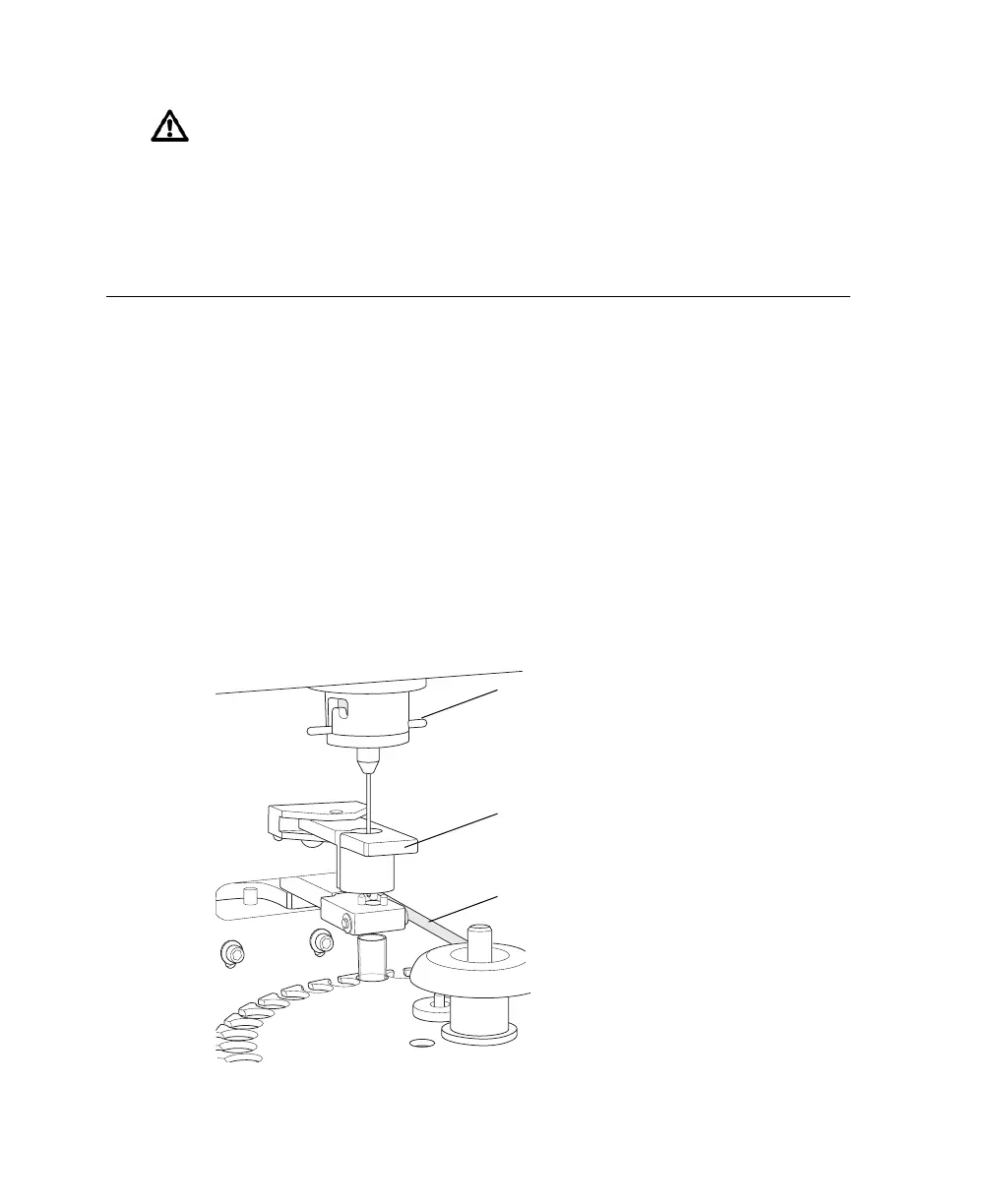
1 Verify that the cytometer is set up for automatic loading.
The adapter lever should be in the lowest position, the tube guide should be
forward, and the aspirator arm bar should be horizontal (Figure 2-3). For
detailed instructions, see Changing to Automatic Loading on page 41.
Figure 2-3 Automatic loading setup
Not all manufactured 12 x 75-mm tubes have been checked for proper
functionality on the Loader. BD Biosciences has validated only disposable,
12 x 75-mm BD Falcon polystyrene test tubes, BD Trucount tubes, and
BD FACS 7-color setup bead tubes.
aspirator arm bar
tube guide
adapter lever











 To Next Page