25
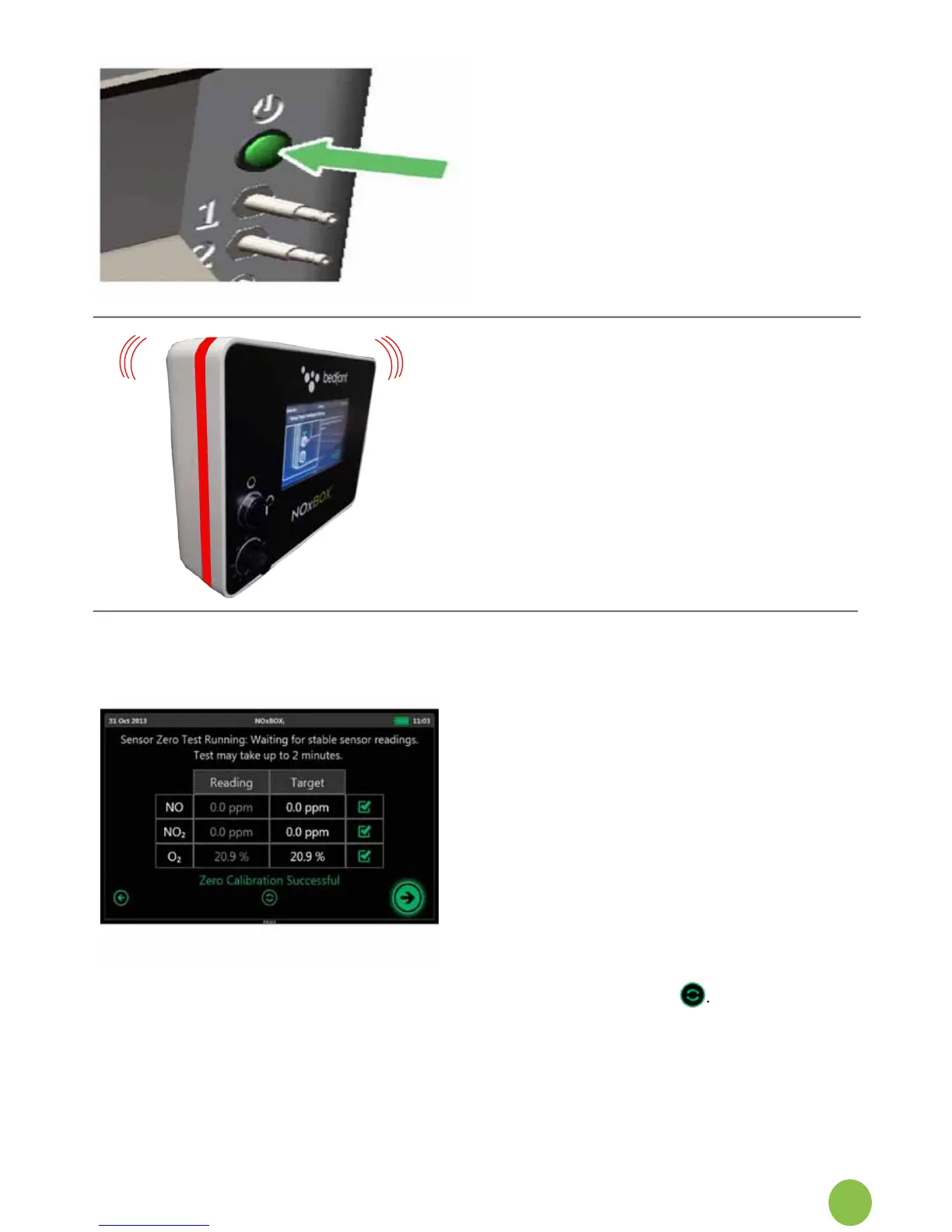
8.Whenreadytoset-upforuse,pressthe
power switch at the rear of themonitor.
Afterthepoweristurnedon,theNOxBOX
i
system runs through a start-up procedure.
Once complete the system will guide you
through system setup.
9. As system starts up it will run some
self-test procedures to ensure correct
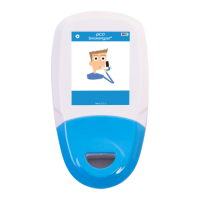
functionability. The alarm strip should
light up red and the alarm should sound.
10. If the NOxBOX
i
fails to alarm or show the
redalarmstrip,thereisasystemfault.
Do not use this system for patient
treatment as this may result in the
system not being able to correctly alert the
medical user to an alarm condition during
use.
11. The alarm strip and alarm sounder should
automatically switch off once the system
enters the zero screen. If this does not
happenthenthereisasystemfault,do
not use the system.
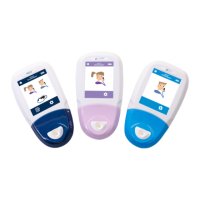
12. SensorZeroTest:Thesystemperforms
an automatic sensor zero test to
establish a baseline reading for the
sensors.
13. Oncecomplete,thesystemwill
display whether the zeroing process was
successful and proceeds to the home
screen.
14. If any sensor fails the test this may
indicate an aged or failed sensor.
Please try a retest . It is strongly
recommended that it be replaced prior
to treating a patient as system stability
and accuracy will be compromised.
Iftheretestfails,calltheService


 To Next Page