54
6.8 Screen Lock
In the event of an alarm, the screen will automatically unlock.
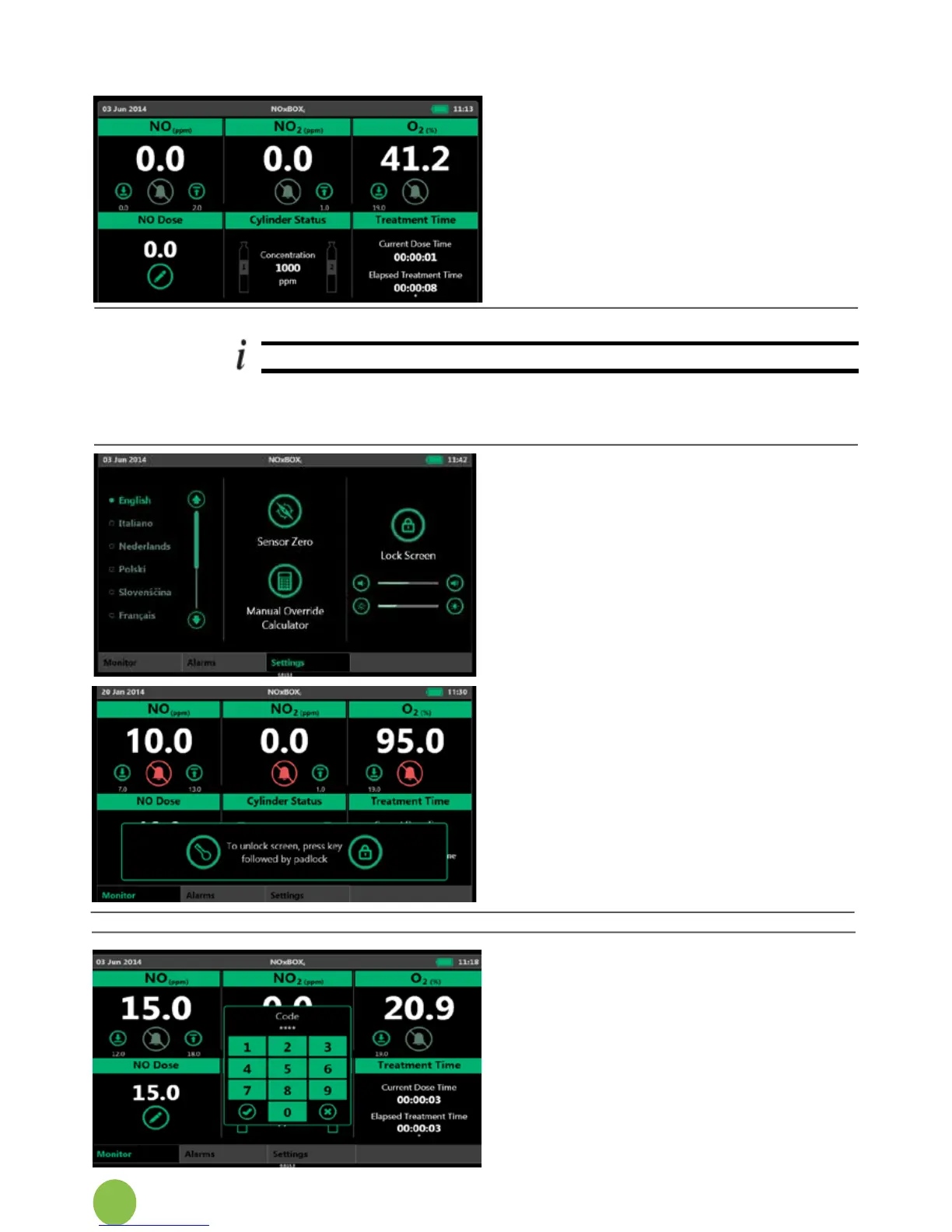
The Main Monitor Screen automatically locks itself if no interaction has
occurredfor2-3minutes.Thishelpspreventaccidentalinteractionwiththe
system settings.
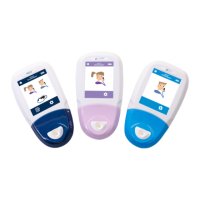
Whenthescreenlockengages,it
appears on the screen for 10
seconds. This is then hidden so the
full monitoring screen can be seen.
If the screen is touched anywhere
whilstthescreenlockisactive,the
screen unlock message will
appear.
Tapthe“key”followedbythe
“padlock”buttonstounlock.
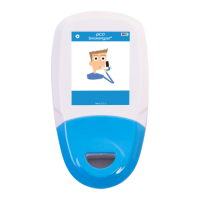
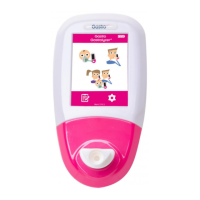
The system may be set so the
screen can only be unlocked with
up-to 4-digit code. In this instance a
keypad is displayed.
Tapinavalidcodeandpress
accept to unlock the screen.
If the screen lock code has been
forgotten,contacttheService
Engineer.
6.7.4 Standby Mode
Toenterstandbymode,setdoseto
0ppm,removetheregulatorhoses,
turn off cylinders and
depressurise the regulator hoses.


 To Next Page