50
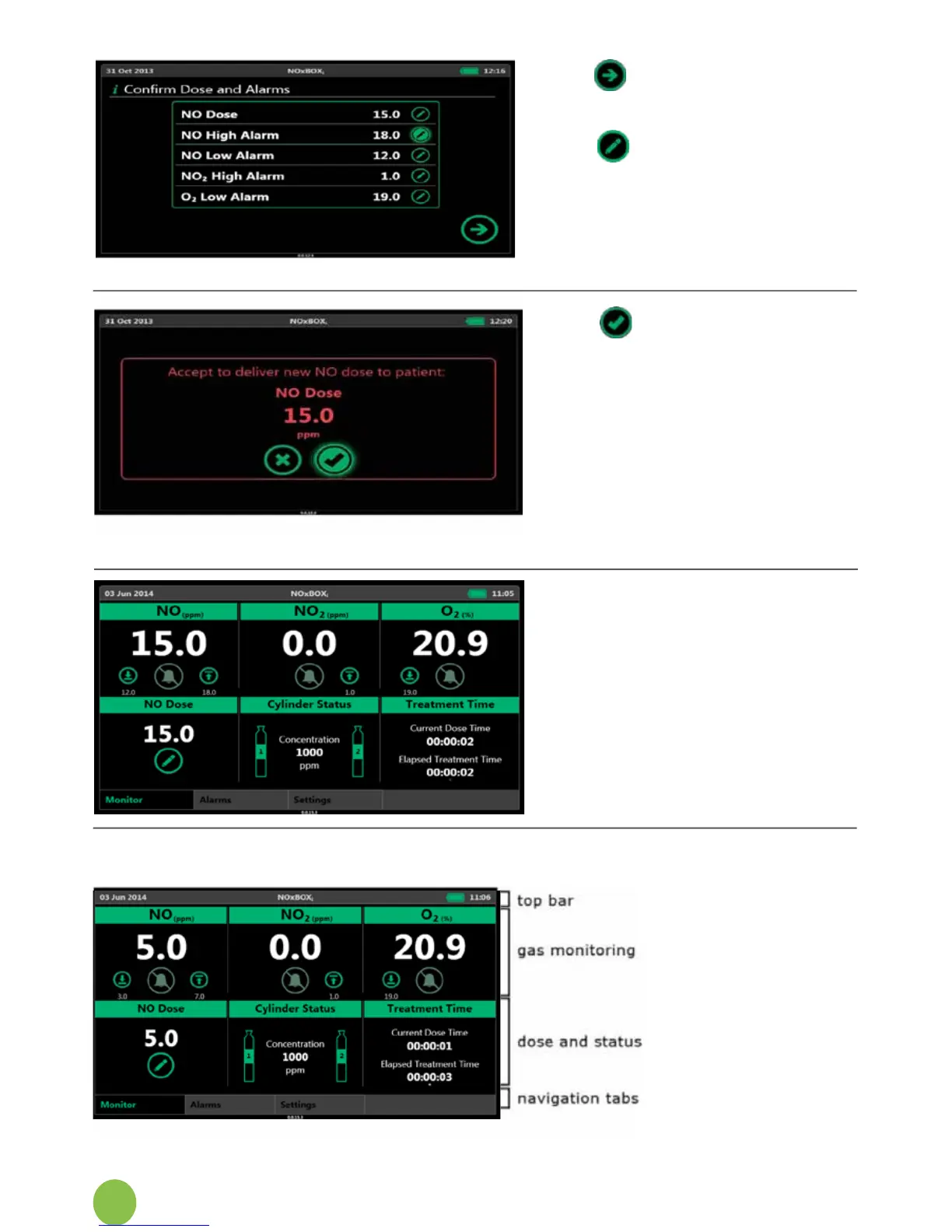
7. To accept the displayed
settingsonthisscreen,
press Next.
8. Tochangeanyvalue,
press the corresponding
Edit button
9. Analscreenisdisplayed
to commit the new dose
setting to the patient.
Press the check mark to
commencedeliveryofthis
dose.
10. Pressthecrosstoreject
this dose and return to
the summary table of
valuesforediting.
11. The system will display the
main monitor screen. The
system displays the gas
beingdeliveredtothe
patient.
12. Duringtherstthirty
secondsofdeliveryatanew
doselevel,thesystemwill
automatically mute the gas
levelalarms.
6.7 Main Screen Display


 To Next Page