56
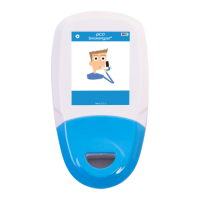
The Alarm History screen displays
the last 20 alarm conditions in a
scrollable list. The alarm description
is colour-coded to indicate the alarm
priority.Anyunresolvedalarmsare
displayed at the top of the list.
The alarm trigger time and date are
recorded in the table. Once the
alarmisresolved,thetimeis
recorded next to the entry. The
full alarm history is recorded in the
Treatment Log and can be
recoveredbyaServiceEngineervia
a download function.
6.9.1 Red Banner Alarms
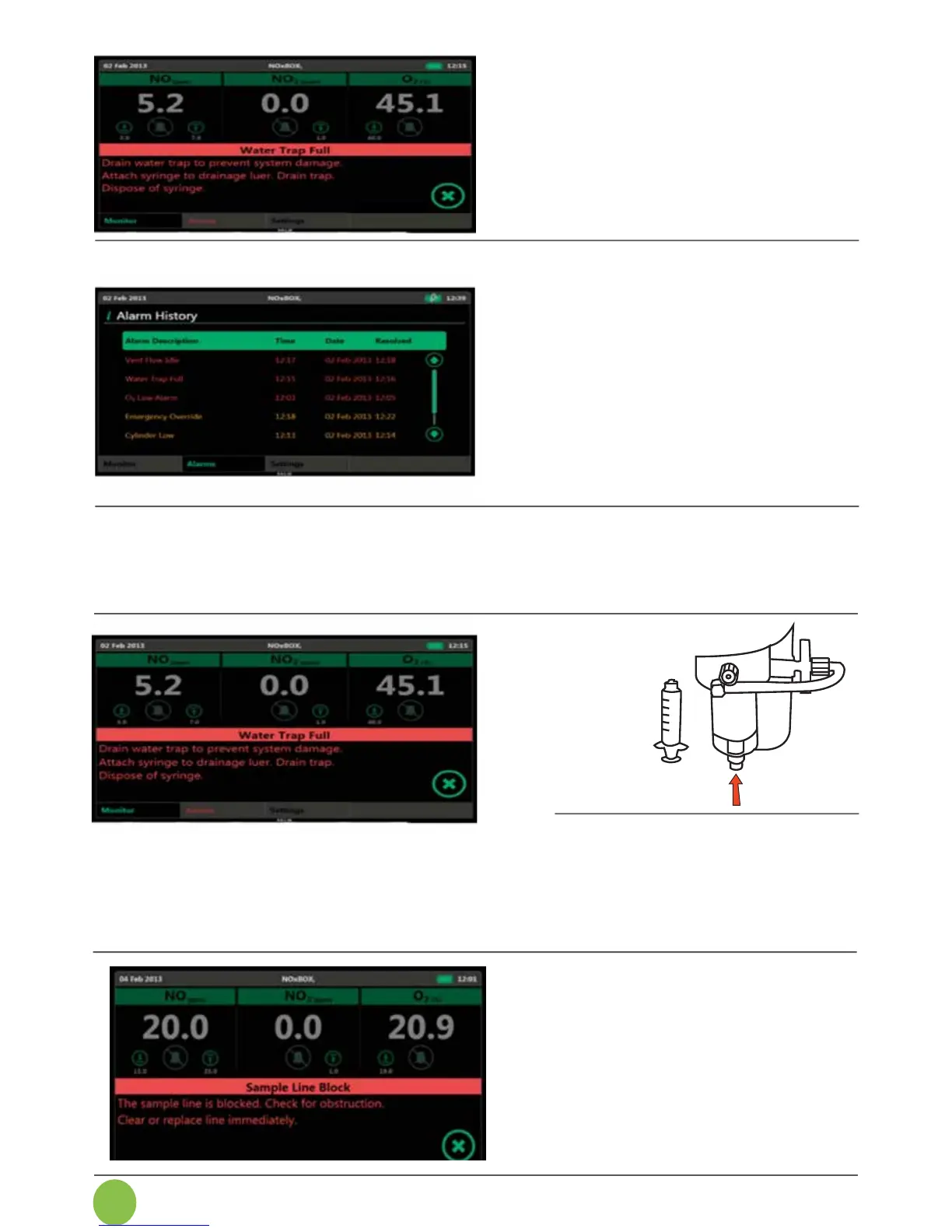
SupplyCritical,DeliveryFault,WaterTrap,SampleLineBlockage,VentFlowIdleandBattery
Critical alarms are displayed in a single banner message with a basic guide instruction for alarm
resolution. Press the cross button to mute the alarm for 2 minutes and dismiss the banner
message.
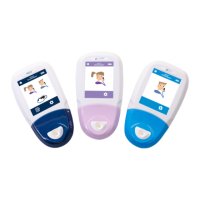
Drain the water trap using a
disposable luer lock syringe. Attach to
the self-sealing plug at base of
watertrap,withdrawplunger.
Unscrew syringe and dispose of as
per local guidelines.
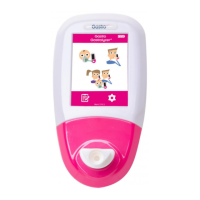
Checkthesamplelineforkinks,knots
or pinching along the length of the
line.Freethelinetoresolve.
If line is damaged or blocked
internally,replacewithanewsample
line.
Alarm notices for detected alarm
conditions are displayed across
the lower half of the Main Monitor
screen.
Pressing the buttons on the
message will temporarily mute the
audible alarm and dismiss the
banner message.


 To Next Page