24
4.3 Setup Instructions
To setup the NOxBOX
i
systemandprepareitforuse:
1. Ensure that the system
trolley brakes are engaged
during setup and in use.
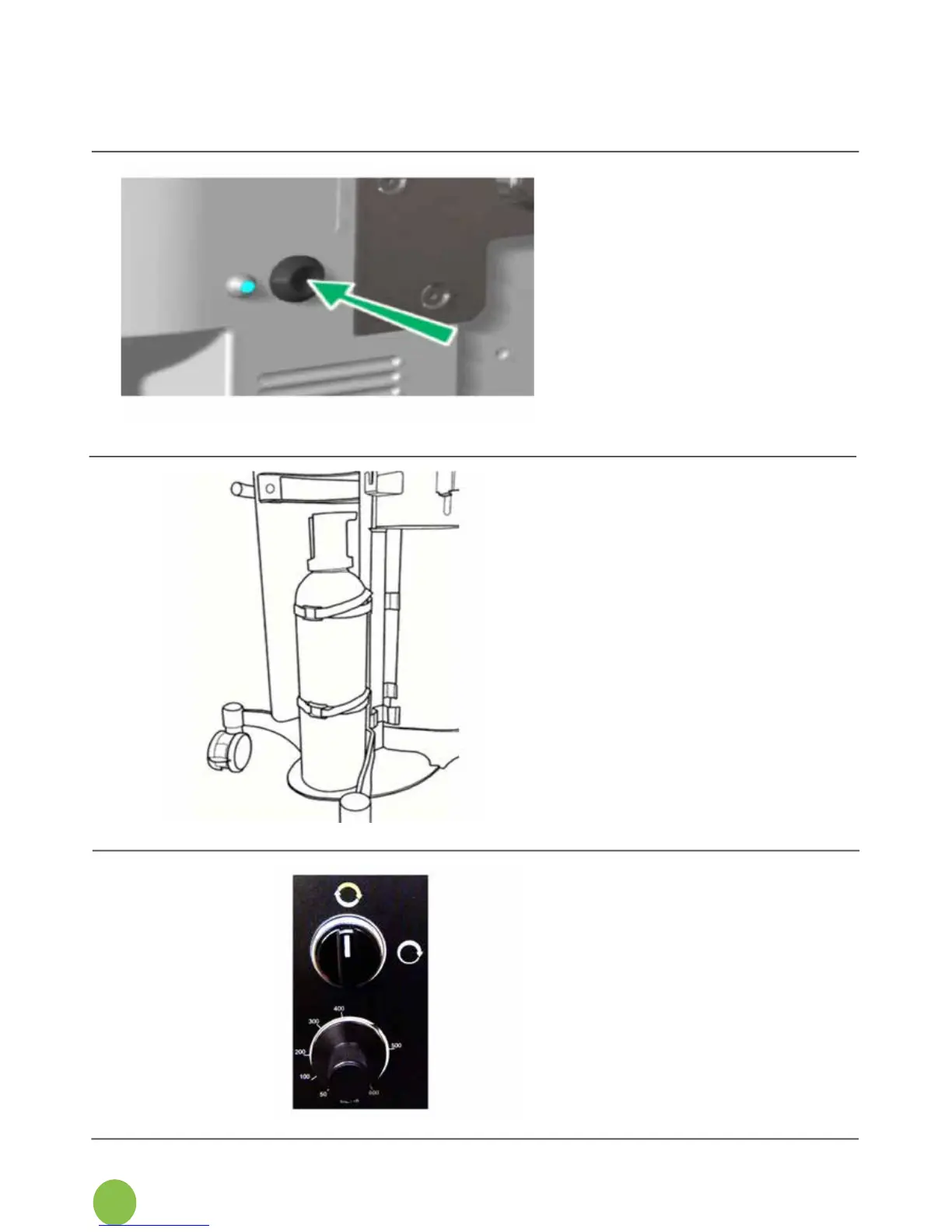
2. Insert the monitor end of
the power cord into
the power socket at the
rearofthemonitor,andpush
it in until the locking
mechanism clicks.
3. Connect the power supply
plug to a hospital-grade
electrical outlet that is
backed up by an
emergency power generator.
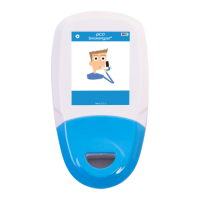
4. Secure each cylinder to
the trolley using the straps
provided.Themaximum
NO cylinder that the trolley can
accommodate is 25 litres
watercapacity(max.height:
1.2m).Additionalspace
hasbeenprovidedon
the trolley for a small oxygen
cylinder if desired.
5. Select the number of
availableNOxBOX
i
NO
supply cylinders that are
being setup on the system
(oneortwo).
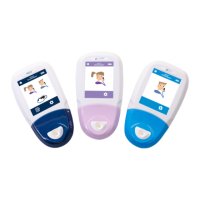
6. Ensure that the system is set
tointelligentdelivery;the
modeselectionvalveshould
beintheverticalposition,as
shown here.
7. Themanualcontrolvalve
immediately below this switch
should be set appropriately
forthepatient(seeSection
6.12fordetails).


 To Next Page