62
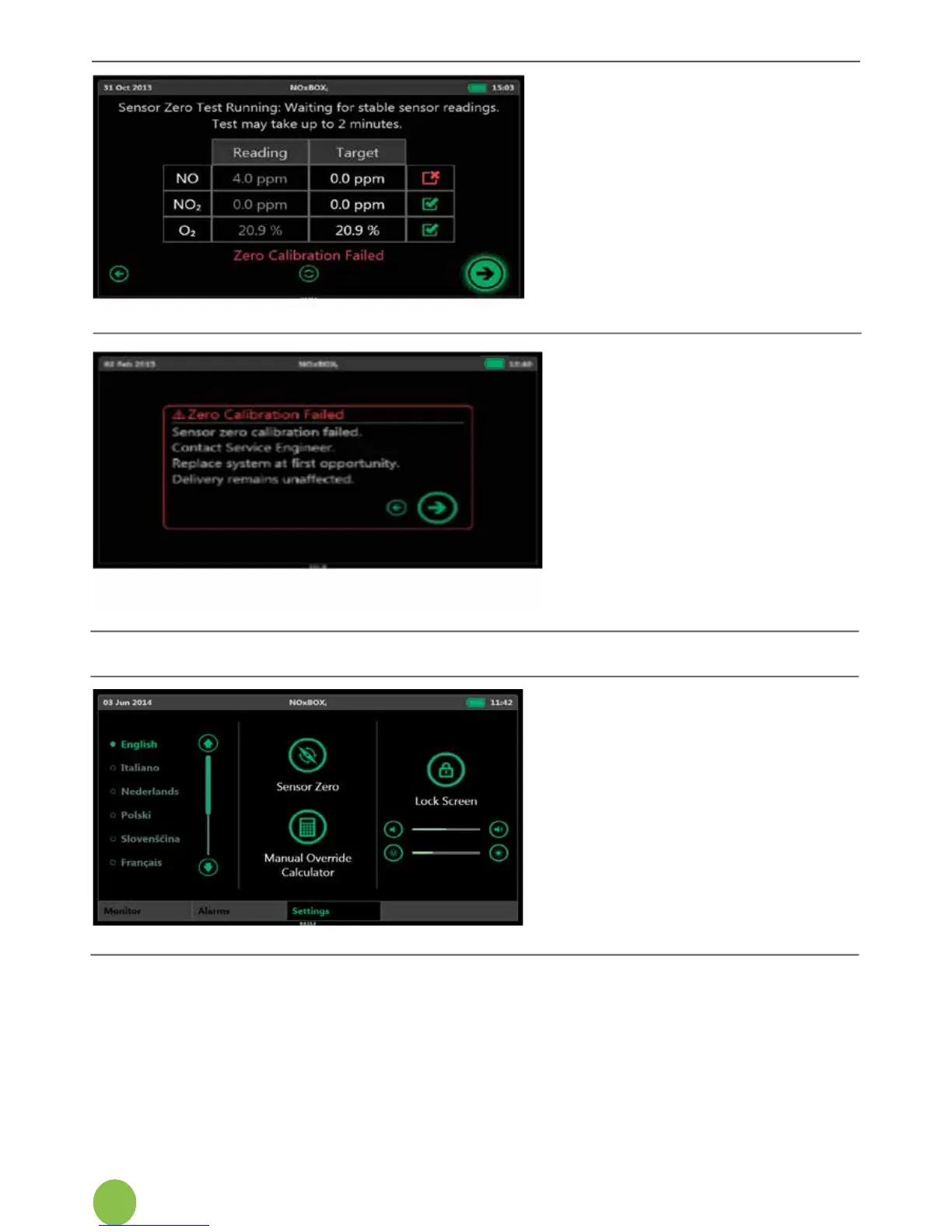
8. If one or more sensors fail
to perform within the
expected parameters
duringthezerocalibration,
a“ZeroingFailed”
messagewillappear,and
any sensors that failed to
meet the performance
criteria will display a red
cross next to them.
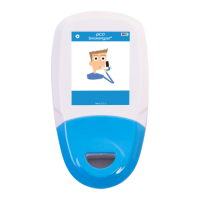
9. Press Next for instructions.
10. Ifthezerocalibrationfails,
the system will prompt to
contacttheservice
engineer and replace the
system as soon as
possible. The system will
still return to its normal
monitoring display and
canbeusedtodeliverNO,
but caution must be used
when operating the system
withanactivesensorfault.
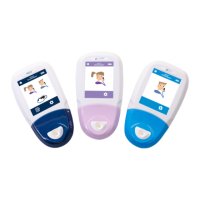
6.11 User Settings Screen
Changing Display Language
OntheUserSettingsScreen,
change the system display
language by selecting the
appropriate name


 To Next Page