61
Zero Calibration is automatically performed upon system power-on. The results of the zero
calibration are displayed during the set-up procedure prior to performing the system test.
Duringuse,thesystemautomaticallyremindsyouonceevery24hourstoperformthezero
calibration procedure. This helps maintain the accuracy of the monitoring system and is a regular
quick check to ensure safe performance of the system.
You can perform the zero calibration procedure at any time. To perform a zero calibration from the
mainscreen:
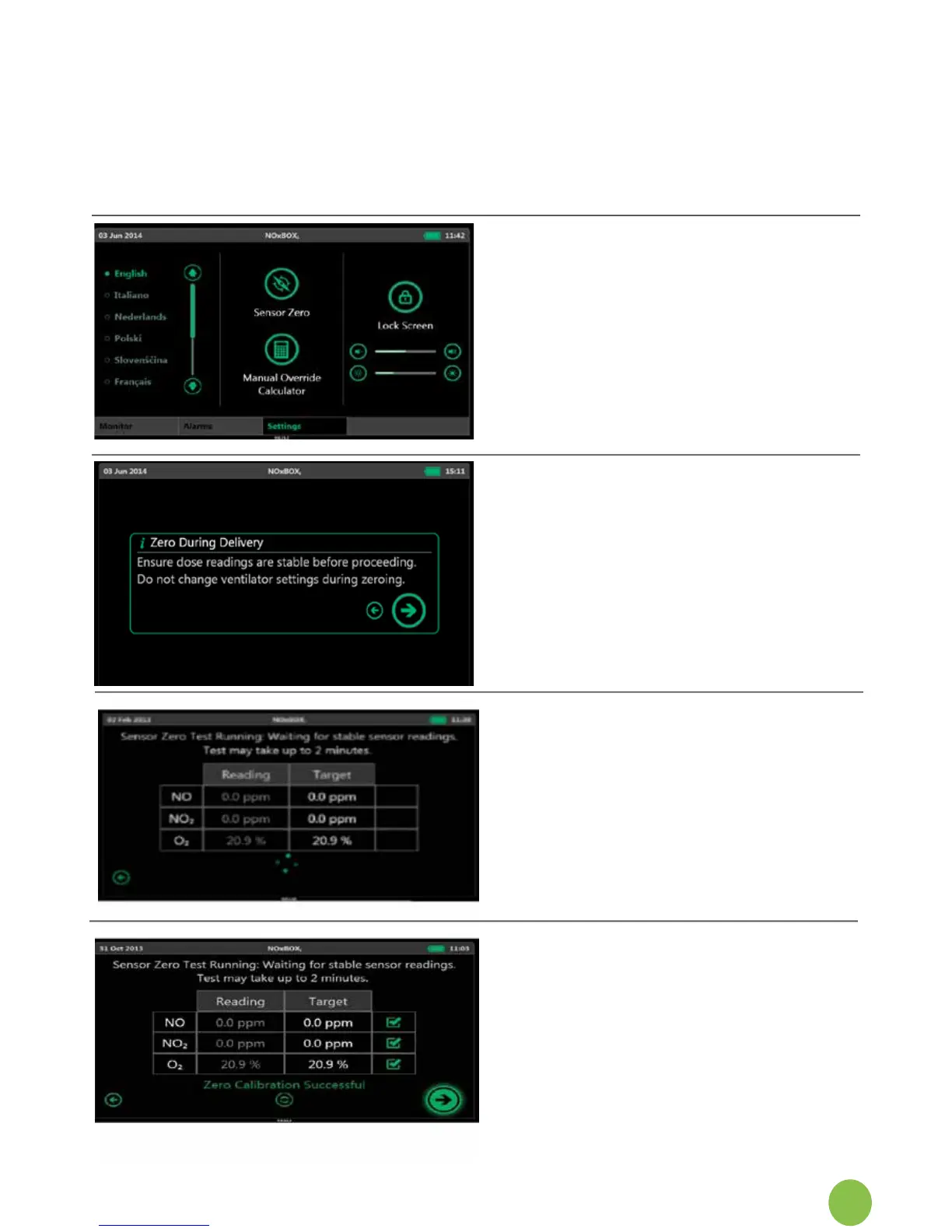
1. SelecttheSettingstab,
press Sensor Zero.
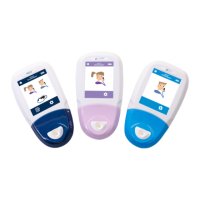
The zero test will take
approximately 2 minutes to
run. A progress animation
is displayed under the test
table.
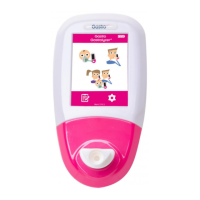
6. If all sensors perform within
theexpectedparameters,a
“ZeroingSuccessful”
messageisdisplayed,with
green check marks against
each sensor result.
5.
2.
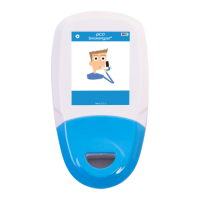
When entering the zero
calibration screens from either
thealarmstateagorfrom
thesettingsscreen,the
following message is
displayed.
3.
Press Next to continue with
the zero calibration.
4.
Press Back to return to the
previousscreen.
7.
Press Next to return to the
main screen. The monitored
gasvalueswilltakeaminute
toreadthetruegasdelivery
values.


 To Next Page