51
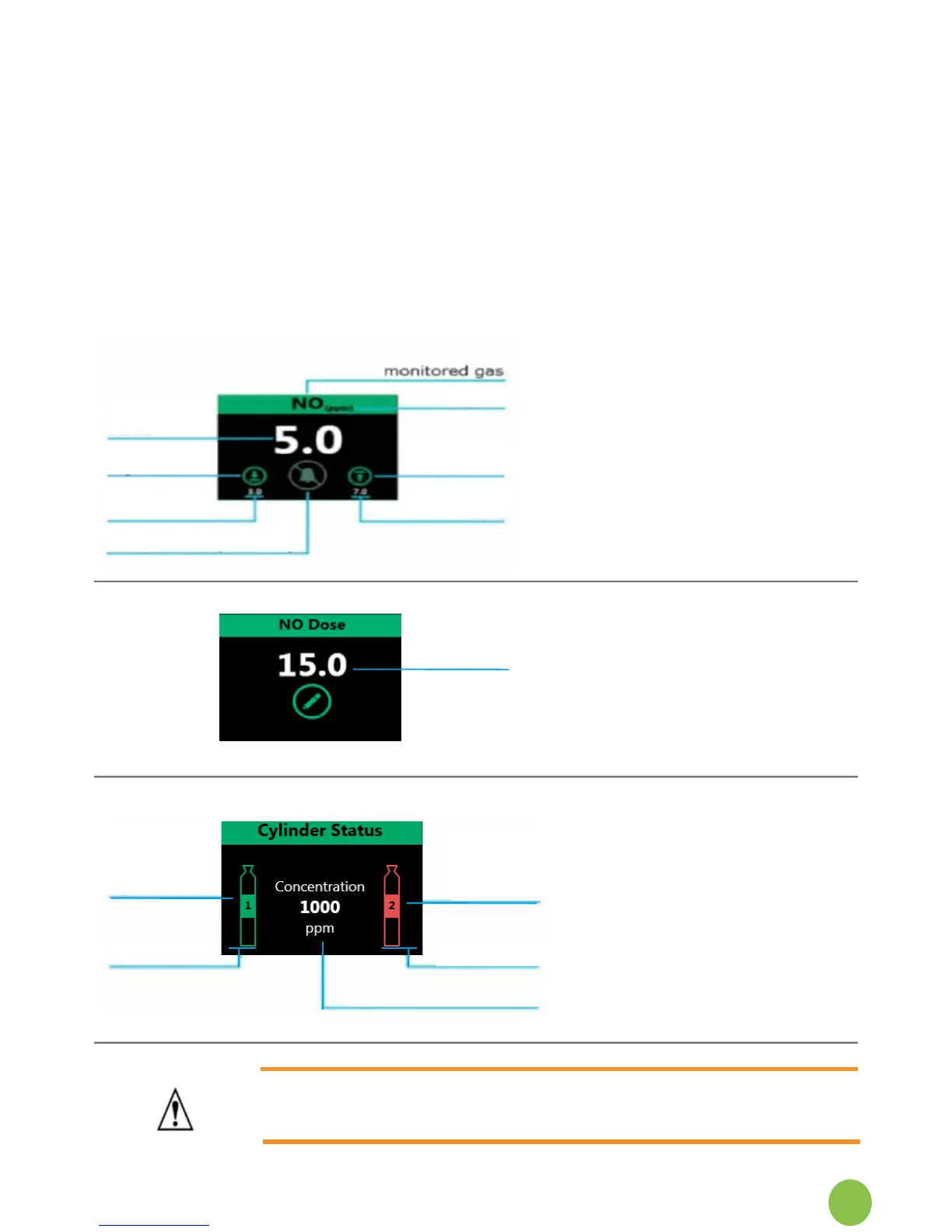
Gas monitoring MeasuredvaluesofNO,NO
2
&O
2
beingdeliveredtopatient
Gas alarm setting display
Gasalarmadjustmentbuttons
Gas alarm mute buttons
Dose and status Current NO dose setting
NO dose edit button
NO supply cylinder indicators
NO supply cylinder concentration setting reminder
Treatment time clocks
Battery status icon
6.7.1 Detailed areas of main screen:
Gas monitor displays the measured
gasconcentrationsbeingdeliveredto
the patient.
Each gas has alarm settings. These
can be altered by pressing the
adjustmentbuttons.
Themutebuttonbecomesactivewhen
a gas alarm is triggered.
Thedosesettingtobedeliveredtothe
patient is displayed in the NO Dose
box.
Press the edit button to change the
delivereddose.
The NO supply cylinder status shows
cylinders connected to the NOxBOX
i
.
The supply indicators warn when the
cylinders are low. Check the pressure
gaugeontheregulatortoconrm.
The system concentration setting must
match the supply cylinders. Call the
serviceengineerifthisneeds
adjusting.
WARNING: The cylinder status is not an accurate representation of the
gas remaining and therefore the cylinder pressure gauges should be
checked to conrm.
Supply
Indicator
(Gas available)
Supply
Indicator
(depleted)
Cylinder 1
Cylinder 2
Supply concentration
Top bar Displays system time and date
monitored
value
lower alarm
adjustment
lower alarm
value
mute button (inactive)
units
upper alarm
adjustment
upper alarm
value
dose setting
edit dose


 To Next Page