55
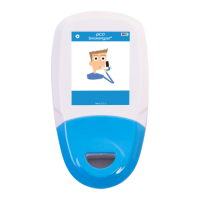
Tosetscreenformattoacodeunlock:
Enter the 4-digit code and press next.
This is now the code needed to unlock
the screen.
NOTE:systemalarmswill
automatically unlock the screen.
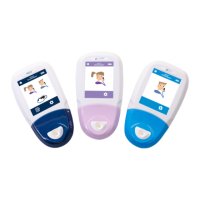
To set screen format back to the
standardnon-codedformat:
Select“Setscreenlockformat”.On
thekeypadscreen,leavetheeld
blank and press next.
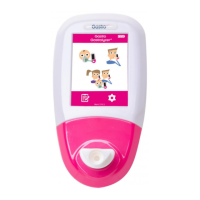
Intheeventofamonitoredgasalarm
beingtriggered,themonitoredvalue
ashesredandthegasalarmmute
buttonbecomesactive.Pressthe
mute button for a 2 minute mute of
the audible alarm element.
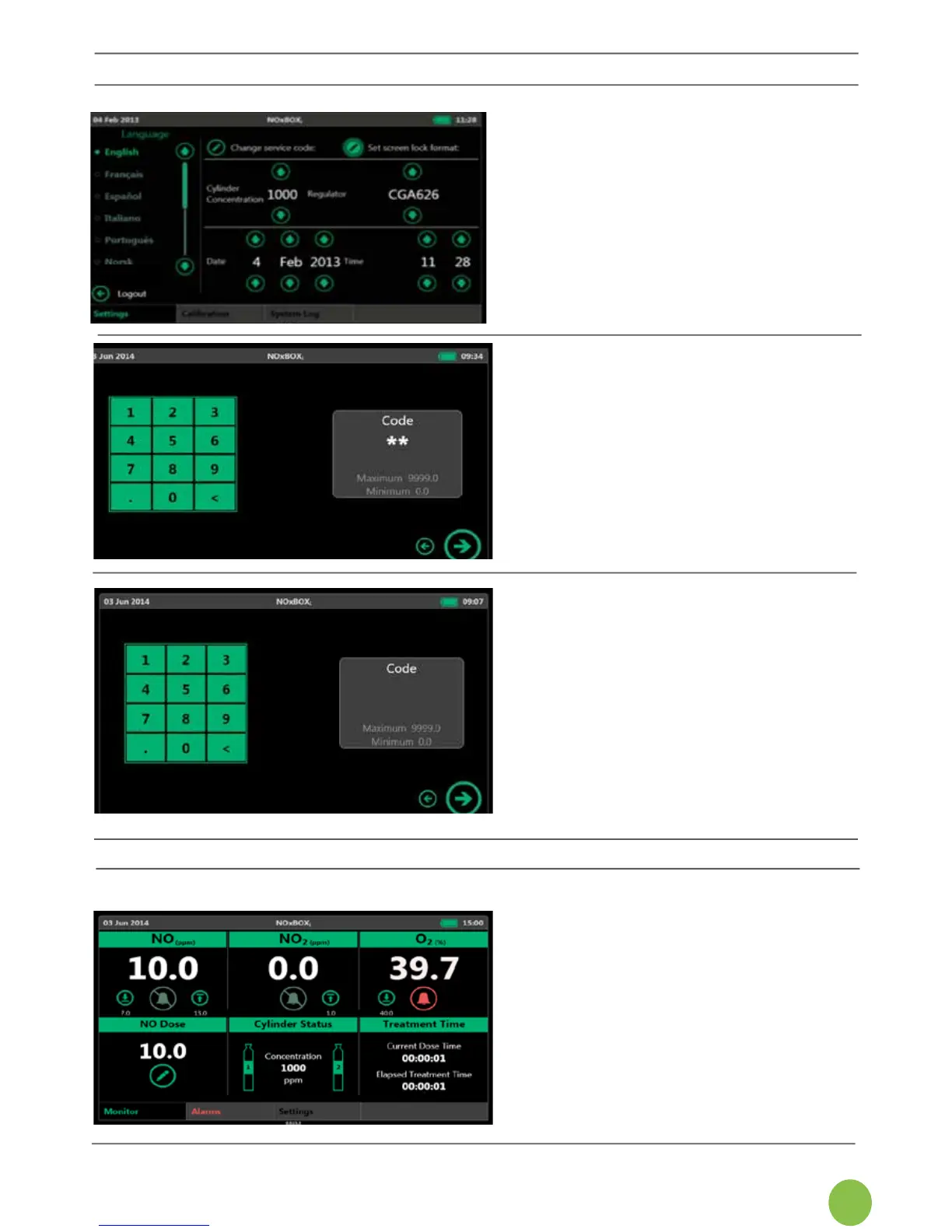
6.8.1 Setting the Screen Lock Format
The screen lock format is set in the
ServiceEngineerarea.Thesystem
default setting is for a standard
(non-coded)screenunlock.
Tochangethescreenlockformat,log
intoServiceEngineerareaandselect
“Setscreenlockformat”.
NOTE:ServiceEngineerareaonly
availablefromstartscreen.
6.9 Alarms


 To Next Page