63
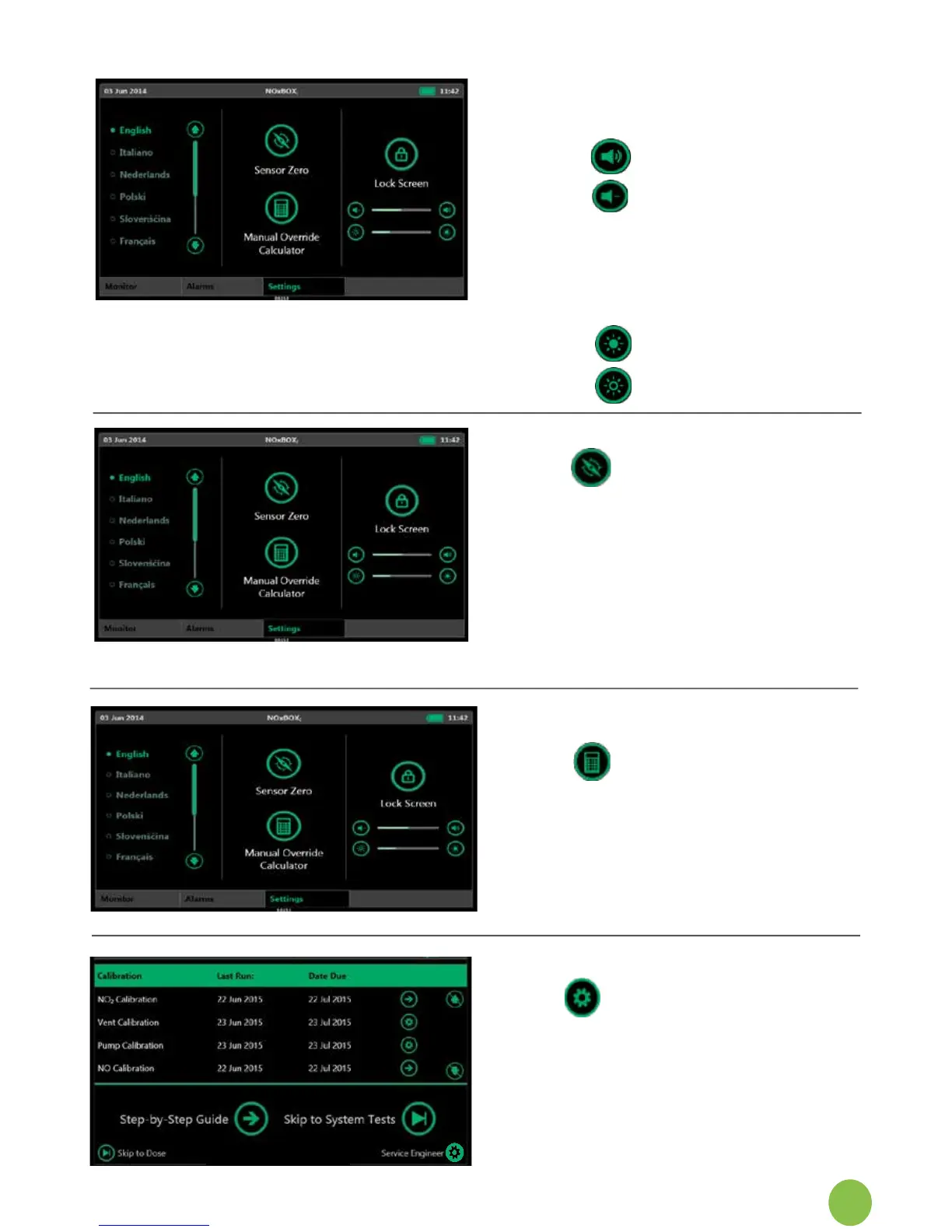
Change volume and brightness
Alterthevolumeofthescreen
interactive‘beep’:
1. volumeup
2. volumedown
NOTE:Thisdoesnotaffectthe
volumeofanysystemalarm.
Similarly,adjustthedisplay
brightness:
3. brightness up
4. brightness down
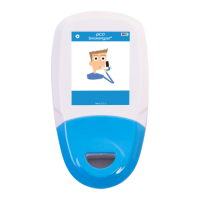
Access Zero Calibration
The User Settings Screen
providesaccesstothedailyzero
calibration function. A reminder is
displayed on the main monitor each
timethisisdue(onceevery24
hoursfromsystemstart-up).The
notice can be dismissed if the timing
isnotsuitable(e.g.patientdose
recently changed and still
adjusting).
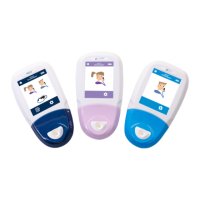
Access the Calculator
TheManualOverride
Calculator(refertosection6.12.1)
providesguidancetoselecta
simpledeliverybypasssettingfrom
50-600ml to best match the patient
requirements.
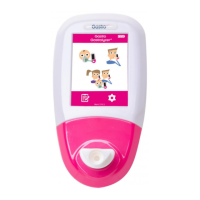
Access to Service Engineer Area
TheServiceEngineer
functions can only be accessed from
thestartScreen.Avalidcodeis
required to access this area to
preventaccidentalchangetovital
system settings.


 To Next Page