INTEGRA® / E-1063
2-4 Belanger, Inc. * 1001 Doheny Ct. * Northville, MI 48167 * Ph (248) 349-7010 * Fax (248) 380-9681 1MANUL102
Chapter 2 System Overview
E-1063 Overview
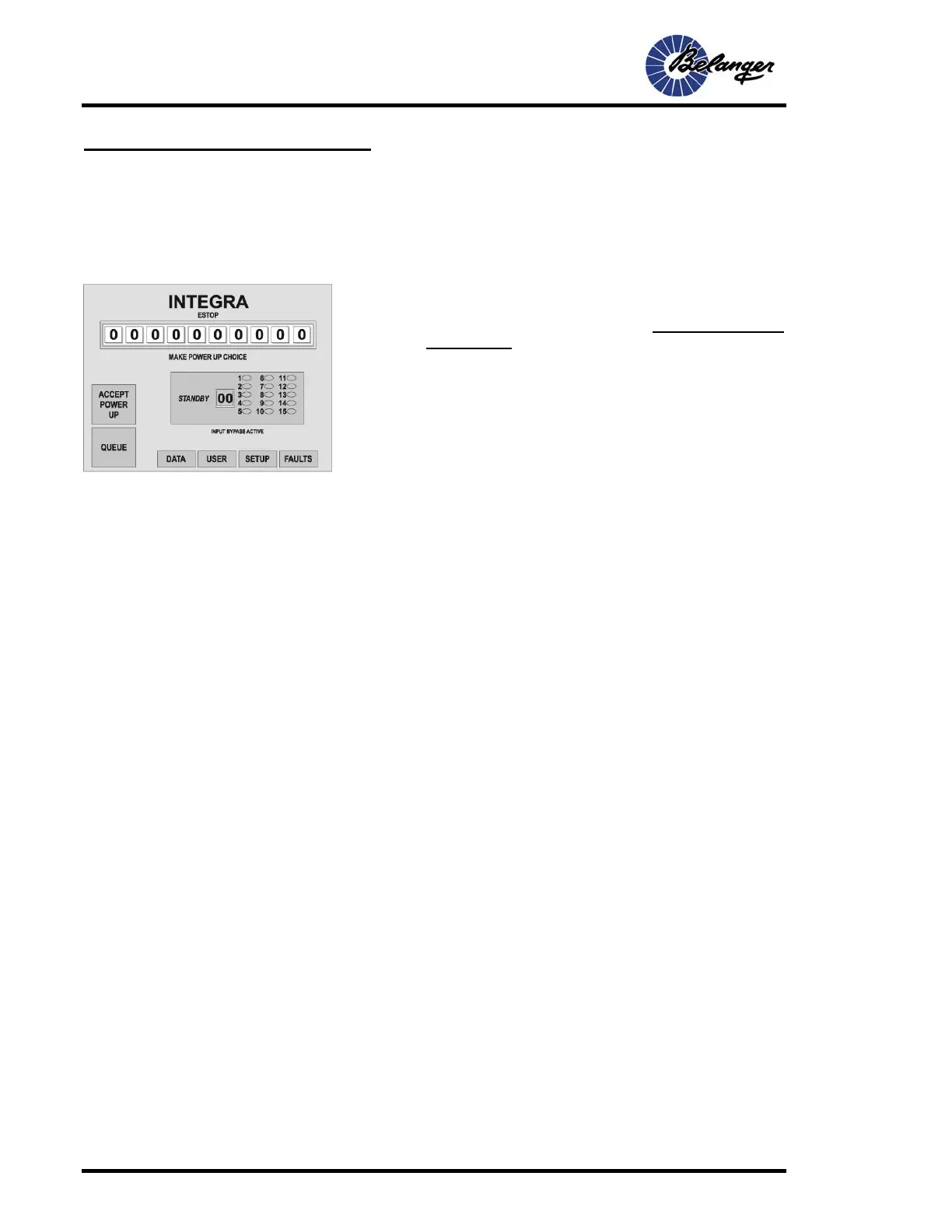
The following will give a brief explanation of the functionality of the 5 Function Keys for the MAIN
screen ONLY. They will be covered in more detail later in this document.
Pressing the corresponding function keys will shift screen to desired locations.
The function keys change for all other screens.
QUEUE: This section allows manual entry of Packages / Options, Hot Dollie, Wash
Receipt and Clear Queue.
DATA: This section allows viewing and printing of Shift, Daily and Weekly reports.
USER
This section contains all of the operations necessary for the user to operate the wash. See
below.
• Clear Wash – Provides the ability to clear the entire wash
• Bay Wet Down – initiates a Bay Wet Down
• Monitor I/O – displays current status of all inputs and outputs.
• Power Up (E-Stop) Choice – Lets the Operator change or accept wash status after E-Stop /
Power Up
• Force – Manually turns on a individual function
• Print – Printer various Setup Reports / Modem Setup
• About – displays software version currently running
• Input Bypass – allows user to temporarily bypass Inputs
• VFD Conveyor – user control of System VFD operations, but not Setup Operations
Screen Key:
• For standard Attended operation, use the separate Operator Station to
enter Packages and options into the Queue. This screen can provide
visual feedback
• The ESTOP is only displayed when the system is in the “ESTOP”
condition
• The display box shows the currently selected stand-by Package. If any
Options are associated with a selected Package, the corresponding
oval will be filled
• The long rectangular box displays the 10 washes in the Queue



 To Next Page