INTEGRA® / E-1063
1MANUL102 Belanger, Inc. * 1001 Doheny Ct. * Northville, MI 48167 * Ph (248) 349-7010 * Fax (248) 380-9681 4-9
Chapter 4 Operator Interface/Standard Wash Operation Screens
User
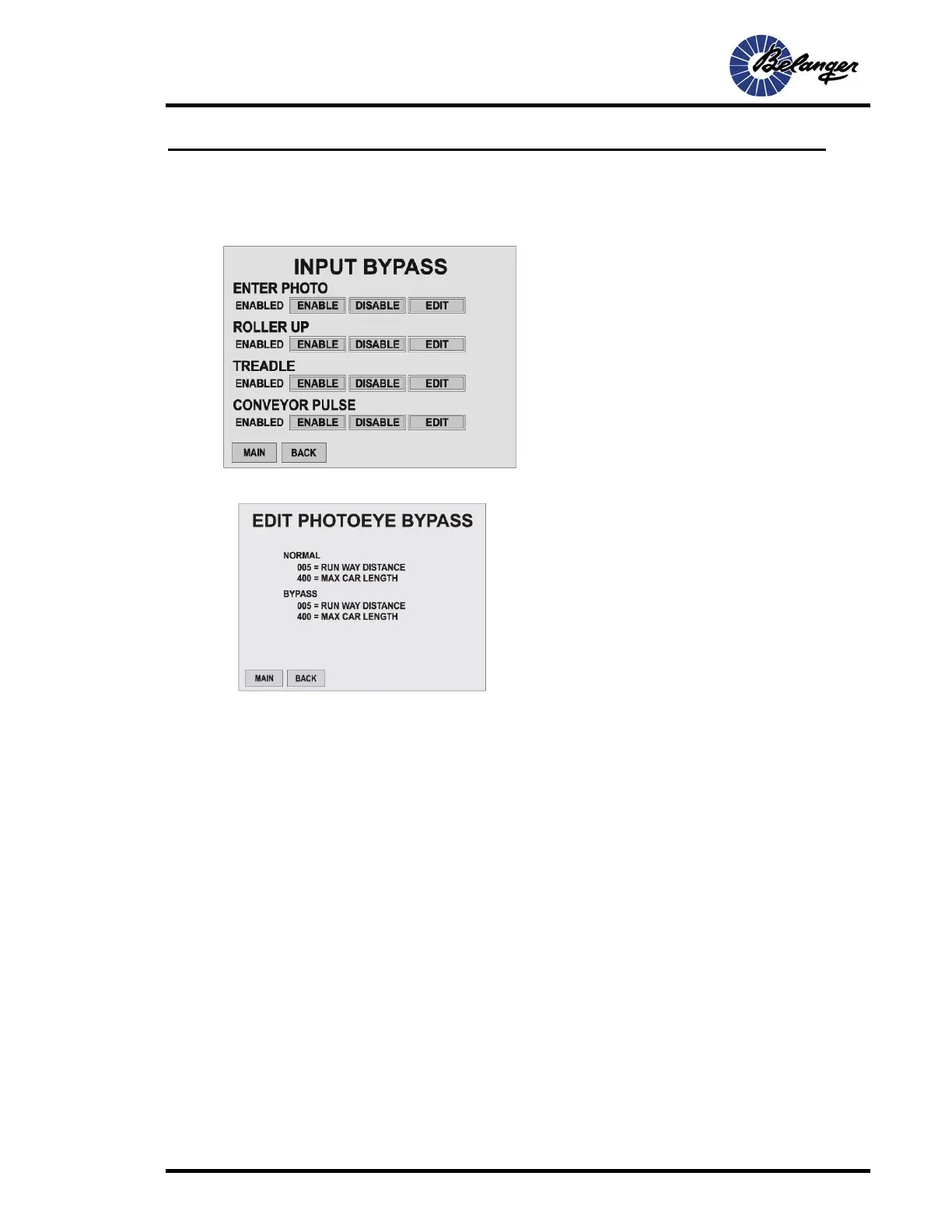
User / Input Bypass
User / Input Bypass / Enter Photo - Edit
Screen Key:
• This screen is for temporarily bypassing the
corresponding Input that may be causing issues.
• Pressing the ENABLE button will change behavior to
bypass the corresponding Input. This means it will
run in the BYPASS manor as setup by pressing the
EDIT key.
Screen Key:
• NORMAL: This is the data entered into the
Loading Setup screen and will be utilized for
normal operation.
• BYPASS: This is the data entered into this
screen and will be utilized when ENTER
PHOTO BYPASS is active.



 To Next Page