INTEGRA® / E-1063
4-4 Belanger, Inc. * 1001 Doheny Ct. * Northville, MI 48167 * Ph (248) 349-7010 * Fax (248) 380-9681 1MANUL102
Chapter 4 Operator Interface/Standard Wash Operation Screens
Data
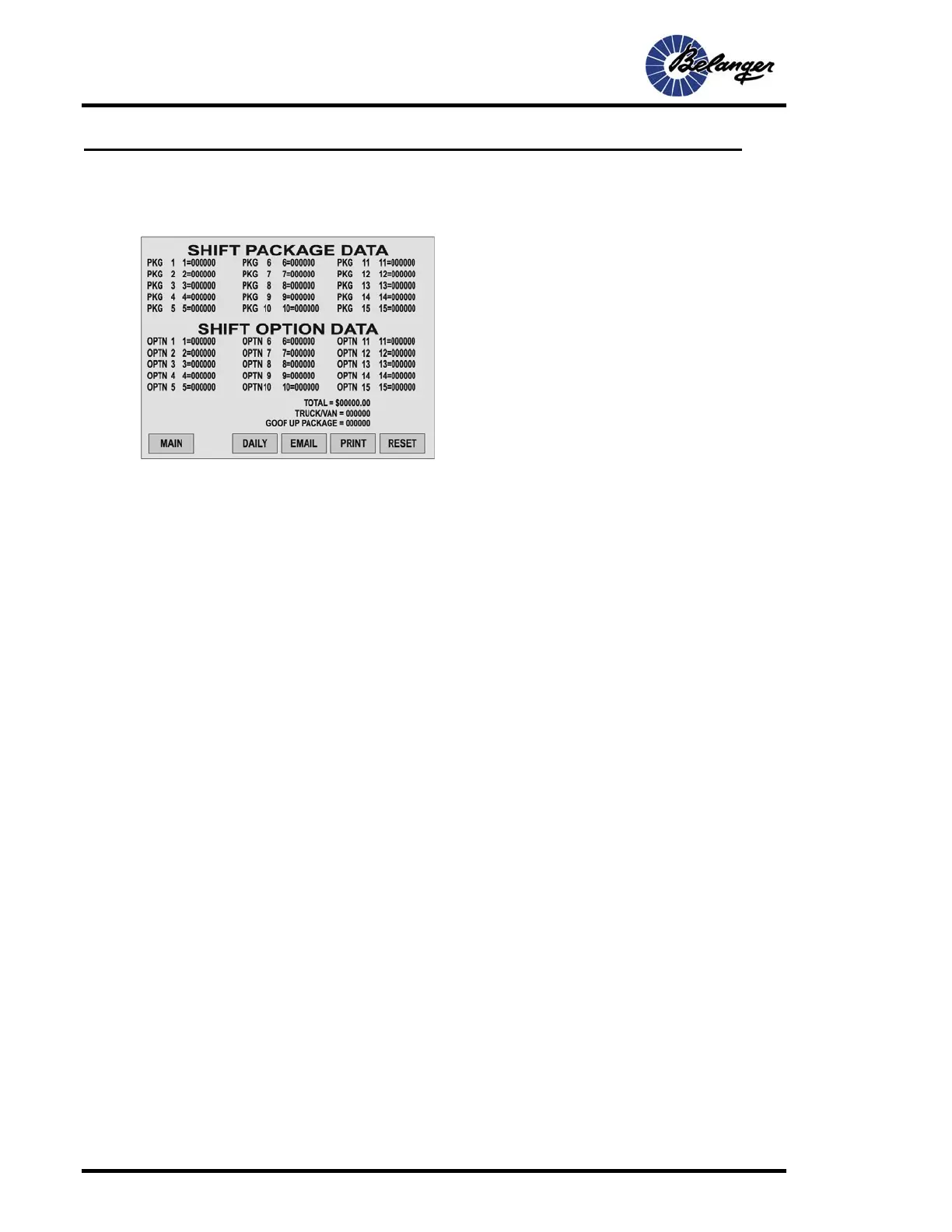
Shift Package and Option Data
This section displays the following data.
• The number of times that each Package and/or Option has been used.
• The Truck/Van count as recorded by the optional Photo Eye.
• The total dollar value of all Package/Options combined.
• The total number of GOOF UP packages (Unattended feature)
• Shift Reports: Resets at approximately midnight or whenever the RESET key is pressed.
• Daily Report: Resets and prints automatically every 24 hours at approximately midnight. CANNOT be reset manually. From the “Shift
Report” screen, press Daily to get to this screen.
• Weekly Report: Resets and prints automatically every seven days at approximately midnight. CANNOT be reset manually. From the
“Daily Report” screen, press WEEKLY to get to this screen. The RESET day can be changed from the MISC screen.
Report Printing
Shift, Daily and Weekly reports can be printed from the Report screens or from Operators Station. The RS-232 must
be set to “printer” before printing can occur.
From the Operator Station
• Shift Report: This report can be printed by pressing and holding for 2 seconds the Option 8 key on the Operators Station. This will only
work if there is NO vehicle in standby.
• Daily Report: This report will print automatically at midnight. Be aware that if the printer is not operating properly or is out of paper, all
daily data will be lost at midnight. Daily reports can also be printed from the Operators Station by pressing the Option 9 key for 2
seconds.
• Weekly Report: This data can be printed from the Operators Station by pressing the OPTION 10 key for 2 seconds as long as the
Standby does not have a value.
From the E-1063
• General: Navigating to the appropriate screen and pressing the PRINT key can print each type of report.



 To Next Page