INTEGRA® / E-1063
4-12 Belanger, Inc. * 1001 Doheny Ct. * Northville, MI 48167 * Ph (248) 349-7010 * Fax (248) 380-9681 1MANUL102
Chapter 4 Operator Interface/Standard Wash Operation Screens
User
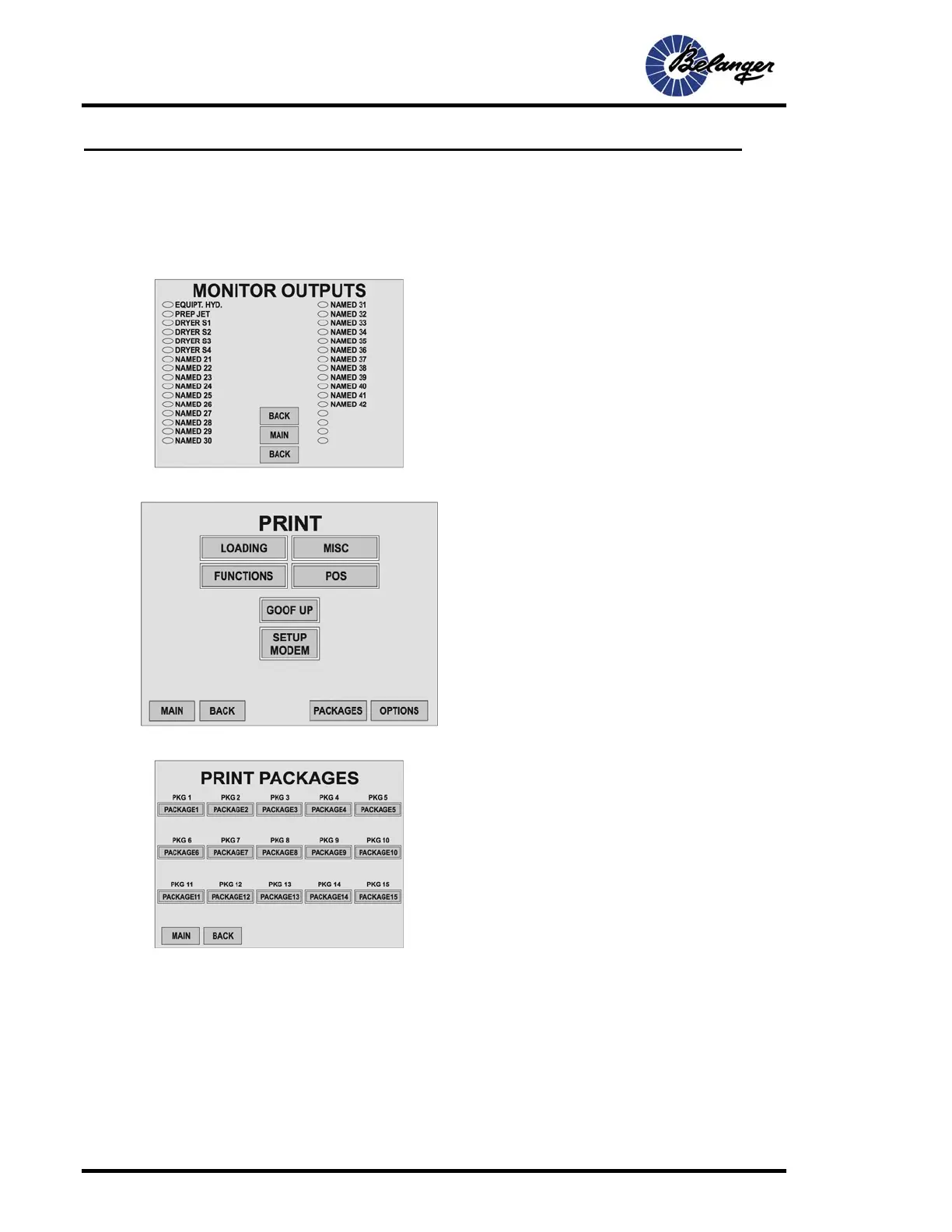
User / Monitor Outputs
User / Monitor Outputs / More
User / Print
User / Print / Packages
Screen Key:
• This screen allows monitoring of Output status. The
ovals are filled when the Output is ON.
Screen Key:
• Pressing LOADING, MISC, FUNCTIONS or POS
will print the corresponding setup.
• Pressing SETUP MODEM will send setup
instructions to the modem if one is installed. User
will not see changes on the screen when the button
is pressed.
• Pressing the MAIN, BACK, PACKAGES or OPTINS
will navigate you to the corresponding screen.
Screen Key:
• Pressing these buttons will print the corresponding
setup.



 To Next Page