INTEGRA® / E-1063
4-2 Belanger, Inc. * 1001 Doheny Ct. * Northville, MI 48167 * Ph (248) 349-7010 * Fax (248) 380-9681 1MANUL102
Chapter 4 Operator Interface/Standard Wash Operation Screens
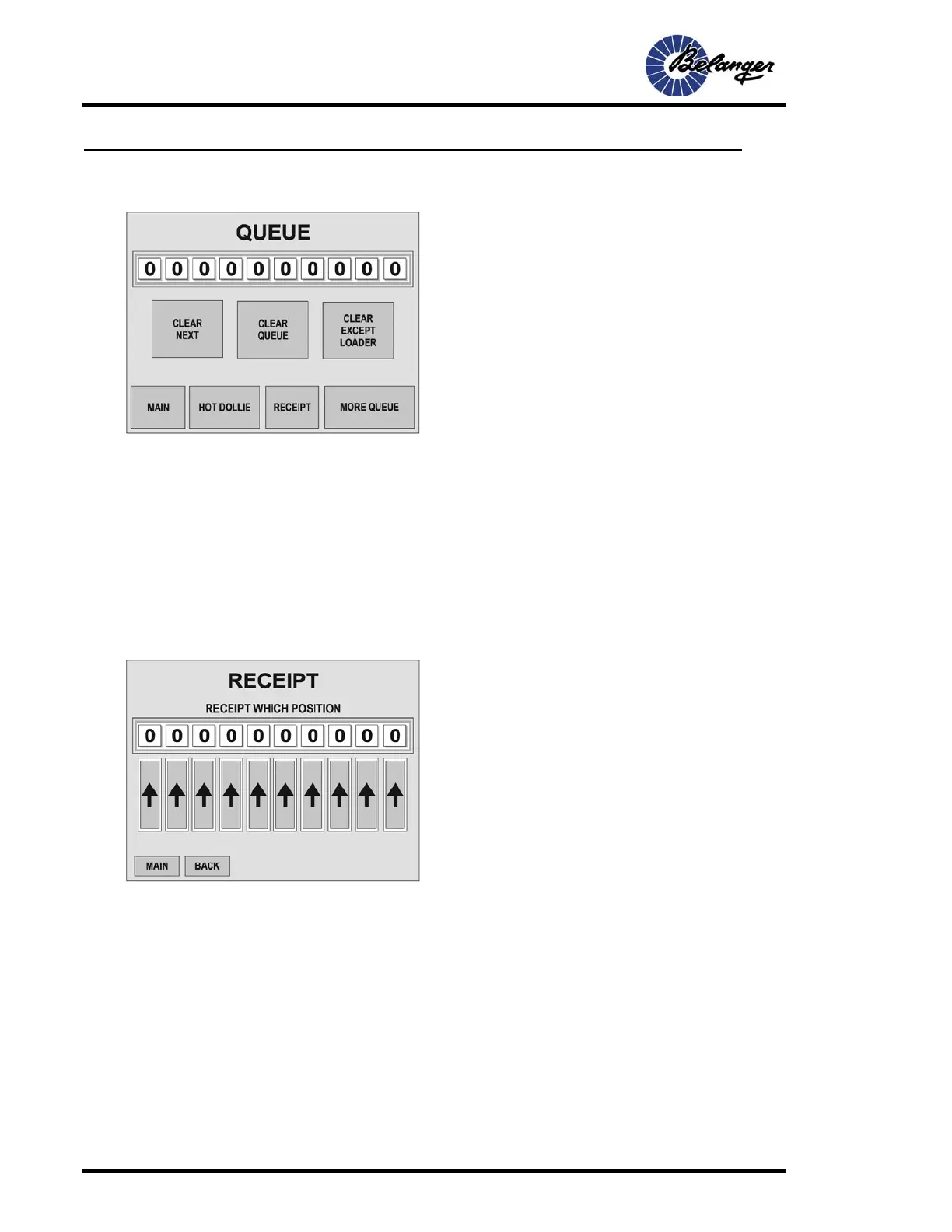
Queue
CLEAR NEXT: Pressing this key will clear out the Loader. This is the next vehicle that will be washed
CLEAR QUEUE: This area is for clearing QUEUE. See FAULT screen for clearing faults and see the USER
screen for clearing Washes.
CLEAR EXCEPT LOADER: Pressing this key will clear all items in the QUEUE except the one that is already
being processed. This key is to be used in the case where a vehicle has crossed the treadle, picked up a dollie
and is being pulled to the entrance photo-eye. This allows that particular vehicle to continue being washed.
HOT DOLLIE: This will send up a Dollie immediately regardless if there is a vehicle in the QUEUE or not. The
Conveyor must be on for this function to work.
Queue / Receipt
Press the arrow under the desired “Wash Position” to print the receipt for that vehicle.
Pressing either key on the above screen will complete its task and return to the MAIN screen.



 To Next Page