INTEGRA® / E-1063
5-2 Belanger, Inc. * 1001 Doheny Ct. * Northville, MI 48167 * Ph (248) 349-7010 * Fax (248) 380-9681 1MANUL102
Chapter 5 Operator Interface/Wash Setup Screens
Setup
Setup / Packages
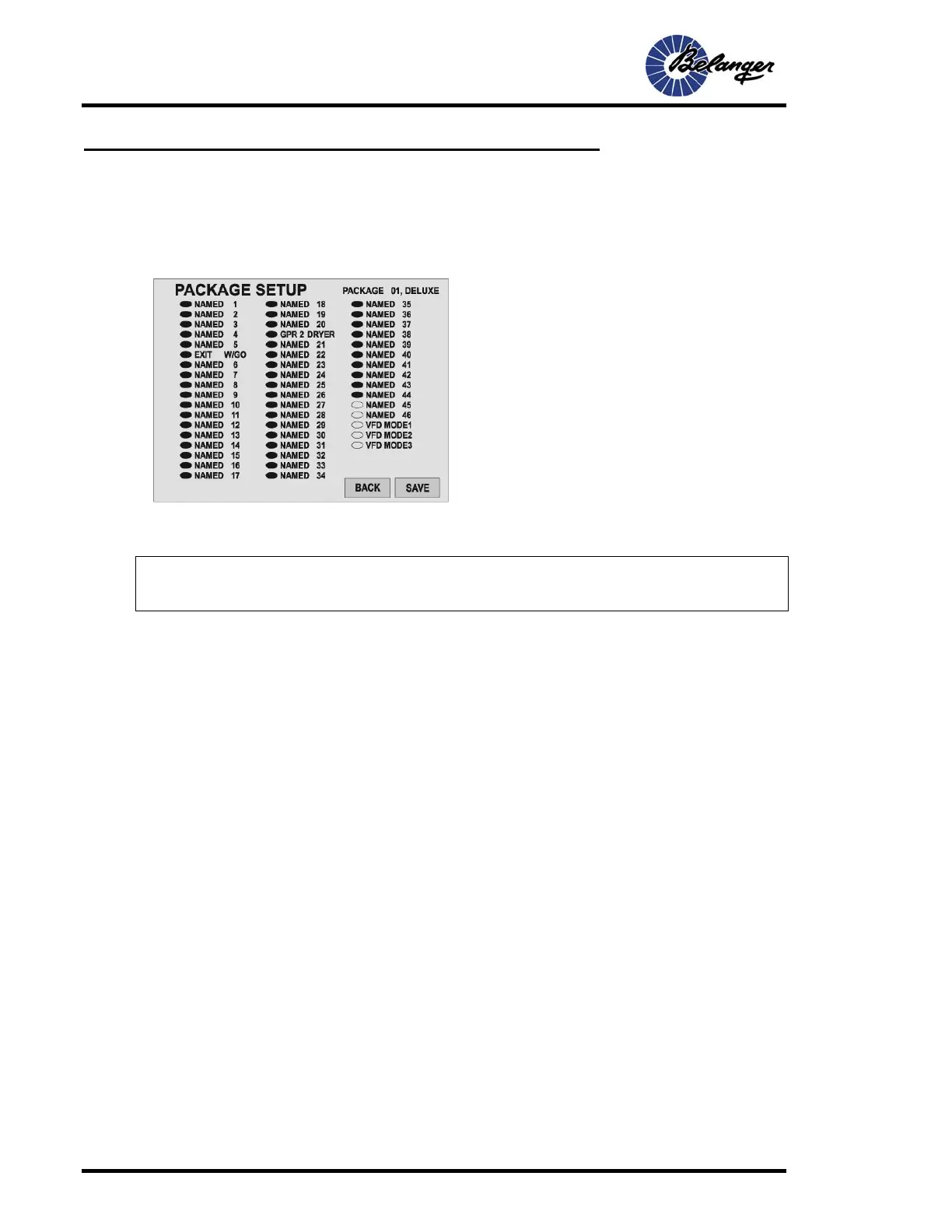
Setup / Packages / Package 1 (or any of the Package buttons)
CHANGES WILL NOT TAKE EFFECT AND WILL BE LOST IF “SAVE” IS NOT SELECTED ONCE SELECTIONS
ARE MADE.
Note: The names of the Functions may be changed from the names
shown in the above screen.
Screen Key:
• When an Oval is filled, that item becomes part of the
Package.
• Touch the desired oval to toggle between filled and
unfilled.
• See SETUP / FUNCTIONS for configurations of
Functions.
• VFD Mode 1 – Network VFD Dryer switch to set distance
for Package.
• VFD Mode 2– Network VFD Dryer switched OFF for
Package.
• VFD Mode 3– Network Pump 1 selected for Package.



 To Next Page