INTEGRA® / E-1063
1MANUL102 Belanger, Inc. * 1001 Doheny Ct. * Northville, MI 48167 * Ph (248) 349-7010 * Fax (248) 380-9681 5-1
Chapter 5 Operator Interface/Wash Setup Screens
Setup
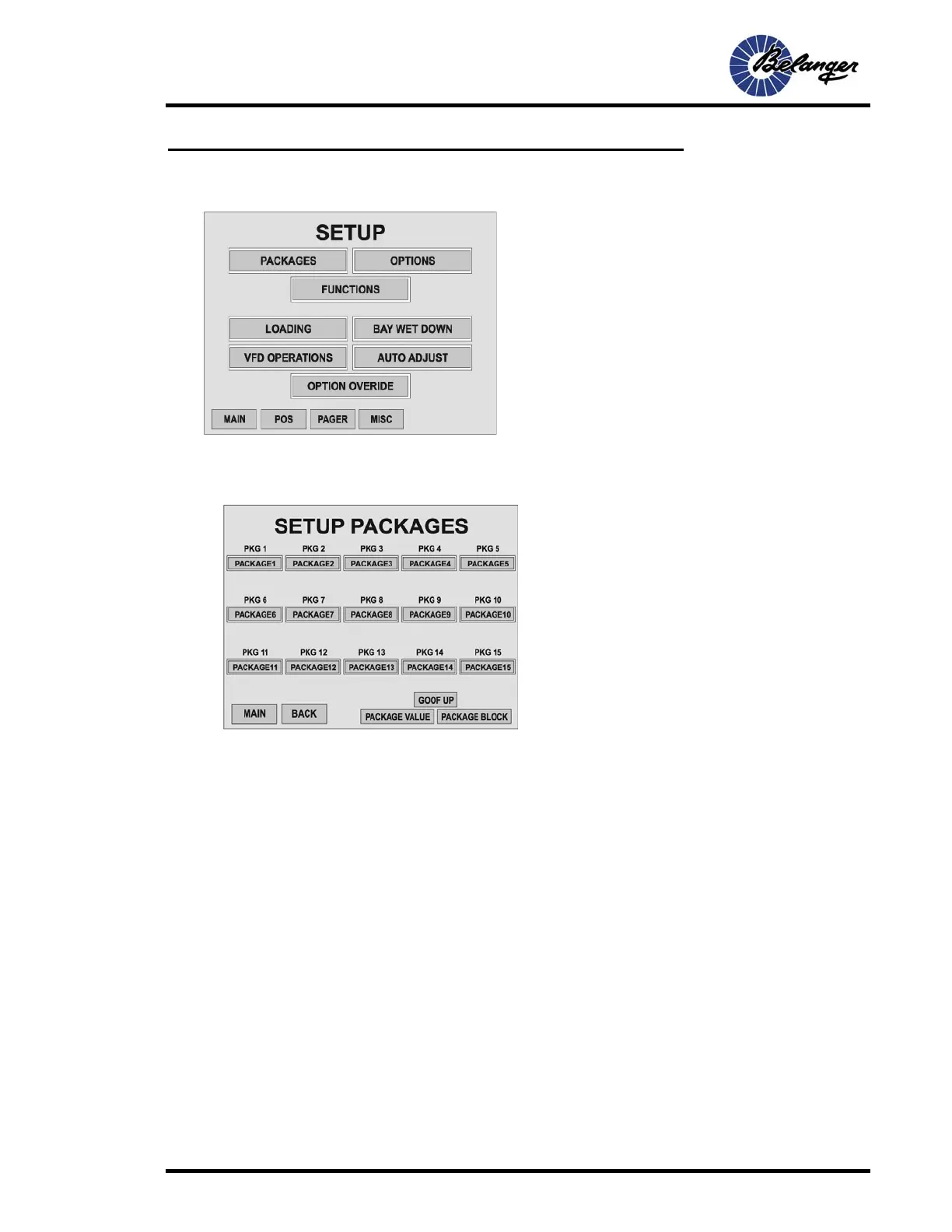
Setup / Packages
The system has the ability for 15 user defined Packages.
Screen Key:
• This screen has the Function keys to navigate
to all of the Wash Setup screens.
.
Screen Key:
• These buttons navigate to the corresponding
Package Setup screens.
• Pressing GOOFUP will navigate to the
GOOFUP Setup screen
• Pressing PACKAGE VALUE will navigate to
the screen for assigning Package Values
• Pressing the PACKAGE BLOCK will navigate
to the screen that allows enabling and
disabling of Packages
.



 To Next Page