INTEGRA® / E-1063
4-10 Belanger, Inc. * 1001 Doheny Ct. * Northville, MI 48167 * Ph (248) 349-7010 * Fax (248) 380-9681 1MANUL102
Chapter 4 Operator Interface/Standard Wash Operation Screens
User
User / Input Bypass
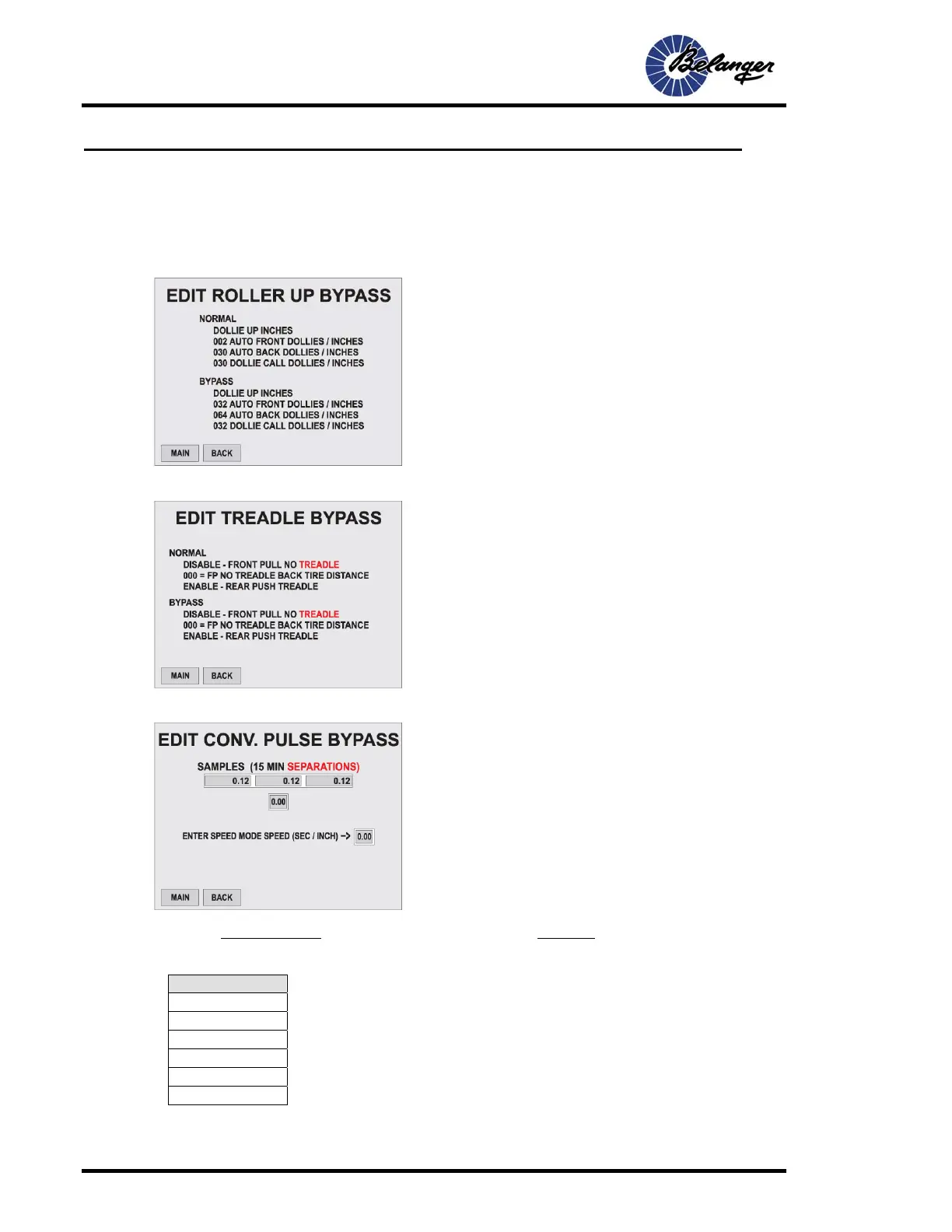
User / Input Bypass / Roller Up - Edit
User / Input Bypass / Treadle - Edit
User / Input Bypass / Conveyor Pulse - Edit
The speed is . Example: 150 vehicles per hour: = .1
Common Values
175 = .09
150 = .1
125 = .12
100 = .15
75 = .2
50 = .3
Screen Key:
• Speed is typed at the lower right of the screen. This is the
simulated speed in BYPASS Mode
• The SAMPLES give a good indication of what your
current speed may be.
15
Vehicles per Hour
15
150
Screen Key:
• NORMAL: This is the data entered into the Loading
Setup screen and will be utilized for normal operation.
• BYPASS: This is the data entered into this screen
and will be utilized when EDIT ROLLER BYPASS is
active.
Screen Key:
• NORMAL: This is the data entered into the Loading
Setup screen and will be utilized for normal operation.
• BYPASS: This is the data entered into this screen
and will be utilized when EDIT TREADLE BYPASS is
active.



 To Next Page