INTEGRA® / E-1063
5-14 Belanger, Inc. * 1001 Doheny Ct. * Northville, MI 48167 * Ph (248) 349-7010 * Fax (248) 380-9681 1MANUL102
Chapter 5 Operator Interface/Wash Setup Screens
Setup
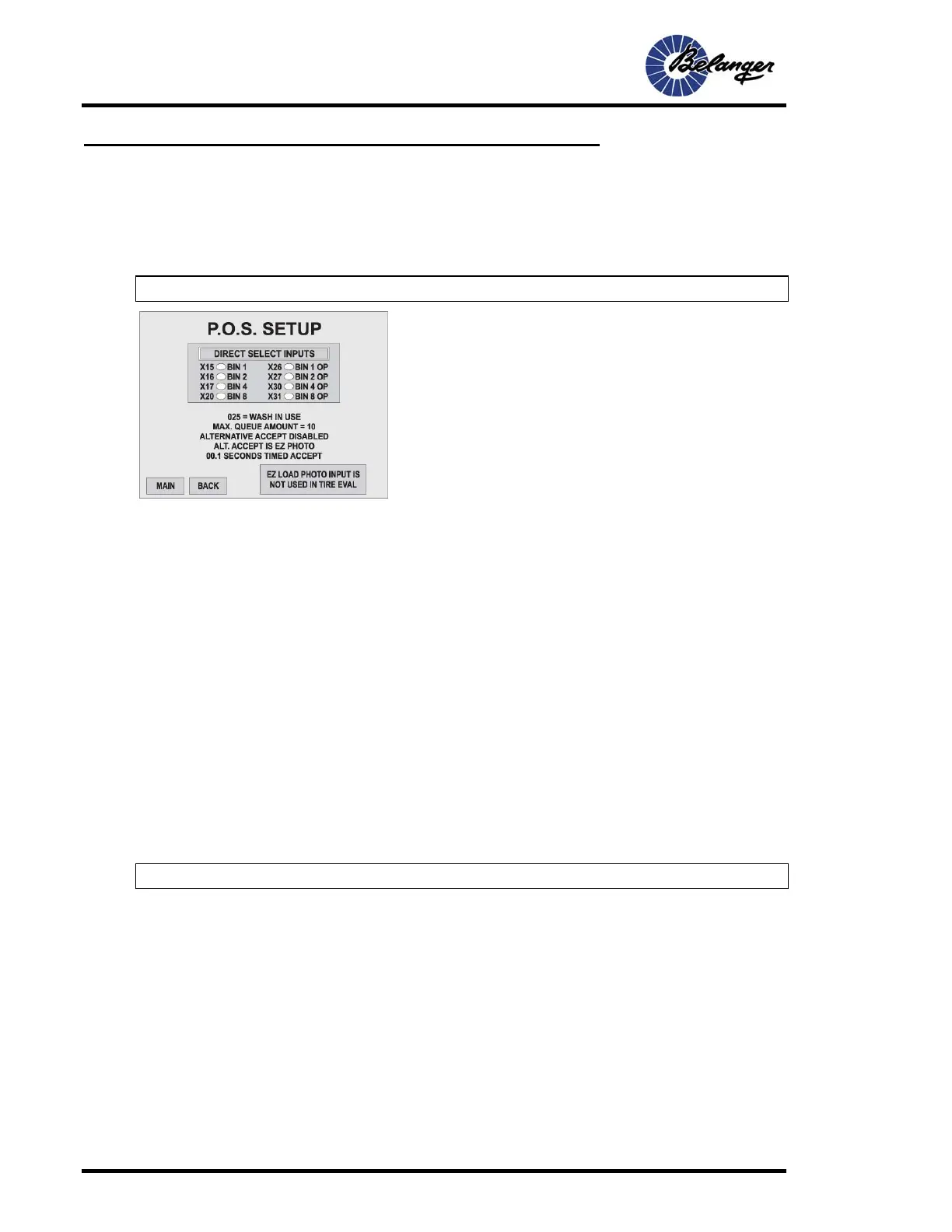
Setup / POS (Point of Sales)
This section is for setting up communication with the P.O.S. and setting up your Accept method. This section also
allows you to monitor the status of the select inputs. The inputs can be pulsed or maintained.
Note: The “Wash in Use” output will not function if accept method set to “Screen Accept Only”
• Direct / Binary: To change, touch the screen key to toggle between “DIRECT SELECT INPUTS” and
“BINARY SELECT INPUTS”. Binary may be either Normally Closed or Normally Open.
• Maintained: Inputs can be held (maintained) to load value into “Standby”.
• Example: The POS can turn ON any of the inputs x15 – x20 and keep them on until the “Wash In Use”
signal acknowledges the entry to the POS, and then the POS can turn them OFF.
• Binary: The input pattern represents the binary equivalent value of the Package/Option selected. When
selected, up to 15 packages and options can be selected. Inputs can be either “Pulsed” or “Maintained”
(typically used with Operator Station).
Wash In Use / Wash
• Wash In Use (Typical setting for Unitec™ products): The “Wash in Use” output is ON when a vehicle
breaks the “E-Z Load Photo Eye”, or when the timed method loads stand by into the QUEUE. This Output will
shut OFF 1 second after the “E-Z Load Photo Eye” sees across the drive, or after 5 seconds when the
“timed” method is being used.
• Wash Done (Typical setting for Hamilton™ products): This will turn OFF the “Wash In Use” output for 2
seconds after either of the following conditions: 1.) if Alt. Accept is set to input, and the vehicle has gone
through the “EZ Load” photo-eye. 2.) if Alt. Accept is set to timed, the output will turn OFF for 2 seconds, 5
seconds after the vehicle is loaded into queue.
Note: Inputs may be either Pulsed or Maintained.



 To Next Page