INTEGRA® / E-1063
1MANUL102 Belanger, Inc. * 1001 Doheny Ct. * Northville, MI 48167 * Ph (248) 349-7010 * Fax (248) 380-9681 4-1
Chapter 4 Operator Interface/Standard Wash Operation Screens
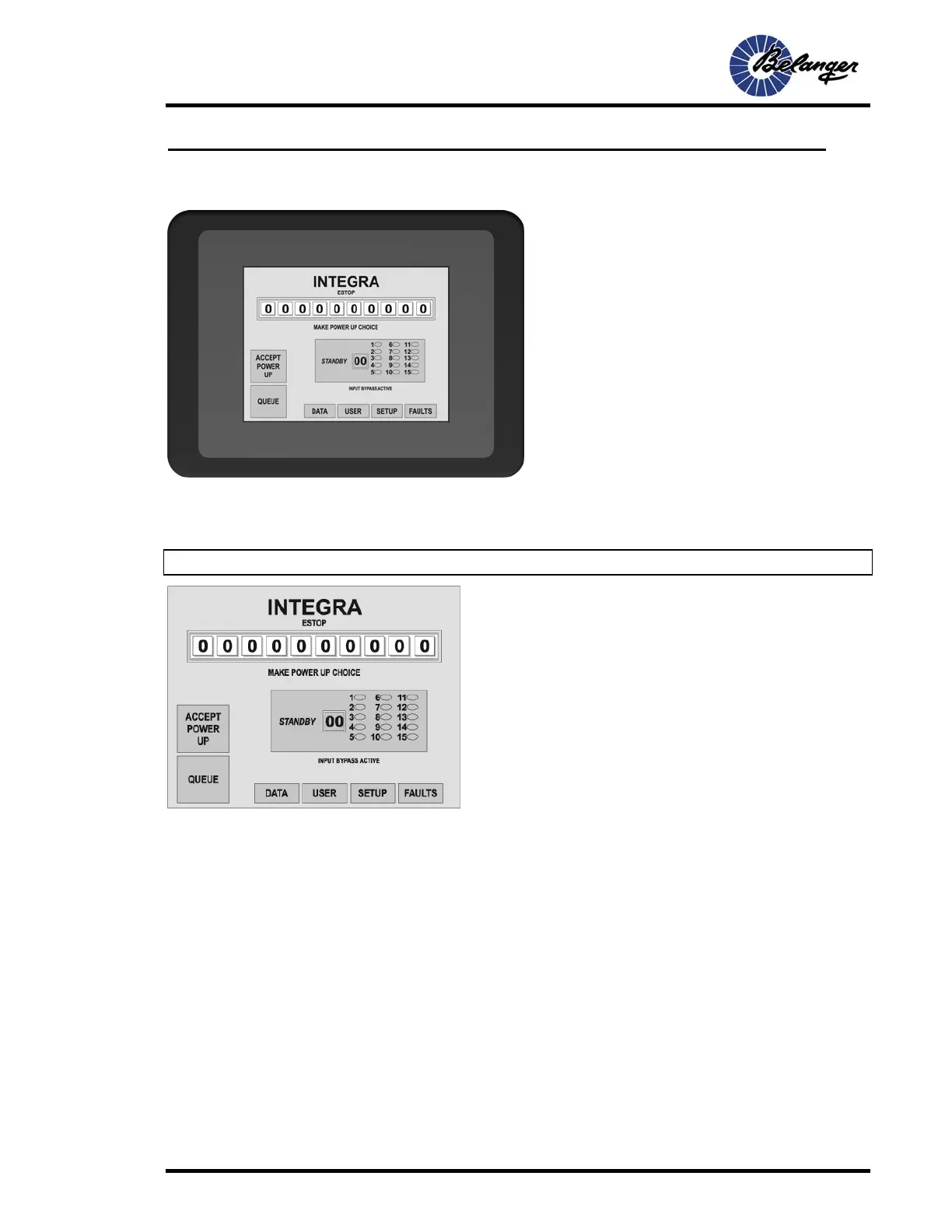
E-1063 Main Screen
The E-1063 is an Operator interface that utilizes “Touch-Screen” technology. User makes selections and enters data by
touching the appropriate positions on the screen. Due to the ease in which a stylus can be misplaced, we recommend that
you use the back end of an ink pen or a stylus.
Note: It is not recommended that the screen be operated with metal objects such as keys or screw-drivers.
Screen Key:
• The ESTOP is only displayed when the system is in the “ESTOP”
condition
• The display box shows the currently selected stand-by Package. If any
Options are associated with a selected Package, the corresponding
oval will be filled
• The long rectangular box displays the 10 washes in the Queue



 To Next Page