INTEGRA® / E-1063
5-4 Belanger, Inc. * 1001 Doheny Ct. * Northville, MI 48167 * Ph (248) 349-7010 * Fax (248) 380-9681 1MANUL102
Chapter 5 Operator Interface/Wash Setup Screens
Setup
Setup / Options
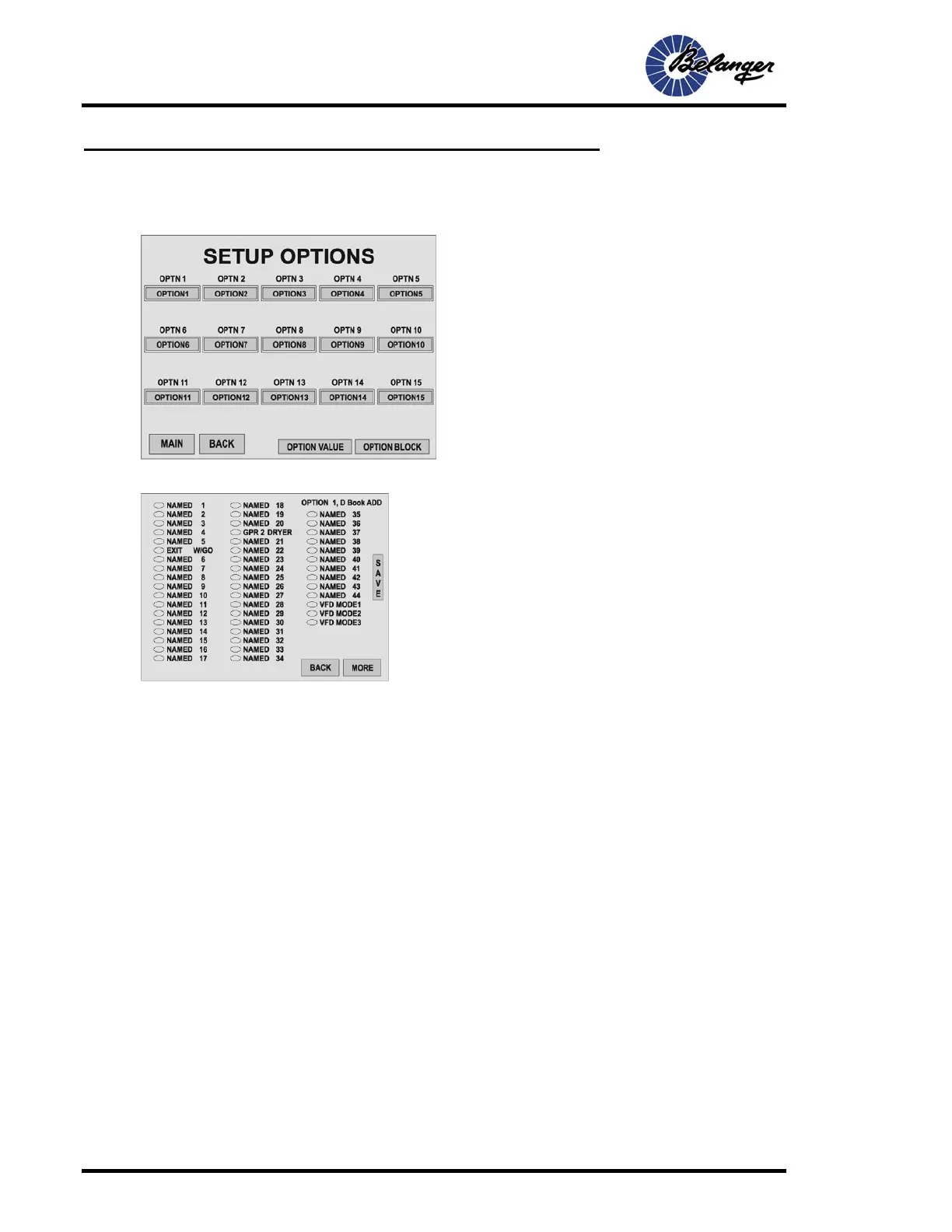
Setup / Options (typical): first screen for adding Functions
Once desired changes have been made to this screen, press the MORE key to move to the next screen if some
Functions are to be removed.
Screen Key:
• The “Options” buttons navigate to the corresponding
Option Setup screen.
Screen Key:
• When an oval is filled it becomes ADDED to the Option/Wash.
• Touching the desired oval will toggle it between filled and
unfilled
• See SETUP / FUNCTIONS for configuration of Functions
• VFD Mode 1 – Network VFD Dryer switch to set distance for
Package.
• VFD Mode 2– Network VFD Dryer switched OFF for Package.
• VFD Mode 3– Network Pump 1 selected for Package.



 To Next Page