INTEGRA® / E-1063
5-10 Belanger, Inc. * 1001 Doheny Ct. * Northville, MI 48167 * Ph (248) 349-7010 * Fax (248) 380-9681 1MANUL102
Chapter 5 Operator Interface/Wash Setup Screens
Setup
Setup / Loading
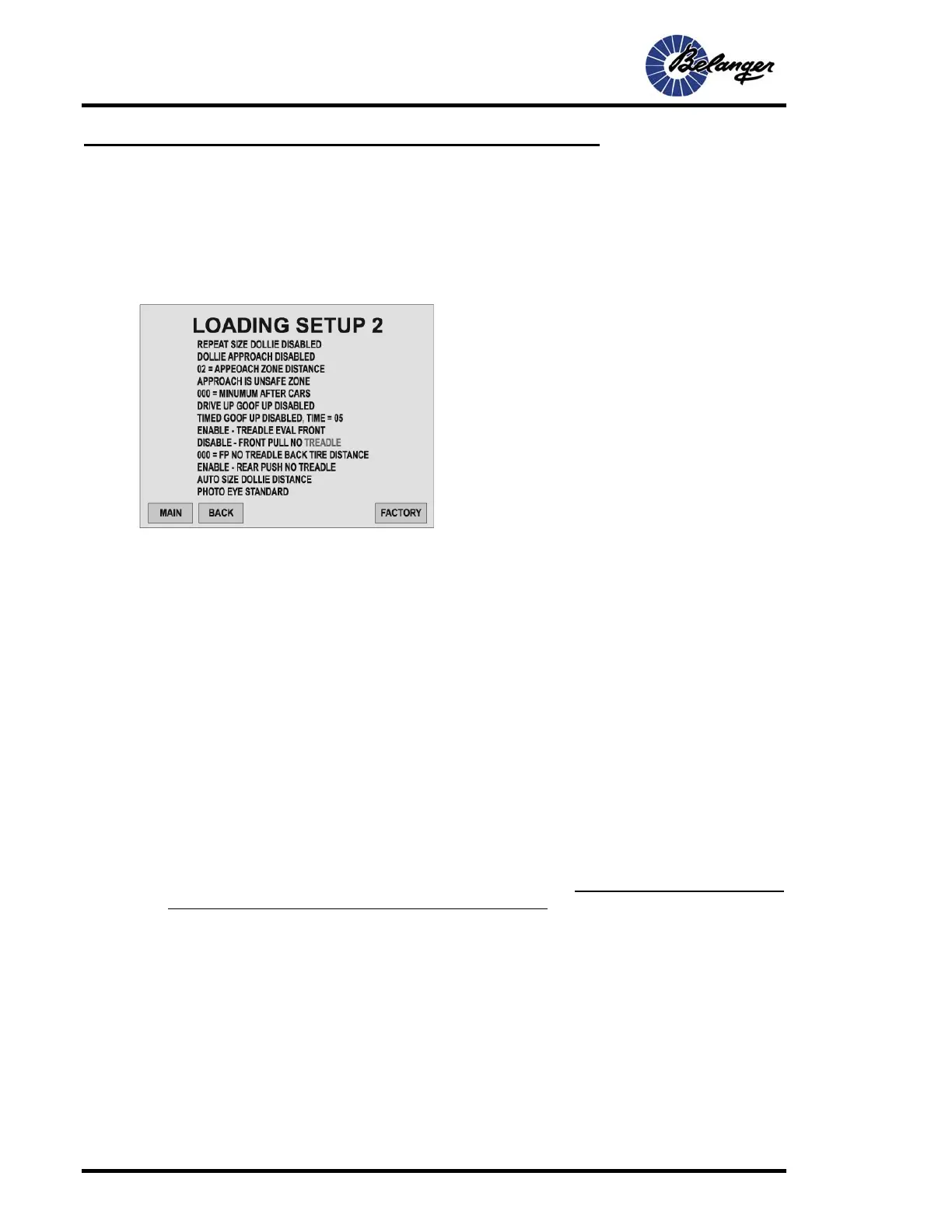
This page covers the second of 3 Loading screens.
Loading Setup 2 (second screen)
Pressing the MORE key will take you to the following screen.
• Run Way Distance: The system will not evaluate the “Entrance Photo-Eye” until the “Runway Distance” has
expired after the “Dollie Up” function. This setting helps properly size a vehicle when it pulls into the
“Entrance Photo-Eye” before the dollie reaches the tire.
If the wash is configured “Front Tire Pull”, we suggest it be set to a distance of 50 inches less than the
distance from the “Dollie Up” location to the entrance Photo-Eye. If the wash is configured “Rear Tire Push”,
we suggest that it be set to a distance of 237 inches less than the distance from the “Dollie-Up” location to
the Entrance Photo Eye. FAILURE TO SET AS RECOMMENDED OR SMALLER WILL SEVERELY INHIBIT
LOADING PERFORMANCE.
• Enter Photo Eye Distance: The dollie will be canceled when the dollie is raised and travels the Photo Eye
distance without breaking the “Entrance Photo-eye”. This should be set to the distance between the
“Entrance Photo-Eye” and the “Dollie Up” location. If set to Front Tire Pull with two front tire dollies, add dollie
spacing distance to the recommended settings stated. FAILURE TO SET AS RECOMMENDED OR
LARGER WILL SEVERELY INHIBIT LOADING PERFORMANCE.
• Neutral Distance: This is the distance in inches that the NEUTRAL Light of the In-Bay sign will remain ON
once activated. Light will not turn OFF until entrance Photo Eye is broken.
The GO light will NOT turn back ON until the NEUTRAL light turns OFF.
• Repeat Size Dollie: This function toggles back and forth between “Enabled” and “Disabled”. When
ENABLED, the system will recall that Dollie for its designated tire if the Dollie travels past the enter Photo
Eye distance without the Photo Eye being broken by a vehicle.
• Dollie Approach: This function toggles back and forth between “Enabled” and “Disabled”, when ENABLED
the system will act accordingly depending on Safe/Unsafe Zone. If set to Safe Zone, Dollies will only come up
when in the Safe Zone. Safe Zone will be the user-selected inches past “Dollie Approach” signal. If this is set
to “Unsafe”, Dollie will not come up for the pre-determined user unsafe zone, the user-selected distance is
called “Approach Zone Distance”. NOTE: This function is generally not used with Belanger Conveyors.



 To Next Page