INTEGRA® / E-1063
1MANUL102 Belanger, Inc. * 1001 Doheny Ct. * Northville, MI 48167 * Ph (248) 349-7010 * Fax (248) 380-9681 8-3
Chapter 8 Network and E-Mail Application
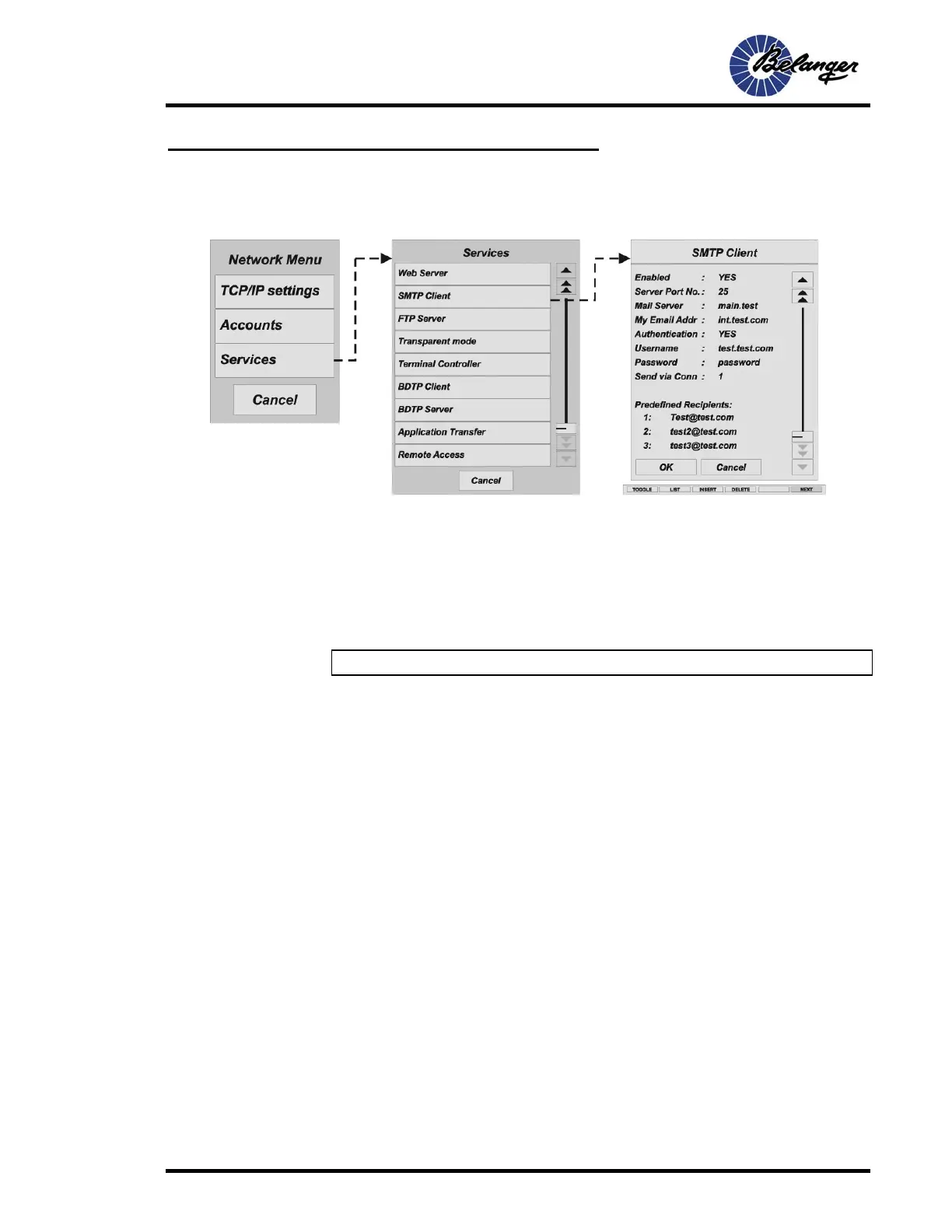
SMTP Client
This function allows e-mail to be sent from the E-1063. An e-mail server is required to use this
function. You can use you current providers e-mail server or a local e-mail server.
Enabled: This is always set to YES.
Server Port No.: The number 25 does not typically need to be changed.
Mail Server: The IP Address to the IP server or the alias name (DNS server) for the SMTP e-
mail server. If you specify an alias name, the IP address to the DNS server must be given in
TCP/IP settings.
My Email Addr: This address will be shown as who the e-mail came from.
Note: E-mail address does not need to be real (example: bay1.site2.com).
Authentication: YES or NO. This is typically set to YES. Setting to YES specifies that the e-
mail server requires a User Name and Password to be utilized.
User Name: This is the User Name utilized to access the e-mail server to send e-mail.
Password: This is the Password utilized to access the e-mail server to send e-mail.
Send Via Conn: This is always set to number 1.
Predefined Recipients:
1: Sent e-mail of Fault Report
1: Sent e-mail for Shift, Daily, Weekly Report
2: NOT Sent e-mail of Fault Report
2: Sent e-mail for Shift, Daily, Weekly Report
3: Sent e-mail of Fault Report
3: NOT Sent e-mail for Shift, Daily, Weekly Report



 To Next Page