OSD Menu60
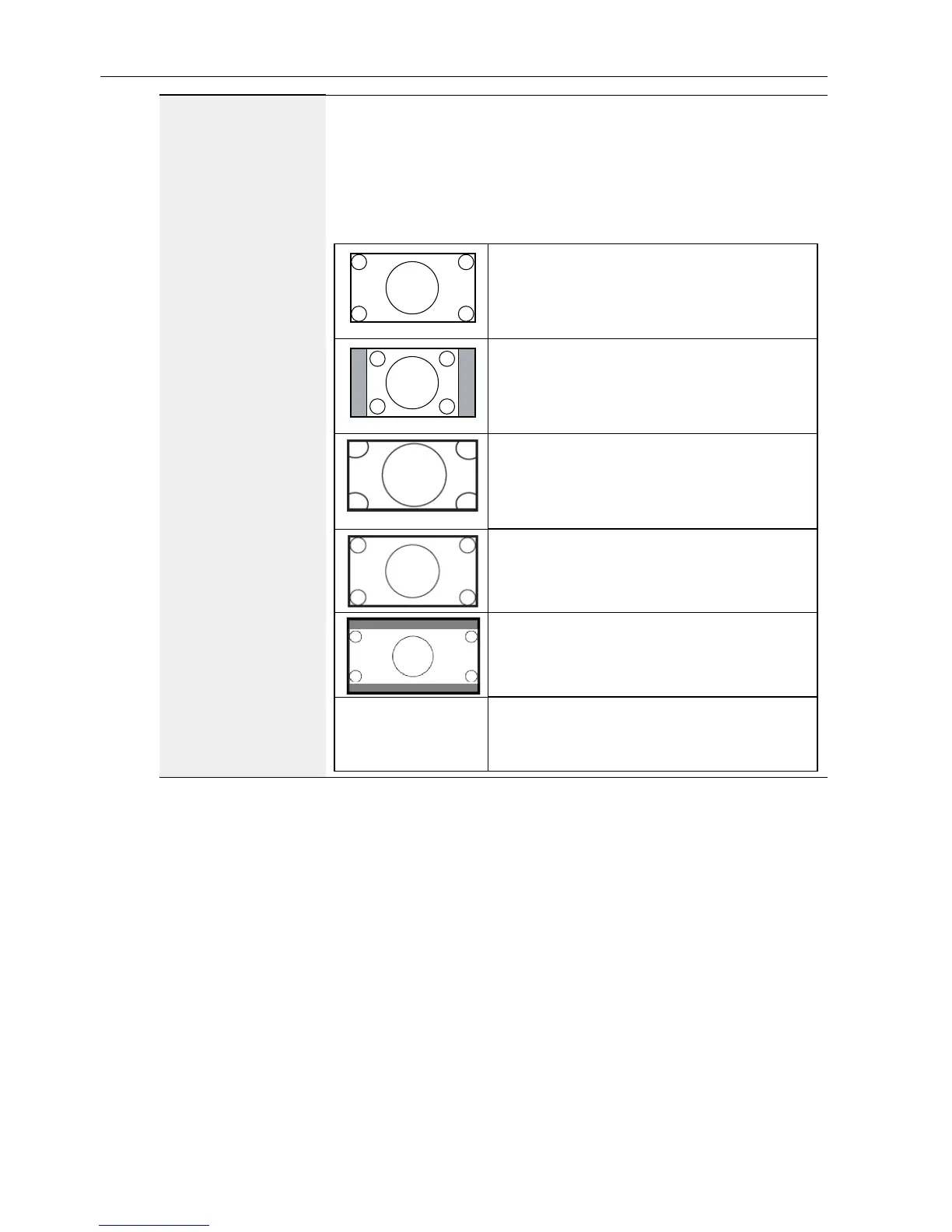
Zoom mode
PC mode: Full / 4:3 / 1:1 / 16:9 / 21:9 / Custom.
Video mode: Full / 4:3 / 1:1 / 16:9 / 21:9 / Custom.
* Zoom mode setting is by input. If input in multi-windows, the
setting will apply for windows with the same input.
And the INFO OSD will show the latest setting.
Full
This mode restores the correct
proportions of pictures transmitted in
16:9 using the full screen display.
4:3
The picture is reproduced in 4:3 format
and a black band is displayed on either
side of the picture..
1:1
This mode displays the image pixel-by-
pixel on screen without scaling the
original image size.
16:9
The picture is reproduced in 16:9 format
and a black band at the top and bottom.
21:9
The picture is reproduced in 21:9 format
and a black band at the top and bottom.
Custom
Choose to apply the custom zoom
settings in the Custom Zoom submenu.



 To Next Page