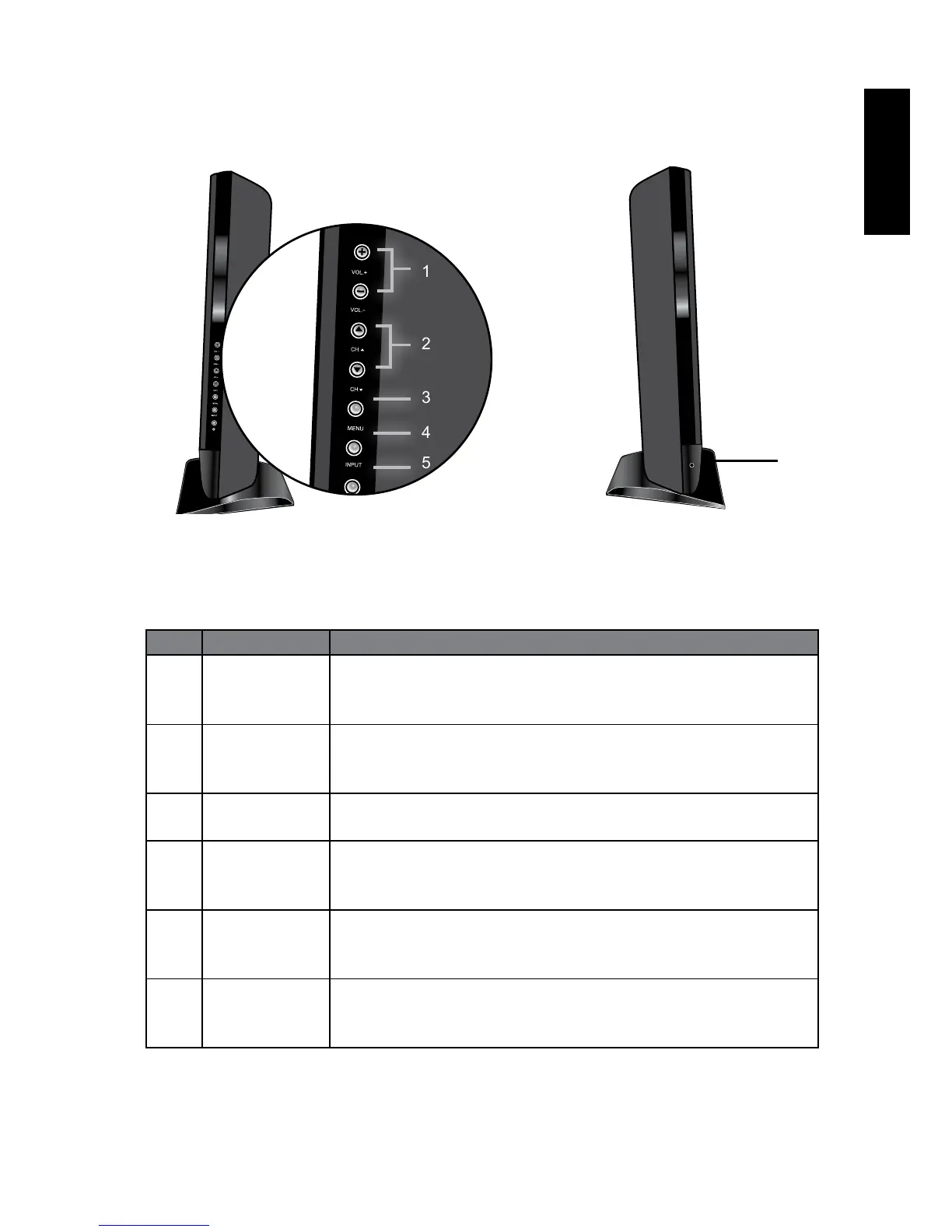
Control panel(Right side) Control panel(Left side)
No. Name Description
1 VOL. +/-
button
Adjusts the volume level of the speakers.
In the OSD menu, moves the selection highlight left or
right or changes settings.
2 CH
▲▼
button
Press these buttons to sequentially change channels
In the OSD menu, moves the selection highlight up or
down or changes settings.
3 MENU button Displays the OSD (On-Screen Display) menu if not visible, or
exits the current menu if displayed.
4 INPUT button
Cycles through possible input signal sources.
In the OSD menu, selects the highlighted menu item or
enters a submenu (if available).
5 Power/
standby
button
Toggles the display between standby mode and on.
6 Headset
socket
This socket is an audio output for connecting an external
headset. The display speakers will be muted whenever the
headset socket is being used.
1
6
2
3
4
5



 To Next Page