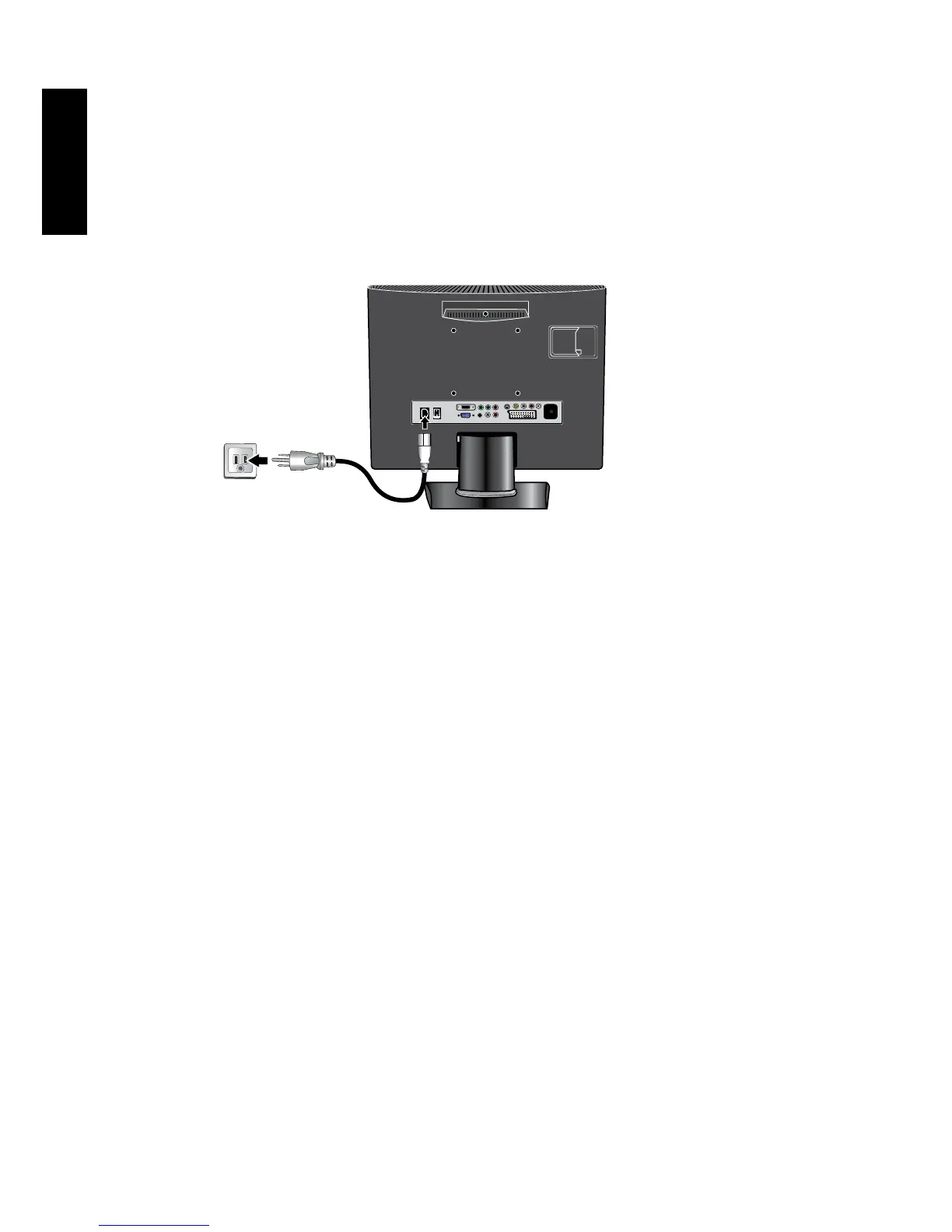
7. Connect the power cable
1. Locate the power cable from the packaging, and plug the appropriate end into
the AC IN socket on the rear of the TV (as illustrated below).
2. Connect the other end into an appropriate wall power outlet, and ip the main
power switch on the TV to the ON ( I ) position. The TV will enter standby
mode and the power indicator (on the front lower right) will light up red.
The type of power cable plug and socket illustrated may differ from the type used in
your region.
Onlyuseanappropriatepowercableforyourregion.Neveruseapowercablewhich
appearsdamagedorfrayed.Neverchangetheplugtypeonapowercable.Be
awareoftotalloadingwhenusingextensioncordsormultipleoutletpowerboards.
WARNING:
This TV has been engineered and manufactured with the highest priority on safety,
however,IMPROPERHANDLINGORUSECANRESULTINPOTENTIALELECTRICAL
SHOCKORFIREHAZARD.PleasehandlethisTVwithcare.Ifdamaged,turnoffthe
power and unplug the power cable from the TV. Transport the TV to your nearest
BenQauthorisedservicecentreforrepair.



 To Next Page