1. Please read these instructions
Congratulations. You have a state-of-the-art at widescreen digital LCD TV which
should provide you with years of viewing pleasure. Please take a few minutes to read
these quick start instructions through before installing and using the TV.
What's in the Quick Start Guide?
Section 1 contains the Quick Start Guide which provides you with enough information
to setup the TV. This is section 1.
What's in the User Manual?
Section 2 contains the User Manual which details the features and functions of the
TV, and provides product specications and troubleshooting information for your
further assistance. The User Manual also describes how to customise the TV settings
so that you can gain the best viewing experience possible to suit your preferences
and viewing environment.
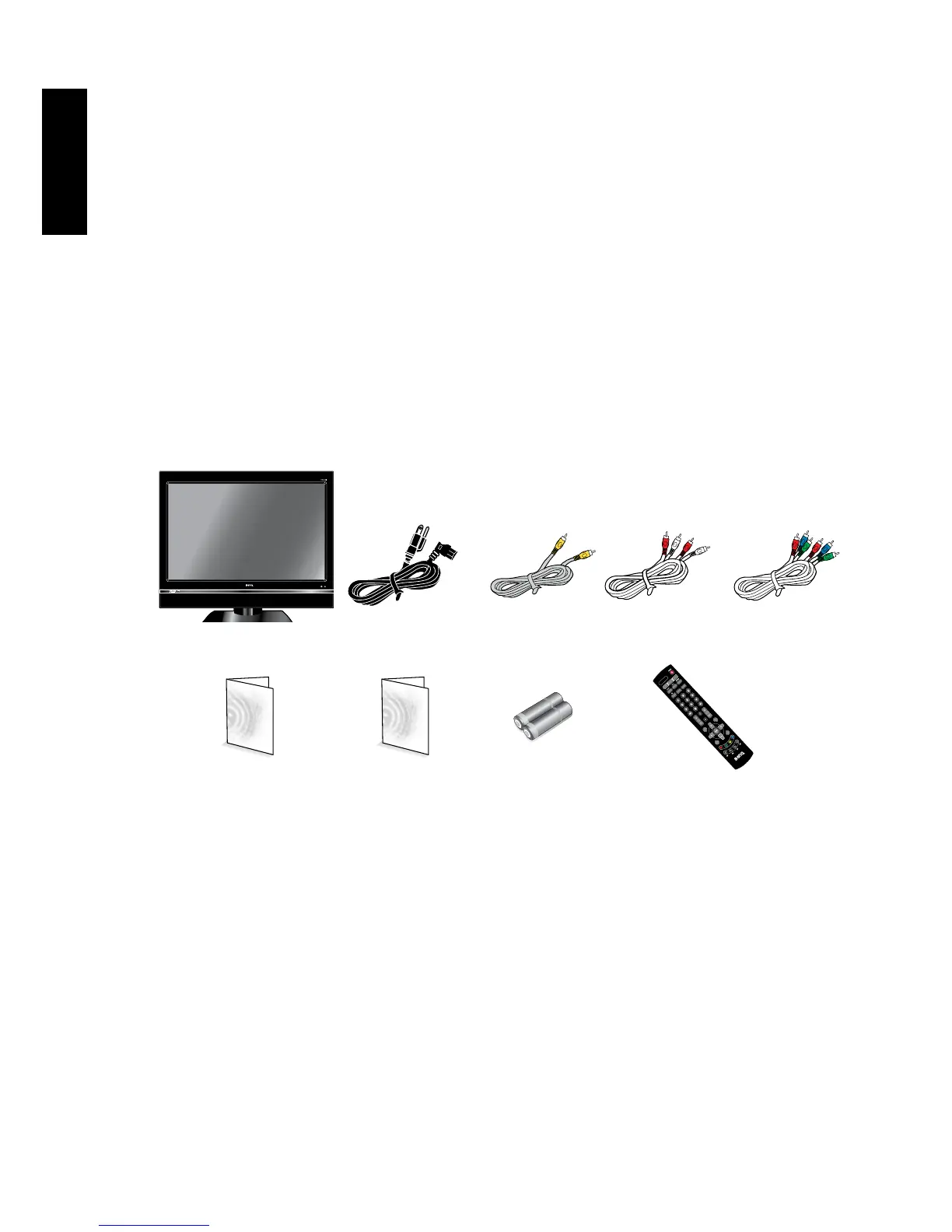
2. Package contents
Unpack the TV and check that all the following items are included:
The type of power cable supplied may differ from that illustrated, dependant upon your
region of purchase.
If any item is missing or damaged, contact your place of purchase immediately and
notify them of the discrepancy. Please keep the product documentation in a safe
place for later reference.
Dispose of packaging wisely:
•Thecardboardcartoncanberecycled.
•Donotleaveplasticbagswithinreachofyoungchildrenorbabies
•Checkthatyouhaven'tleftanaccessoryinsidethepackaging,beforeddiscarding.
For the primary safety of yourself and others, this TV should be handled with care to
avoiddamagetoitortopersonswhichcomeintocontactwithit.
All LCD screens have a very thin protective layer of glass which is liable to marking
or scratching, and cracking if struck or pressured. The liquid crystal substrate is also
liable to damage under excessive force or extreme temperatures. Please handle with
care.
LCDTV(x1)
Powercord(x1)
Composite
Videocable(x1)
Audio
cable(x1)
AAA
battery(x2)
Quick Start Guide/
UserManual(x1)
Remote
control(x1)



 To Next Page